 Installation guide
 Owner’s manual
 Error Codes




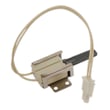

How to change Kenmore spark electrode igniter?
To change a spark electrode igniter on your Kenmore Pro gas range model 79072583510, we replace the electrode at the burner, transfer the wire connection, and reassemble the burner parts so the igniter can spark and light the burner normally. Use the 79072583510 installation guide for burner and ignition checks after reassembly.
Before you start (safety and access)
- Turn all burner knobs to OFF.
- Shut off the gas supply valve.
- Unplug the range (electric spark ignition needs power, so disconnecting power prevents accidental sparking).
- Let the cooktop cool completely.
- Remove the grate and the burner cap from the burner you are servicing.
How to replace the spark electrode igniter
- Remove the burner cap and burner head (if your burner design uses a separate head). Keep parts oriented so they go back the same way.
- Locate the electrode (the small ceramic post with a metal tip near the burner).
- Remove the mounting screw holding the electrode to the orifice holder or burner base.
- Disconnect the wire from the old electrode.
- Connect the wire to the new electrode:
- Push the connector fully onto the electrode terminal.
- If your connector is a crimp style, crimp it snugly so it cannot pull off.
- Install the new electrode into the holder and secure it with the screw.
- Reassemble the burner:
- Reinstall the burner head (if used).
- Reinstall the burner cap (make sure it sits flat).
- Reinstall the grate.
Quick checks after replacement
After restoring power and gas, confirm ignition operation:
- Turn the burner knob to LITE; we should hear sparking.
- The burner should light within about 4 seconds once gas is available.
- Turn the knob out of LITE after ignition (leaving it in LITE can keep the igniter sparking).
| What you see | Most likely cause | What to do |
|---|---|---|
| Sparks but no flame | Gas not reaching burner, cap/head misaligned | Reseat cap/head; confirm gas is on |
| No spark | Loose wire, damaged electrode, power issue | Recheck connector fit; verify outlet power |
| Clicks and lights slowly | Moisture or debris at burner | Dry and clean burner parts |
Why it matters
A properly mounted electrode and correctly seated burner cap help the burner ignite quickly and prevent repeated clicking, delayed ignition, and uneven flame.
Last updated: January 2026
How to reset Kenmore gas range?
To reset a Kenmore gas range like model 79072583510, we recommend doing a simple power reset: turn the oven controls OFF, then disconnect power for a few minutes and restore power. After power returns, reset the clock and confirm the burners and oven ignite normally.
Quick reset steps (power reset)
- Turn all surface burner knobs to OFF.
- Make sure the oven is not running Bake, Broil, or Self Clean.
- Unplug the range or switch OFF the dedicated circuit breaker.
- Wait 3 to 5 minutes.
- Restore power.
- Set the time of day (the display commonly flashes 12:00 after an interruption).
For the exact clock-setting steps and control behavior after a power interruption, use the 79072583510 owner's manual.
What to check after the reset
- Clock and display: Set the clock; many controls will not behave normally until time is set.
- Surface ignition: Turn a burner to LITE and listen for sparking; the burner should light when gas is available.
- Oven ignition: Start Bake or Broil and confirm ignition and a steady flame.
- All controls OFF: After testing, return every knob and oven function to OFF.
If the range still will not heat or ignite
A reset clears many control glitches, but it will not fix a failed component or a gas supply issue. Use this checklist:
- Confirm the range has power (display on, interior light works).
- Confirm the gas shut-off valve is fully ON.
- If you smell gas, do not operate the range; ventilate the area and stop troubleshooting.
- If the oven temperature seems inaccurate after the reset, test the oven with a thermometer; a failed sensor can cause heating problems.
Common “reset didn’t help” causes
| Symptom | Most likely area to inspect | Example part for this model |
|---|---|---|
| Oven won’t reach temp or temp swings | Oven temperature sensing circuit | Range oven temperature sensor 5304504897 |
| Oven won’t ignite but surface burners work | Oven gas valve or ignition system | (varies by symptom) |
| Random beeping or dead display | Control board or power supply issue | (varies by symptom) |
Why it matters
A proper reset is the fastest way to clear a control lockup after a power interruption and restore normal operation. It also helps you separate a one-time electronics glitch from a true ignition, gas supply, or sensor problem.
Last updated: January 2026
What model is my Kenmore gas range?
Your Kenmore Pro gas range model number is printed on the appliance’s rating label. On Kenmore Pro ranges like model 79072583510, the label is commonly found in the oven door jamb area (open the oven door and check the frame), or behind the bottom drawer, and sometimes on the back near the vent.
Where to look first (fastest checks)
- Open the oven door and check the left or right door jamb (the frame around the oven opening)
- Pull out the bottom storage drawer and look on the frame behind it
- Check the back panel near the vent area
- Look along the side frame edges if the range is installed tightly between cabinets
What the model number looks like on this range
In the Use & Care Guide for Kenmore Pro front-control gas ranges, the model format is shown as 790.7258* (the asterisk represents a color code). For parts ordering, your full model is typically the full 10-digit version, such as 79072583510.
| You might see | What it means | Use it for |
|---|---|---|
| 790.7258* | Model series format (with color code) | Identifying the correct family of manuals/parts |
| 79072583510 | Full model number | Ordering the correct parts and diagrams |
Tips to make sure you copy it correctly
- Write down the full model number and serial number exactly as shown
- Include all digits; do not drop leading zeros
- If the label is worn, take a clear photo and zoom in to confirm characters
Why it matters
Kenmore ranges often share similar looks across multiple model series. Using the exact model number ensures we match the correct burner parts, oven controls, and gas components for your specific configuration.
For label location illustrations and model format details, use the 79072583510 owner’s manual.
Last updated: January 2026




