Installation guide
 Owner’s manual
 Error Codes

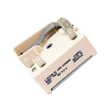

Where can I find my Kenmore electric range model number?
On Kenmore electric range model 79094172310, the model and serial plate is typically on the lower right front frame of the range; you may also find it under the cooktop. We recommend matching the full model number exactly before ordering parts or using wiring instructions in the installation guide.
Common places to check
- Lower right front frame (front frame area of the appliance)
- Under the cooktop (alternate serial plate location)
- Door jamb area (open the oven door and check the frame edge)
- Behind the storage or warmer drawer (check the frame and side panels)
- Back panel near the vent area (less common, but worth a quick look)
Quick steps to find it fast
- Turn the oven light on and use a flashlight to read small print.
- Open the oven door and scan the front frame edges first.
- Pull the bottom drawer out fully and look at the frame behind it.
- If needed, lift the cooktop (only if your design allows safe access) and look for the plate underneath.
What the label usually shows
| Label item | What it’s used for | Why you need it |
|---|---|---|
| Model number | Identifies the exact range version | Ensures correct parts fit and correct diagrams |
| Serial number | Production run identifier | Helps confirm compatible revisions |
Why it matters
Kenmore ranges often share similar styling across multiple versions, but parts like a surface element control switch, oven temperature sensor, or control board can vary by model and serial range. Using the exact model number helps us match the correct replacement part the first time.
Last updated: February 2026
How do you reset the F1 code on a Kenmore stove?
On the Kenmore electric range model 79094172310, you can often reset an F1 error by fully removing power from the range for several minutes, then restoring power. This clears temporary control glitches and forces the oven control to reboot.
Fast reset steps (safe, no tools)
- Turn the range OFF.
- Shut off the range circuit breaker (or unplug the power cord if accessible).
- Wait 5 minutes.
- Restore power.
- If the clock flashes, set the time and try Bake.
- If F1 returns quickly, move to the checks below.
If F1 comes back: what it usually points to
F1 commonly relates to the oven’s electronic control detecting a problem such as a stuck keypad input, a control fault, or an abnormal temperature-sensing signal.
Quick checks you can do
- If the keypad is wet or greasy, let it dry and clean it with a lightly damp cloth.
- Cancel any cooking mode and try a basic bake cycle.
- If the oven was just used, let it cool completely and retry.
- If the error appears during preheat, the temperature sensor circuit becomes a top suspect.
Parts that commonly solve repeat F1 on this model
If the reset does not hold, these parts are common next steps for diagnosis and repair:
| Symptom pattern | Most likely area | Example part for this model |
|---|---|---|
| F1 returns immediately at idle | Oven control or keypad/overlay | Range oven control overlay 316633004 |
| F1 appears during heating or preheat | Temperature sensor circuit | Frigidaire range oven temperature sensor 316490000 |
Why it matters
An F1 that keeps returning can prevent the oven from heating correctly or cause the control to stop a cycle for safety. Resetting is a good first step, but repeat codes usually mean a component needs attention.
Reference for your exact procedures
For model-specific control operation and safety notes, follow the 79094172310 owner's manual.
Last updated: February 2026
How do I reset my Kenmore electric range?
To reset your Kenmore electric range model 79094172310, we recommend doing a full power reset: turn the range off, cut power at the breaker for 1 to 5 minutes, then restore power and reprogram the clock. This clears many control glitches and false error displays.
Quick reset steps (safe and effective)
- Turn all surface element knobs to OFF.
- If the oven is running, press Cancel/Off.
- Switch the range circuit breaker OFF (or unplug the power cord if accessible).
- Wait 1 to 5 minutes.
- Restore power, then set the clock and test Bake and a surface element.
If the reset does not fix it
A reset helps when the electronic control is “stuck”, but it will not correct a failed sensor, heating element, or wiring issue.
- If the oven temperature is inaccurate or you get temperature-related errors, check the oven temperature sensor circuit; the most common fix is replacing the sensor.
- If the oven will not heat in Bake, inspect the bake element for visible damage and test for continuity.
- If the display is dead or the range resets randomly, inspect the terminal block and power cord connections for heat damage or loose connections.
Common parts related to “won’t heat” or “temp issues”
| Symptom | Most likely part | What it affects |
|---|---|---|
| Oven heats wrong or shows temp error | Oven temperature sensor 316490000 | Temperature feedback to control |
| No Bake heat | Bake element 316407501 | Primary baking heat source |
| Power loss, burning smell at cord area | Range terminal block 5303935271 | Main power connection point |
Why it matters
Resetting restores normal operation after a power surge or control lockup, but repeated trips, burning smells, or intermittent power usually point to a wiring or terminal block problem that needs correction to prevent further damage.
Installation and wiring note (important)
When checking power connections, follow the wiring diagrams and safety steps in the installation guide. The terminal block connections must be tight, and the factory-installed nuts that secure the internal range wiring should not be loosened.
Last updated: February 2026
How to read Kenmore model numbers?
Kenmore model numbers are read left to right: the first 3 digits identify the manufacturer code, and the remaining digits narrow down the exact product design and feature set. For your Kenmore electric range model 79094172310, the 790 prefix is the key identifier we use to match the correct parts and documentation.
Where to find the model number on a Kenmore range
We see the model number most often on a rating plate in one of these spots:
- Frame area behind the oven door (along the front edge)
- Storage drawer frame (remove the drawer and look on the chassis)
- Back panel of the range
- Side trim or lower front panel area (varies by design)
For diagrams and safety notes tied to your exact unit, use the 79094172310 owner’s manual.
How the Kenmore model number is structured
Kenmore numbers typically follow this pattern:
- Prefix (first 3 digits): manufacturer code
- Middle digits: base platform or series
- Last digits: engineering revisions, color, feature variations
Quick example for this model
| Example | What it tells us | Why it matters |
|---|---|---|
| 79094172310 | 790 = manufacturer code; remaining digits = exact configuration | Ensures the right bake element, control board, and wiring parts fit |
Tips to avoid ordering the wrong part
Before ordering a surface element, oven sensor, or control board, we use these checks:
- Match the full model number exactly (all digits)
- Compare the part description to the symptom (heat issue vs. control issue)
- Confirm whether the issue is cooktop or oven related
- Use the wiring and installation notes in the installation guide when dealing with power connections
- If the oven temperature is off, check the sensor first (common on electric ranges)
Why it matters
Kenmore ranges often share similar-looking parts across multiple series, but small model-number differences can change the correct terminal block, surface element control switch, or oven temperature sensor. Using the full 79094172310 number keeps the repair safe and the fit correct.
Last updated: February 2026
What causes a Kenmore oven to stop working?
A Kenmore 79094172310 electric range oven usually stops working because it is not getting full power, a heating component has failed, or a control/safety circuit is preventing heat. Start by confirming the range is wired correctly and has proper voltage, then check common heat-related parts.
Most common causes (and what you’ll notice)
- Power supply problem: display works but oven will not heat, or the range seems “dead” after a breaker trip.
- Failed bake element: no heat in Bake, or slow preheat; sometimes visible blistering or a break in the element.
- Failed broil element: Broil will not heat, or top browning is weak.
- Bad oven temperature sensor: oven heats but temperature is inaccurate, or it shuts off early.
- Control issue: keypad/clock acts erratically, won’t start a cycle, or heats intermittently.
- Door lock problem (self-clean models): oven won’t start heat cycles if the lock circuit is stuck.
Quick checks we recommend first (safe, no disassembly)
- Verify the range is fully plugged in and the double breaker is ON (flip OFF then ON).
- Confirm the range was installed with the correct wiring method (3-wire vs 4-wire) and that terminal block connections were not disturbed; follow the installation guide.
- Try Bake at 350°F for 10 minutes, then Broil for 2 minutes to see if one function works and the other does not.
- If the oven light is out, replace the bulb only after power is off at the breaker.
Parts that commonly fix “oven not working” on this model
| Symptom | Likely part | Example part for this model |
|---|---|---|
| No Bake heat | Bake element | Frigidaire range bake element 316407501 |
| No Broil heat | Broil element | Range broil element 316203301 |
| Temps wrong or unstable | Oven temperature sensor | Frigidaire range oven temperature sensor 316490000 |
| Oven won’t start after self-clean | Door lock circuit | Range oven door lock motor and switch assembly 5304528973 |
Why it matters
An electric oven can appear to have power (lights, clock) while still missing one leg of 240V, which prevents proper heating. Correct wiring and secure terminal block connections are essential for safe, reliable operation.
For error messages, use Kenmore 790 range 4-digit error codes to match the code to the most likely failed circuit.
Last updated: February 2026
Where is the fuse on a Kenmore oven?
On the Kenmore 79094172310 electric range, the “fuse” people mean is usually a thermal fuse or high-limit safety device mounted on the back of the oven area. You typically access it by removing the rear access panel; it’s commonly positioned near the bake or broil wiring connections.
What you’ll see when you open the back
On most Kenmore electric ranges like model 79094172310, the thermal safety device is in the rear service area where the main oven wiring runs.
- Unplug the range or switch OFF the double-pole breaker before removing any panels
- Pull the range forward carefully to avoid damaging the power cord
- Remove the rear access cover screws and lift the panel off
- Look for a small, flat safety device in-line with wiring (often near the oven cavity wiring harness)
- If you see heat damage, melted connectors, or brittle insulation, stop and correct the wiring issue before replacing parts
For panel removal and safe access points, follow the 79094172310 installation guide.
Quick troubleshooting: fuse vs. other common “no heat” causes
A blown thermal fuse is only one possibility. These checks help narrow it down.
| Symptom | More likely cause | What to check first |
|---|---|---|
| Oven completely dead (no display) | House power, terminal block, wiring | Breaker, cord connection, terminal block |
| Display works but no bake heat | Bake circuit issue | Bake element, wiring, control |
| Broil works but bake doesn’t | Failed bake element | Inspect element for blisters/breaks |
| Oven temp way off | Sensor issue | Sensor resistance and connector fit |
If the oven temperature is erratic or you get heating faults, the oven temperature sensor 316490000 is a common diagnostic item.
Why it matters
The thermal fuse (or high-limit device) is a safety cutoff. If it opens, it usually means the range overheated or had a wiring/connection problem; replacing the fuse without fixing the root cause can lead to repeat failures.
Last updated: February 2026
How many cubic feet is a Kenmore 79094172310 range?
The Kenmore 79094172310 electric range has an oven capacity of 5.3 cubic feet. You can confirm the listed capacity and other specifications in the 79094172310 owner's manual.
Quick ways to verify capacity
If you want to double-check what you have (or compare to another Kenmore range), use these reliable checks:
- Look for the capacity in the specifications section of the manual
- Check the model/serial tag (often on the lower right front frame, sometimes under the cooktop)
- Compare interior dimensions only as a rough cross-check (capacity is based on usable cavity volume)
- Use the installation cutout and clearance info to confirm it is a 30-inch class range
If you want to calculate it yourself (cross-check)
Measuring is useful when comparing usable space for pans, but it will not match the published number exactly.
- Measure usable width (side wall to side wall)
- Measure usable height (oven floor to lowest point of the top interior)
- Measure usable depth (back wall to inside of closed door)
- Multiply inches:
W x H x D - Divide by 1,728 to convert cubic inches to cubic feet
| What you use | Formula | Notes |
|---|---|---|
| Published capacity | Listed spec | Best for comparisons and shopping |
| Measured estimate | (W x H x D) / 1,728 | Varies with curves, vents, and insulation |
Why it matters
Oven capacity determines what fits (large roasters, multiple racks) and helps you choose correctly sized accessories like oven racks and bakeware.
Last updated: February 2026