 Installation guide
 Owner’s manual
 Error Codes






How do I reset a whirlpool convection oven?
To reset your Whirlpool RBS305PVS02 wall oven controls, press OFF/CANCEL to stop the current function; if the display shows PF after a power interruption, set the clock again using the steps in the RBS305PVS02 owner's manual.
Quick reset options (most common)
- Stop a cycle or clear an entry: Press OFF/CANCEL.
- After a power failure (PF on display): Press OFF/CANCEL, then reset the clock.
- If the control is locked (Loc on display): Press and hold START for about 5 seconds to unlock.
- If the oven will not start: Confirm the door is closed, then press START within 5 seconds of selecting a function.
- If an F-code appears: Turn the oven off and address the underlying fault (often a sensor, wiring, or overheating issue).
How to reset the clock after “PF”
When power is first supplied, PF appears and the clock needs to be set.
- Press CLOCK.
- Use HOUR or MIN + / - to set the time.
- Press CLOCK or START to save.
If “Loc” is on (control lock reset)
The control lock disables most pads to prevent unintended use.
- Make sure the oven is off.
- Press and hold START until a tone sounds (about 5 seconds).
- Repeat the same step to lock again if needed.
What “reset” does (and does not) do
| What you want | What to do | What to expect |
|---|---|---|
| Cancel baking/broiling/clean | Press OFF/CANCEL | Function stops; cooling fan may keep running |
| Clear PF after outage | Set clock | Restores normal operation |
| Unlock keypad | Hold START 5 seconds | “Loc” disappears |
| Fix an F error | Diagnose the cause | Reset alone will not correct a failed part |
Why it matters
A proper reset clears stuck keypad entries, restores operation after a power interruption, and confirms the control is not locked. If errors return quickly, the issue is usually a component such as the temperature sensor or a high-limit safety device.
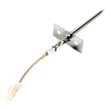
If you are troubleshooting repeated F-codes or no-heat symptoms, the wall oven temperature sensor WPW10131825 and range high-limit thermostat WP9759243 are two common parts to check for this model.
Last updated: February 2026
How long do Whirlpool wall ovens last?
Whirlpool wall ovens like model RBS305PVS02 typically last 13 to 15 years with normal household use and routine care; many reach 15 to 20 years when the oven is kept clean, the door seals well, and overheating issues are corrected quickly.
Typical lifespan and what affects it
A wall oven’s life is mostly driven by heat stress on electrical parts and how hard it is worked.
- Heavy high-heat use (broil, self-clean) shortens life
- Good airflow around the cabinet helps electronics last longer
- A tight door seal prevents heat loss and overheating of components
- Prompt repair of temperature problems prevents damage to wiring and controls
- Power surges and loose connections can shorten control and wiring life
What usually fails first (and what it looks like)
| Symptom | Common cause | Example model-compatible part |
|---|---|---|
| Oven temperature is inaccurate | Temperature sensor drifting | Wall oven temperature sensor WPW10131825 |
| Broil does not heat | Broil element open | Range broil element WP9760771 |
| Oven overheats or shuts down | High-limit thermostat tripping | Range high-limit thermostat WP9759243 |
| Door will not unlock after self-clean | Door lock issue | Range oven door lock assembly WPW10195934 |
Maintenance that extends service life
We recommend these habits to keep your Whirlpool electric wall oven running longer:
- Wipe spills after the oven cools to protect the porcelain and reduce smoke
- Avoid slamming the door; it stresses hinges and can compromise sealing
- Use self-clean only when needed; extreme heat accelerates wear
- Keep the vent area clear so heat can escape properly
- If baking seems off, test and correct temperature issues early
Why it matters
A wall oven can run for years with minor part replacements; catching temperature, door, or overheating symptoms early helps protect higher-cost items like the control and wiring.
For model-specific operating and care guidance, follow the RBS305PVS02 owner’s manual.
Last updated: February 2026
Is Whirlpool a good wall oven?
Whirlpool wall ovens, including model RBS305PVS02, are a solid, dependable choice for most kitchens because they are built for everyday baking and broiling with straightforward service support and readily available replacement parts. For best results, we recommend following the cooking and care guidance in the RBS305PVS02 owner's manual.
What “good” means for a built-in electric wall oven
A good 30-inch electric built-in single oven typically delivers consistent temperatures, reliable door sealing, and safe electrical operation over years of normal household use.
Common strengths we see with Whirlpool wall ovens:
- Consistent bake performance when the temperature sensor is working correctly
- Widely available service information and parts support
- Practical design for standard 30-inch wall-oven cutouts
- Repairable components (heating, sensing, door hardware)
Quick checks that tell you if your oven is performing well
If you already own the RBS305PVS02, these checks quickly confirm day-to-day performance:
- Preheat completes in a normal time and holds temperature without big swings
- Baking is even across the rack (no persistent hot spots)
- Broil element glows and cycles normally (no weak broil)
- Door closes firmly and does not leak excessive heat
- Controls respond consistently and do not reset
Parts that most often affect “good performance”
| Symptom | Most likely system | Example part for this model |
|---|---|---|
| Oven runs too hot or too cool | Temperature sensing | Wall oven temperature sensor WPW10131825 |
| Weak or no broil | Broil heating circuit | Range broil element WP9760771 |
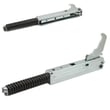
| Door won’t close tightly | Door hinge or bumpers | Wall oven door hinge, right WP9760575 |
Why it matters
A wall oven that heats accurately and seals properly cooks more evenly, avoids overworking components, and helps prevent nuisance shutdowns from overheating. Keeping key wear items (like the sensor, hinges, and door hardware) in good shape protects performance.
Last updated: February 2026
What does f2 mean on a Whirlpool wall oven?
On a Whirlpool wall oven like model RBS305PVS02, the F2 code points to an oven temperature problem (the oven is sensing an over-temperature condition or a temperature-sensing circuit issue). The most common causes are the temperature sensor, the electronic control, or wiring; a power reset is the first quick check.
What to do first (safe, quick checks)
- Turn the oven OFF.
- Reset power: switch the oven circuit breaker OFF for 1 minute, then ON.
- Watch the display for about 1 minute to see if F2 returns.
- If F2 comes back, stop using high-heat modes until the cause is found.
- If the oven was in Self-Clean when it happened, let the oven cool completely before retrying.
Parts that commonly cause an F2 code on RBS305PVS02
In this model, these components are the usual suspects:
- Oven temperature sensor (most common)
- Wiring/connectors between the sensor and control
- Electronic oven control (control board)
- Cooling airflow issues (cooling fan not moving heat away)
If you are testing parts, start with the sensor: wall oven temperature sensor WPW10131825.
Basic troubleshooting path (what we check in order)
- Confirm the oven is not overheating: does it run hotter than the set temperature, burn food, or overshoot during preheat?
- Inspect the sensor harness: look for loose plugs, pinched wires, or heat-damaged insulation.
- Test the sensor resistance (power off): a failed sensor can read out of range and trigger F2.
- Verify cooling airflow: if the oven area gets excessively hot, the cooling fan circuit may be involved.
For wiring diagrams, access panels, and model-specific guidance, use the RBS305PVS02 owner’s manual.
Quick symptom-to-likely-cause table
| What you notice | Most likely cause | What to check next |
|---|---|---|
| F2 appears during normal baking | Sensor circuit issue | Sensor resistance, harness connections |
| Oven temperature seems inaccurate | Sensor drifting | Replace sensor if readings are off |
| F2 appears after long high-heat use | Heat buildup, airflow | Cooling fan operation, vents not blocked |
| F2 returns immediately after reset | Hard fault | Sensor and wiring first, then control |
Why it matters
An F2 code is the oven telling us it cannot reliably control temperature. Fixing the sensor or wiring early helps prevent repeated shutdowns, poor baking results, and overheating stress on the control and insulation.
Last updated: February 2026







