 Installation guide
 Owner’s manual
 Error Codes





How to replace the control panel on a GE oven?
On the GE JT5500DF3BB electric wall oven, replacing the control panel starts with shutting off power at the breaker, then removing the oven from the cabinet enough to access the control area and wiring. Transfer each wire connection one at a time to the new panel to avoid miswiring.
Safety first (do this every time)
- Turn OFF the circuit breaker (wall ovens are typically 240V).
- Confirm the display is dark and the oven is cool.
- Use cut-resistant gloves; sheet metal edges behind the panel are sharp.
- If the oven must be pulled forward, support it securely to prevent tipping.
Replacement steps (typical for this GE wall oven style)
We follow the same approach used for most GE electric wall ovens, then confirm any model-specific fastener locations in the documentation.
- Remove oven racks and anything loose inside.
- If needed, remove the trim pieces and mounting screws so the oven can slide forward slightly.
- Remove the screws securing the control panel (often along the top or back of the panel area).
- Pull the bottom of the panel outward, then lift to release tabs.
- Photograph wire routing and connector positions.
- Move connectors one at a time from the old panel to the new panel.
- Reinstall the panel, slide the oven back, secure mounting screws, then restore power.
What part are you actually replacing?
“Control panel” can mean the touch panel overlay, the full user interface, or the electronic control board.
| Symptom | Most likely item | Notes |
|---|---|---|
| No display, dead oven | Control board | Often requires moving multiple harness connectors |
| Buttons unresponsive but display works | User interface/control panel assembly | May be separate from the main board |
| Random beeping, temp issues | Sensor or board issue | Check sensor readings and connections first |
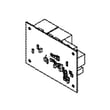
If you’re replacing the electronic control, use the model-matched control board WB27X25351.
Why it matters
Correct wiring and secure mounting prevent nuisance faults, overheating at connectors, and intermittent operation. The manual also emphasizes disconnecting power before service and avoiding unapproved repairs beyond what’s recommended. See the JT5500DF3BB owner’s manual for safety guidance and the JT5500DF3BB installation guide for cabinet mounting and trim details.
Last updated: February 2026
What are the parts of an electric oven?
An electric wall oven like the GE JT5500DF3BB is built around heating, temperature sensing, airflow cooling, lighting, and door sealing components. The most common parts you will see are the bake and broil heating elements, oven racks, temperature sensor, cooling fan system, control boards, and door hardware. For your exact component layout, use the JT5500DF3BB owner's manual.
Core parts you will find in most electric wall ovens
- Heating system: bake element (often hidden) and broil element
- Temperature control: oven temperature sensor and electronic control boards
- Airflow and cooling: cooling fan, fan blade, and fan sensor/control
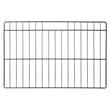
- Oven cavity hardware: racks, rack supports, and interior panels
- Door system: door glass, hinges, door seal (gasket), and door lock (on self-clean models)
- Lighting: oven light bulb or halogen lamp assembly
Model-specific examples for GE JT5500DF3BB
These are common replacement parts for this model:
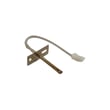
- Wall oven temperature sensor WB21X10165 (monitors oven temperature)
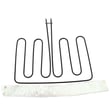
- Wall oven broil element WB44X48685 (top heating for broiling)
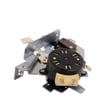
- Wall oven cooling fan assembly WB26X24020 (moves air to protect controls)
- Wall oven door seal WB35X32825 (helps keep heat inside the cavity)
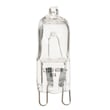
- Wall oven light bulb WB25T10102 (interior lighting)
Quick “what it does” reference
| Part type | What it does | Common symptom when it fails |
|---|---|---|
| Heating element (bake/broil) | Produces heat for cooking | Slow heat, uneven cooking, no heat in a mode |
| Temperature sensor | Feeds temperature data to controls | Overheats, underheats, temperature errors |
| Cooling fan system | Cools electronics and cabinet area | Fan noise, overheating shutdowns |
| Door seal and glass | Retains heat, improves efficiency | Heat leaks, longer preheat, hot exterior |
| Control/relay boards | Switches power to elements and manages functions | No heat, dead display, intermittent operation |
Why it matters
Knowing the main oven parts helps you troubleshoot faster and order the correct GE replacement part the first time. It also helps you match symptoms (no heat, wrong temperature, noisy fan, heat leaking) to the most likely component.
Last updated: February 2026
What does F3 mean on GE oven?
On the GE JT5500DF3BB electric wall oven, an F3 error code points to an oven temperature sensing problem (the control thinks the oven is overheating or reading temperature incorrectly). In most cases, the fix is checking the sensor circuit and replacing the oven temperature sensor.
What to do first (safe, quick checks)
- Turn the oven off and let it cool completely.
- Reset power at the breaker for 2 to 5 minutes, then restore power.
- If F3 returns quickly, stop using Bake/Broil until the cause is found.
- Check that the sensor harness connection is fully seated (loose connections can trigger false overheat readings).
- Review the troubleshooting section in the JT5500DF3BB owner’s manual for any model-specific guidance.
Most common repair for F3 on this model
The most common cause is a failed or out-of-range oven temperature sensor. For JT5500DF3BB, the correct replacement is the wall oven temperature sensor WB21X10165.
Typical symptoms that match a bad sensor
- Oven heats erratically or overshoots the set temperature
- F3 appears shortly after starting a cook cycle
- Oven shuts down for safety during preheat
How we narrow it down (sensor vs. control vs. cooling)
| What you observe | Most likely cause | What we do next |
|---|---|---|
| F3 appears soon after starting, oven not extremely hot | Sensor circuit issue | Inspect wiring, test sensor resistance, replace sensor if out of spec |
| F3 appears with obvious overheating | Stuck relay or control issue | Check for welded relay contacts; consider control/relay board diagnosis |
| F3 appears after long use, cabinet area very hot | Cooling airflow issue | Verify cooling fan operation and airflow paths |
If you suspect a cooling problem, the JT5500DF3BB uses a dedicated cooling fan system; common service parts include the wall oven cooling fan assembly WB26X24020 and related controls.
Why it matters
An F3 code is the oven telling us it cannot trust the temperature feedback. Fixing it protects the control board, prevents unsafe overheating, and restores accurate baking and broiling.
Last updated: February 2026





