 Owner’s manual
 Error Codes



What is the average lifespan of an LG dishwasher?
LG dishwashers typically last 10 to 15 years with normal home use. For your LG LDT5665ST, consistent cleaning, correct detergent use, and good water temperature help you reach the longer end of that range; our LDT5665ST owner's manual also outlines care and operating tips.
- Filter and sump cleanliness (food soil left behind makes the pump work harder)
- Water temperature and supply (hot water at the start improves wash performance)
- Rinse aid use (improves drying and reduces water spotting)
- Loading habits (overloading blocks spray and increases rewash cycles)
- Hose condition (kinks/clogs can trigger fill or drain problems)
- Clean the filters regularly and remove debris from the sump area.
- Run hot water at the sink before starting if the dishwasher is far from the water heater.
- Keep rinse aid filled; adjust the rinse aid level if drying is weak.
- Check the drain hose routing for kinks and the air gap/disposal for clogs.
| Dishwasher age | What you’ll usually notice | What to do |
|---|---|---|
| 0 to 5 years | Mostly routine care | Keep filters clean; use rinse aid |
| 5 to 10 years | More sensitivity to clogs and loading | Deep-clean filters; verify hot water supply |
| 10 to 15 years | Higher chance of pump/valve wear | Address drain/fill symptoms early |
A dishwasher that is kept clean and supplied with hot water runs fewer repeat cycles, which reduces wear on key components like the drain system and water inlet system.
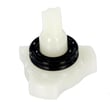
If you’re seeing fill issues (slow fill, no fill), the dishwasher water inlet valve 5221DD1001E is a common part involved in water-supply problems on this model.
Last updated: February 2026
What causes the AE error code to appear?
On the LG LDT5665ST dishwasher, the AE error code means the dishwasher detected a water leak or water where it should not be. When AE happens, the unit may sound an alert and run the drain pump intermittently until the leak condition is corrected (even after a power cycle).
AE is triggered by a water leakage condition, so we focus on where water can escape the tub or collect in the base.
Common causes include:
- The dishwasher is not level (front-to-back or side-to-side), letting water spill or seep forward
- Excessive suds from the wrong detergent (hand soap or non-dishwasher detergent)
- A door sealing issue (debris on the gasket, torn seal, or door not closing squarely)
- A fill problem that leads to too much water entering
- A leak at a hose, pump, or inlet connection under the unit
Before any inspection, turn off power at the breaker; if you see active leaking, shut off the house water supply.
- Check that the door closes smoothly and the unit sits solidly (no rocking)
- Confirm the dishwasher is level; re-level if needed (see LDT5665ST owner's manual)
- If you see foam, stop using the detergent and let suds dissipate; then clean the tub
- Look for drips at the front corners of the door and along the bottom edge
- Run a short cycle and watch for leaks (the manual recommends a Turbo cycle during final checks)
Overfilling can be related to the water inlet system. If the dishwasher keeps filling or you see water entering when it should not, the dishwasher water inlet valve 5221DD1001E is one component commonly involved in fill control.
| What you notice | What it means | What to do |
|---|---|---|
| Alert sound, then draining | Leak protection is active | Shut off water, check for leaks, dry base area if accessible |
| AE returns after power off/on | Condition is still present | Correct the leak source; re-test |
| Leak appears at front | Often leveling, suds, or door seal | Level unit, correct detergent, inspect gasket |
AE is a protective response designed to prevent cabinet damage and electrical risk from water in the wrong area. Fixing the root cause (leveling, detergent, door sealing, or a leaking component) restores normal operation and helps prevent repeat errors.
Last updated: February 2026
How do I force my LG dishwasher to drain?
To force your LG LDT5665ST dishwasher to drain standing water, press and hold Start for 3 seconds until the cycle stops; the drain pump will run, and the dishwasher will power off after it finishes draining. For exact button behavior, follow the steps in the LDT5665ST owner's manual.
- Press Power to turn the dishwasher on.
- Press and hold Start for 3 seconds.
- Wait while the drain pump removes the water.
- Confirm the unit powers off when draining is complete.
- If water remains, check the drain path for a blockage (see below).
Drain problems on this model are usually caused by a blocked drain path or an installation issue at the sink connection.
- Knockout plug not removed at the garbage disposal inlet (new disposal installs are a top cause)
- Kinked, clogged, or frozen drain hose
- Clogged air gap (if your setup uses one)
- Filters clogged in the tub, restricting flow to the drain system
- Drain pump issue (if the pump hums, grinds, or never runs)
If you suspect a failed pump, the model-specific replacement is the dishwasher drain pump ABQ75742501.
The manual calls out that the dishwasher will not drain properly if the disposal knockout plug is still in place, and it also specifies using the provided screw-style hose clamp for the drain hose connection.
| Checkpoint | What “good” looks like | What to fix |
|---|---|---|
| Disposal inlet | Knockout plug removed | Remove plug, then reconnect hose and clamp |
| Drain hose routing | No kinks, no crushing | Reroute to eliminate pinches |
| Air gap (if used) | Clear, not clogged | Clean air gap and hose |
Forcing a drain clears standing water so odors do not build up and so the next wash can fill and circulate correctly. If the drain path is restricted, the dishwasher can stop mid-cycle and leave water in the tub.
Last updated: February 2026
What if I can't find my part on Sears PartsDirect?
If you can’t find a part for your LG LDT5665ST dishwasher, we recommend confirming the exact model and any version details, then using the diagrams and part lists in the LDT5665ST owner's manual to match the part name and location before ordering.
- Confirm the model number on the rating label is LDT5665ST (match letters and numbers exactly).
- Compare the part’s location to the exploded-view style diagrams in the manual.
- Search by the part ID/part number if you have it (for example, 5221DD1001E).
- Try searching by the part name (example: “water inlet valve” or “drain pump”).
- Check for common naming differences (example: “door seal” vs. “tub seal”).
If you’re not sure what the part is called, these are common LG dishwasher part names that customers look for:
| What you’re seeing | Common part name | Example part ID on this model |
|---|---|---|
| Dishwasher won’t fill | Water inlet valve | 5221DD1001E |
| Dishwasher won’t drain | Drain pump | ABQ75742501 |
| Door won’t latch or start | Door lock | AGM76209501 |
| Leaking at the door | Door seal | 3920DD3002D |
If the part still doesn’t show up, we can help you identify it using your model details and a description of the symptom.
Have these ready:
- Model number: LDT5665ST
- Serial number (from the rating label)
- Where the part is located (door, sump area, rack, under the tub)
- What the dishwasher is doing (not filling, not draining, leaking, not cleaning)
LG dishwashers often use similar-looking parts across multiple models, but small differences (mounting tabs, connectors, seals) can change fit. Matching by model and diagram helps you get the correct replacement the first time.
Last updated: February 2026
What is the most common problem with LG dishwashers?
The most common LG dishwasher problems are water-related: not draining, not filling, or leaking. On the LG LDT5665ST, these issues often show up as error codes and are frequently caused by clogged filters, a kinked drain hose, or a restricted inlet hose; cleaning and hose checks fix many calls.
- Clean the filters; clogged filters are a top cause of drain and wash performance problems.
- Inspect the drain hose for kinks, clogs, or freezing (if routed through a cold area).
- If you have an air gap or garbage disposal connection, clear it if it is clogged.
- Check the water inlet hose for kinks or clogs and confirm the water supply valve is fully open.
- Run hot water at the sink before starting a cycle to purge cool water from the line (helps fill and drying performance).
- Use rinse aid and adjust the rinse aid level if drying or spotting is an issue.
| Symptom | Most likely cause | What usually fixes it |
|---|---|---|
| Standing water in tub | Clogged filters, clogged/kinked drain hose | Clean filters; clear/straighten drain hose |
| Dishwasher not filling well | Kinked/clogged inlet hose, water supply issue | Open supply; straighten hose; check inlet screen |
| Poor cleaning | Restricted spray, low water flow, loading issues | Clean filters; check spray paths; load correctly |
| Leaks or leak error | Water leak condition | Turn off water supply and address leak source |
If cleaning and hose checks do not resolve filling or draining issues, these parts are common next suspects on this model:
- Dishwasher water inlet valve 5221DD1001E (filling problems)
- Dishwasher drain pump ABQ75742501 (drain problems)
- Dishwasher door seal 3920DD3002D (door-edge leaks)
Water flow and drainage directly control cleaning, drying, and whether the dishwasher can complete a cycle. A simple filter cleaning can prevent repeat OE/IE-style problems, reduce odors, and protect the pump and motor from strain.
For model-specific error code meanings and the exact troubleshooting steps LG lists (including hose, air gap/disposal, and filter checks), use the LDT5665ST owner’s manual. For a quick overview of code definitions, see LG dishwasher error codes.
Last updated: February 2026





