 Installation guide
 Owner’s manual
 Error Codes



Can you replace a Frigidaire microwave door?
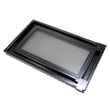
Yes. On the Frigidaire FPMO209RFB microwave, the door assembly can be replaced, but we treat it as a safety-critical repair because the microwave will not operate unless the door is securely closed and the safety interlocks are working correctly. Use the FPMO209RFB owner's manual to confirm safe handling and inspection points before and after the repair.
Safety first (this matters with microwave doors)
A microwave door is part of the safety interlock system. If the door, hinges, latches, or sealing surfaces are bent, loose, or not closing correctly, do not operate the microwave.
- Unplug power before any disassembly
- Never defeat or tamper with safety interlocks
- Do not operate the unit if the door is misaligned or seals are damaged
- Keep the sealing surfaces clean (no residue buildup)
- If hinges or latches are broken or loose, replace the affected parts, not just the cosmetic pieces
What you typically replace (and what it does)
Depending on what failed, you may need the full door assembly or just the latch and switch components.
| Symptom | Most likely area | Example part for FPMO209RFB |
|---|---|---|
| Door won’t latch or pops open | Latch body, lever, spring | Microwave latch body 5304503439 |
| Microwave won’t start with door closed | Door interlock switch | Microwave door interlock switch 5304493153 |
| Door feels loose or doesn’t close squarely | Hinges/latch alignment | Inspect per manual |
Basic replacement approach (high level)
We follow the installation and handling guidance for built-in units, then replace and verify door closure.
- Disconnect power and protect surrounding trim/cabinet surfaces
- Remove any trim/vent pieces required for access (varies by installation)
- Transfer any reusable components if the replacement door does not include them
- Reinstall and confirm the door closes smoothly and evenly
- Verify the unit only runs when the door is fully closed
Why it matters
A properly closing door protects you by ensuring the safety door latches and interlocks work as designed; it also prevents nuisance no-start issues caused by a misaligned latch or failed interlock switch.
Last updated: February 2026
What causes a Frigidaire microwave to stop working?
A Frigidaire microwave like model FPMO209RFB usually stops working because it is not getting steady power, the control has locked up after a power interruption, or a safety circuit (door interlock or fuse) has opened. Start with basic power checks, then follow the reset and “service call check” guidance in the FPMO209RFB owner's manual.
Quick checks we recommend first
- Confirm the outlet has power (try a lamp or phone charger).
- Check the home breaker or fuse; reset if tripped.
- If the unit is on a wall switch, make sure the switch is ON.
- Unplug the microwave for 1 minute, plug it back in, then press STOP/CLEAR.
- If the display shows a message after power returns, press STOP/CLEAR and reset the clock.
Common part failures when power is good
If the outlet and breaker are good but the microwave is dead, intermittent, or won’t start with the door closed, these are common causes:
| Symptom | Likely area | Example part for FPMO209RFB |
|---|---|---|
| Dead display, no response | Thermal fuse or internal power path | Wall oven microwave thermal fuse, 20-amp 5304440780 |
| Runs but does not heat | High-voltage heating circuit | Magnetron, capacitor, transformer |
| Won’t start, door feels “off” | Door interlock system | Microwave door interlock switch 5304493153 |
Why it matters
Microwaves use multiple safety interlocks; if the door latch or switch does not prove the door is closed, the unit can shut down or refuse to run. Also, after a power interruption, the cooking program and clock can be erased, which can look like a failure until the control is cleared and reset.
Safety note for repairs
We recommend leaving internal electrical testing and high-voltage component replacement (magnetron, capacitor, transformer) to a qualified technician. For owner-safe steps, use the FPMO209RFB owner's manual and follow the “Service Call Check” section.
Last updated: February 2026
Where is the serial number on a Frigidaire microwave?
On Frigidaire microwaves, including model FPMO209RFB, the serial number is printed on the serial plate (rating label). For this model, the Use & Care manual calls out a “serial plate” as an identified exterior component; use the diagram in the FPMO209RFB owner's manual to help pinpoint it.
Where to check first (most common spots)
Start with the locations that are easiest to access and most likely to have the model and serial tag:
- Door opening frame (visible when the door is open)
- Along the front frame near the latch area
- Along the front frame near the hinge side
- Side trim area just behind the door edge
- Rear panel label area (if accessible)
Quick steps to find and record it
A flashlight and a quick wipe-down usually makes the label easy to read.
- Open the door and scan the perimeter of the opening slowly
- Look near the safety door latches and hinge side
- Wipe grease or dust off the label with a damp cloth, then dry it
- Write down the model number and serial number exactly as printed
- Take a clear photo for parts ordering and service calls
What you will see on the serial plate
| Label item | Why we use it |
|---|---|
| Model number | Matches diagrams and parts to your exact microwave |
| Serial number | Identifies the production run for service and parts accuracy |
| Electrical ratings | Confirms power requirements for safe operation |
Why it matters
The serial number helps us narrow down the correct replacement parts when there are production changes. That is especially important for door and safety components such as the microwave door interlock switch 5304493153.
Last updated: February 2026





