 Owner’s manual
 Error Codes
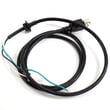


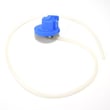
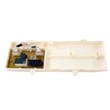


How to fix he error on Samsung washer?
On the Samsung WA50K8600AV washer, an HE error points to a heating-related problem (water not heating as expected). We fix it by resetting power, then checking wiring and the temperature-sensing and heating circuits; if draining is also poor, address the drain system first using the WA50K8600AV owner's manual.
Quick fixes to try first
- Unplug the washer (or switch off the breaker) for 2 minutes, then restore power.
- Run an empty cycle and confirm the lid is fully closed before pressing Start/Pause.
- Make sure the washer is filling normally (both water taps fully open).
- If the washer is also struggling to drain, clear restrictions before deeper electrical checks.
- If the washer rocks or vibrates heavily, re-level it; excessive vibration can trigger multiple symptoms.
What to check next (most common causes)
- Loose or damaged wiring: Inspect harness connections to the heater circuit, thermistor (temperature sensor), and control.
- Temperature sensor/thermistor issue: A bad sensor can report incorrect water temperature and trigger HE.
- Heating circuit problem: If your cycle uses heated water, a failed heating component or related wiring can cause HE.
- Control problem: If inputs are correct but the washer still flags HE, the electronic control can be the decision point.
Drain-related checks (because poor draining can complicate diagnosis)
If you also see slow drain, standing water, or long cycle times, check these items:
| Symptom | What to inspect | Related part for this model |
|---|---|---|
| Won’t drain or drains slowly | Pump area and pump operation | Washer drain pump assembly DC97-19289B |
| Intermittent draining | Kinked/crushed hose, installation height | Samsung washer drain hose DC97-18682C |
| Debris in drain path | Trap and hoses between tub and pump | Washer pump coin trap DC61-03385A |
Use Smart Care to pinpoint the code
Your washer supports Smart Care: the app can read the display and show the error type and countermeasures. This is one of the fastest ways to confirm you are dealing with HE and not a similar-looking code. Follow the Smart Care steps in the WA50K8600AV owner's manual.
Why it matters
Heating and temperature-sensing faults can lead to poor cleaning, longer cycles, and repeated shutdowns. Confirming the exact code and checking the heater and sensor circuit early prevents unnecessary part replacement.
Last updated: February 2026
How to reset a Samsung VRT Plus washing machine?
To reset your Samsung WA50K8600AV washer (VRT Plus), turn the washer off, then power it back on and restart the cycle. If you are correcting vibration or out-of-balance behavior after moving or servicing the washer, run Calibration Mode so the washer can relearn load sensing.
Quick reset steps (power cycle)
- Press Power to turn the washer off.
- Wait 30 seconds.
- Press Power to turn the washer on.
- Re-select your cycle and press Start/Pause.
- If the lid is locked, press Start/Pause and wait a few moments for the lock to disengage.
Calibration Mode reset (best for VRT Plus vibration issues)
Samsung’s manual recommends Calibration Mode after installation for more accurate weight detection.
- Empty the tub (no laundry).
- Turn the washer on.
- Press and hold Temp and Delay End together for at least 3 seconds.
- Press and hold Start/Pause to begin calibration.
- Let it finish (about 1 minute); the display shows “0” and the washer turns off.
Reference: WA50K8600AV owner’s manual
What to use when
| Situation | Best “reset” to try | What it fixes |
|---|---|---|
| Washer acting glitchy after a power flicker | Power cycle | Clears a temporary control hiccup |
| Excessive shaking, walking, or frequent unbalance | Calibration Mode | Improves load weight detection and VRT behavior |
| Lid won’t open mid-cycle | Start/Pause, then wait | Allows lid lock to release safely |
Why it matters
VRT Plus relies on accurate load sensing and stable installation. A simple power reset clears minor control issues, while Calibration Mode helps the washer balance and spin correctly by improving how it detects laundry weight.
Last updated: February 2026
What is the capacity of the WA50K8600AV?
The Samsung WA50K8600AV washer has a 5.0 cu. ft. capacity. This is the usable tub capacity for normal laundry loads; it helps you size loads correctly so the washer can wash, rinse, and spin at its designed performance.
Where we confirm it
You can verify the capacity and other key specs for the WA50K8600AV series in the WA50K8600AV user manual.
What 5.0 cu. ft. means for everyday loads
A 5.0 cu. ft. top-load washer is considered a large-capacity machine. To get the best cleaning and spinning results, we recommend:
- Load items loosely; do not pack or compress laundry
- Keep bulky items (comforters, blankets) balanced around the tub
- Use the correct cycle and soil level for the fabric type
- Use HE detergent and follow the detergent label dosing
- Wash full loads when practical to save water and energy
Quick spec snapshot (WA50K8600AV series)
| Spec | Value |
|---|---|
| Capacity | 5.0 cu. ft. |
| Washer type | Top-loading washer |
| Max spin speed | 1100 RPM |
Why it matters
Overloading a large-capacity washer can still reduce cleaning performance and cause out-of-balance spinning. Matching load size to the washer’s 5.0 cu. ft. capacity helps protect components such as the suspension and drive system, and it can reduce vibration and cycle interruptions.
Last updated: February 2026
What is the life expectancy of a Samsung front load washing machine?
Most Samsung front load washers typically last about 10 to 13 years with normal household use and routine care. For your Samsung WA50K8600AV (a top load washer), expect a similar lifespan; following the maintenance guidance in the WA50K8600AV owner's manual helps you reach the high end of that range.
Typical lifespan and what affects it
A washer’s service life depends more on usage and maintenance than brand alone.
- Loads per week (more cycles equals more wear)
- Overloading or consistently washing bulky items
- Detergent type and amount (too much can cause residue and odors)
- Water quality (hard water increases buildup)
- Keeping the tub and drain system clean
Quick reference
| Washer type | Typical life expectancy | Notes |
|---|---|---|
| Front load washer | 10 to 13 years | More sensitive to door gasket and odor prevention |
| Top load washer (like WA50K8600AV) | 10 to 13 years | Often more forgiving on loading, still needs cleaning |
Maintenance steps that extend washer life
These are the habits that most consistently prevent early failures in pumps, valves, and controls.
- Run the Self Clean cycle on schedule (helps reduce residue and odor)
- Use HE detergent and measure carefully
- Leave the lid open between loads so moisture can evaporate
- Check pockets to reduce debris that can clog the drain path
- If draining slows, clean the pump filter area and inspect hoses
Why it matters
A washer that is kept clean and not overloaded is less likely to develop common problems like slow draining, vibration, and fill issues. Those issues often lead to repairs involving parts such as a drain pump, water inlet valve, or vibration sensor.
Related troubleshooting help
If you’re seeing an error code (especially for unbalanced loads or vibration), use the Samsung top load washer error codes guide to narrow down the cause before replacing parts.
Last updated: February 2026







