Installation guide
 Owner’s manual
 Error Codes







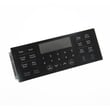

How to use warm and hold?
On your Kenmore gas range model 79074333313, Warm & Hold keeps already-cooked food at serving temperature by holding the oven at 170°F (77°C) for up to 3 hours, then it shuts off automatically. To start it, press Warm & Hold, then press START; press STOP to cancel anytime (see the 79074333313 owner's manual).
How to turn Warm & Hold on
- Place cooked food in the oven and close the door.
- Press Warm & Hold.
- Confirm Hold WARM appears on the display.
- Press START.
- To turn it off at any time, press STOP.
Add Warm & Hold automatically after baking
If you want Warm & Hold to turn on when timed baking ends:
- Press Cook Time.
- Enter the cook time (for example, 45 minutes).
- Press START.
- Press Bake, enter the temperature (for example, 425°F), then accept.
- Press Warm & Hold, then press START to accept.
Key settings and limits (quick reference)
| Feature | What it does | What to expect |
|---|---|---|
| Warm & Hold | Holds cooked food warm | 170°F (77°C) oven temp |
| Auto shutoff | Prevents extended holding | Turns off after 3 hours |
| Cancel | Stops the function | Press STOP |
Why it matters
Warm & Hold is designed for serving-ready foods, not for cooking or reheating. For food safety, we recommend limiting how long perishable foods (meat, poultry, eggs, dairy) sit before or after cooking, and removing food promptly when you are done holding it.
Last updated: January 2026
Where to find Kenmore gas range model number?
On Kenmore gas range model 79074333313, the model and serial number plate is on the right-hand surface of the oven front frame; you access it by opening the storage drawer, warmer drawer, or broiler drawer (depending on your configuration). See the exact location details in the 79074333313 installation guide.
How to locate the ID plate (quick steps)
- Turn the oven off and let it cool.
- Pull out and open the bottom drawer (storage, warmer, or broiler drawer).
- Look up at the right-hand side of the oven front frame for the identification plate.
- Write down the model number, serial number, and any lot number/letter shown.
- Keep the information with your paperwork or note it in the 79074333313 owner’s manual.
Why we recommend using the ID plate (not just the front panel)
The identification plate is the most reliable source because it also lists key specs used for safe setup and correct parts matching.
What the ID plate typically tells you
| Item on plate | Why it matters |
|---|---|
| Model number | Ensures diagrams and parts fit your exact range |
| Serial number | Helps confirm production details for service |
| Lot number/letter | Helps match revisions and compatible components |
| Fuel and pressure info | Confirms how the range was adjusted at the factory |
Why it matters
Using the correct model number prevents ordering the wrong Kenmore range parts (like an igniter, burner head, or control overlay) and helps a technician quickly identify the right service procedure.
Last updated: January 2026
How do I reset my Kenmore oven control board?
To reset the oven control on your Kenmore gas range model 79074333313, start with a power reset: turn the range off at the breaker (or unplug it) for 5 minutes, then restore power and reset the clock. If you need a full settings reset, use the keypad factory-default procedure.
Reset options for model 79074333313
- Power reset (clears many glitches): Turn off the circuit breaker (or unplug) for about 5 minutes, then turn power back on.
- Factory default reset (restores user settings): Press and hold 7 until the acceptance tone sounds (about 6 seconds), then press START. This restores default options and resets any temperature offset to 0. See the 79074333313 owner's manual.
- Cancel control lockout (if keys seem “dead”): Press and hold Oven Lock for 3 seconds; wait about 15 seconds for the door latch to fully unlock.
Before you reset: quick checks that save time
- Make sure the oven is not in lockout mode (look for “DOOR” and a lock icon).
- If the display went blank after a power outage, restore power, then reset the clock and oven function.
- If the oven will not heat after resetting, confirm the bake or broil burner ignites within 30 to 60 seconds after starting a cycle (normal ignition delay).
- If you smell gas or suspect a gas supply issue, stop and have the range checked.
What each reset changes
| Reset type | What it affects | What you may need to set again |
|---|---|---|
| Power reset | Clears temporary control glitches | Clock, any interrupted cooking mode |
| Factory default reset | Restores user options to defaults | 12/24 hr clock, tones, °F/°C, temperature offset |
| Lockout cancel | Re-enables keypad and unlocks door | Nothing (just restores access) |
Why it matters
A proper reset helps separate a one-time electronic glitch from a real failure. If the control resets but the oven still will not ignite or hold temperature, the issue is often in the ignition or sensing circuit, such as the frigidaire range oven control board (white) 316650003 or related components.
Last updated: January 2026
How long should a Kenmore gas stove last?
A Kenmore gas range like model 79074333313 typically lasts 15 years with normal household use. Keeping burners clean, using proper flame settings, and addressing ignition or temperature issues early helps you reach (and often exceed) that lifespan; see the 79074333313 owner's manual for care and maintenance details.
Typical lifespan and what affects it
Most gas ranges land in a similar range, but real-world life depends on heat exposure, cleaning habits, and how quickly small problems are fixed.
- Typical service life: about 15 years
- Heavy use (daily baking, frequent broiling) can shorten life
- Grease and spills can clog ports and stress igniters
- Power quality matters because ignition and controls are electric
- Ventilation helps reduce heat and grease buildup around controls
Maintenance that extends life
These steps prevent common failures like weak ignition, uneven flames, and overheating around the console.
- Clean surface burner caps and heads regularly; keep ports clear
- Wipe up boilovers quickly to prevent corrosion and clogged burner passages
- Use cookware that sits flat and matches burner size
- Keep the oven interior reasonably clean so airflow is not restricted
- If the oven takes longer than about 60 seconds to light, troubleshoot ignition promptly
Quick symptom-to-part guide (common wear items)
| Symptom | Most common cause | Example part for this model |
|---|---|---|
| Oven will not ignite or takes too long to light | Weak/hot-surface igniter | Tappan range oven burner igniter 316489403 |
| Oven temperature swings or seems inaccurate | Temperature sensor drifting | Range oven temperature sensor 316490000 |
| Broil will not ignite | Broil igniter failing | Frigidaire range broil igniter 5304506545 |
Why it matters
A gas range can look “fine” while performance slowly drops. Catching early signs (slow ignition, orange flames that do not clear, inconsistent baking) reduces stress on the gas valve, control system, and wiring, which helps the range reach its full expected lifespan.
Last updated: January 2026