 Installation guide
 Owner’s manual
 Error Codes





What are the symptoms of a bad oven control board Whirlpool?
On a Whirlpool RBD275PDB8 electric wall oven, a failing oven control board typically shows up as an erratic or blank display, keypad buttons that do not respond (or respond on their own), unexplained error codes, and heating that is inconsistent (no heat or overheating) even though the oven has power.
Common symptoms you can expect
- Display flickers, goes dim, goes blank, or resets randomly
- Beeping or cycling on and off without a clear reason
- Keypad does not respond, responds intermittently, or selects functions by itself
- Oven will not start a bake or broil cycle, or shuts off shortly after starting
- Temperature is unstable (runs too hot or too cool) and does not hold setpoint
- Error codes appear repeatedly after clearing power
Quick checks before you blame the control board
Because the control board depends on stable power and safety devices, we recommend these checks first:
- Confirm the oven is properly grounded and wired to the correct voltage at the junction box (a loose connection can mimic control failure); see the installation guide
- Make sure Control Lock is not enabled (when locked, only certain pads work); see the owner's manual
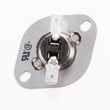
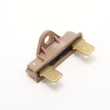
- If the oven is completely dead, check for an open thermal fuse such as the fuse WP4451042
- If the oven overheats or trips out, check high-limit protection such as the range high-limit thermostat WP9759243
- If you recently ran self-clean, let the oven cool fully and then reset power at the breaker for 1 minute
What the symptoms usually point to
| Symptom | Most common cause | What to check next |
|---|---|---|
| Blank display, no response | Loss of power or open safety device | Thermal fuse, wiring, terminal connections |
| Random beeping or ghost inputs | Keypad or control board issue | Ribbon connection, moisture/heat damage |
| No heat but display works | Control not sending power to elements | Bake/broil circuits, safety thermostat |
| Overheating | Stuck relay on control board or failed limit | High-limit thermostat, control relays |
Why it matters
A bad control board can prevent normal baking and broiling, or it can cause unsafe temperature behavior. Ruling out power, grounding, and safety cutoffs first helps you avoid replacing the wrong part.
If you need to order replacement parts for your Whirlpool RBD275PDB8, use the parts list for this model or search by model number on Sears PartsDirect.
Last updated: February 2026
What are the parts of an electric oven?
On a Whirlpool RBD275PDB8 electric wall oven, the main oven parts include the electronic oven control, oven vent, bake element, broil element, oven door window, oven light switch, and the model and serial number plate. For your exact feature set and locations, use the RBD275PDB8 owner's manual.
Core parts you will see on this model
These are the primary components called out for the RBD275PDB8 and what they do:
- Electronic oven control: sets bake/broil modes, temperature, and timing
- Bake element: provides most of the heat for baking
- Broil element: provides high, top-down heat for broiling
- Oven vent: routes heat and moisture out of the oven cavity
- Oven door window: lets you check food without opening the door
- Automatic oven light switch: turns the light on when the door opens (on many designs)
- Oven lock latch: locks the door during certain cycles (varies by use)
Common service parts customers replace
If the oven will not heat, shuts off, or has intermittent power, these parts are commonly involved:
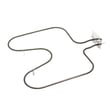
- Heating components: bake element WPW10207397, broiler element WP9760767
- Overheat and safety protection: fuse WP4451042, oven safety thermostat WP4451354, range high-limit thermostat WP9759243
- Electrical connection point: terminal block WP8203546
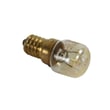
- Visibility: light bulb WP4173175
Quick “part to symptom” guide
| Symptom | Most likely area to check | Example part on this model |
|---|---|---|
| Oven will not heat in bake | Bake heating circuit | Bake element |
| Broil does not work | Broil heating circuit | Broiler element |
| Oven completely dead | Thermal protection or power connection | Thermal fuse, terminal block |
| Oven shuts off after heating | Over-temperature protection | High-limit thermostat, safety thermostat |
| Oven light out | Lamp or lamp assembly | Light bulb |
Why it matters
Knowing the major oven components helps you troubleshoot faster and order the right replacement part the first time. On an electric wall oven like the Whirlpool RBD275PDB8, heating and safety parts (elements, thermostats, fuse) are the most common causes of “no heat” and “dead oven” complaints.
Ordering the right part
Match parts by model number RBD275PDB8 and confirm the location in the RBD275PDB8 owner's manual. You can order parts from the parts list for this model, or search by model number on Sears PartsDirect.
Last updated: February 2026
How to replace Whirlpool wall oven control panel?
To replace the control panel on your Whirlpool RBD275PDB8 electric wall oven, we shut off power, slide the oven out enough to reach the control area, remove the control cover, then move wiring to the new panel one connector at a time. Follow the installation guide for safe removal and re-mounting.
Safety first
- Turn off the breaker(s); confirm the display is dark.
- Let the oven cool completely.
- Use cut-resistant gloves; sheet metal edges are sharp.
- Support the oven when sliding it out; two people make this safer.
- Keep screws grouped by location (trim, mounting rails, covers).
Replacement steps (typical for this Whirlpool wall oven design)
- Disconnect power at the breaker.
- Remove oven door(s) if needed to reduce weight; the owner's manual describes using door removal pins (or two 5/32-in. items like Allen wrenches or nails). Use both hands and do not lift by the handle.
- Remove trim, then remove the mounting screws that secure the oven to the cabinet.
- Carefully slide the oven forward; push and pull from the oven frame, not the door.
- Remove the control cover/top cover screws to access the control panel wiring.
- Transfer wires to the new control panel one connector at a time (take a photo first), then reinstall the cover.
- Slide the oven back in; the guide notes pushing against the seal area of the front frame (not outside edges) and securing the oven with the provided screws.
What comes off and why
| Item | Purpose |
|---|---|
| Oven door(s) | Reduces weight for safer handling |
| Trim and mounting screws | Lets the oven slide out |
| Control cover/top cover | Accesses control panel connectors |
Why it matters
Correct support while sliding the oven out, accurate connector placement, and proper re-securing to the cabinet prevent pinched wiring, loose connections, and repeat control problems.
You can order replacement parts from the parts list for model RBD275PDB8, or search by model number on Sears PartsDirect.
Last updated: February 2026






