 Installation guide
 Owner’s manual



What are common problems with whirlpool microwaves?
Common problems on Whirlpool microwaves like model WMC30516AS0 include not heating, not starting, the turntable not rotating, unusual buzzing or grinding noises, sparking inside the cavity, and a blank or unresponsive display. Many issues trace back to power supply, door interlocks, or turntable components; use the installation guide for electrical and grounding requirements.
Most common symptoms and what they usually mean
- Runs but does not heat: often a high-voltage component issue (magnetron, diode, capacitor) or a door switch problem.
- Dead or intermittent power: outlet/circuit issue, blown internal fuse, or control board problem.
- Turntable not turning: tray support mis-seated, worn coupler/shaft, or a turntable motor issue.
- Loud humming, rattling, or scraping: misaligned turntable parts, loose roller support, or a failing internal component.
- Sparking/arcing: food splatter, damaged waveguide cover, or metal/foil contact.
Quick checks we recommend first (safe, no tools)
- Confirm the microwave is on a properly grounded 120V, 60 Hz, 15- or 20-amp circuit and avoid extension cords.
- Open and close the door firmly; make sure the latch area is clear of debris.
- Remove the glass tray and support; clean and reinstall them so they sit flat.
- Clean the cavity (especially the right-side wall area where splatter can cause arcing).
- Try a simple heat test: microwave 1 cup of water for 60 seconds; note whether it warms.
Turntable-related parts for WMC30516AS0
If the tray wobbles, binds, or will not rotate, these model-matched parts are common fixes:
| Symptom | What to inspect | Model-matched part on this page |
|---|---|---|
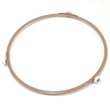
| Tray not rotating | Support ring seated and not cracked | Microwave turntable tray support W10451792 |
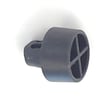
| Tray slips or wobbles | Coupler/shaft engagement | Shaft turn WPW10451789 |
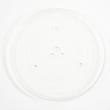
| Tray chipped or missing | Correct tray size and fit | Microwave glass tray WPW10451786 |
Why it matters
Microwaves that do not heat or that spark can quickly become unsafe to operate. Also, the installation requirements (grounding, dedicated circuit, no extension cord) help prevent nuisance shutdowns and electrical damage over time.
For ordering model-specific replacement parts, use the parts list for WMC30516AS0 on this page, or search by model number on Sears PartsDirect.
Last updated: February 2026
What is the standard size of a countertop microwave?
There is no single “standard” countertop microwave size; most are sized by capacity and exterior width. For a Whirlpool 1.6 cubic foot countertop microwave like model WMC30516AS0, typical exterior dimensions fall in the mid-size range (about 21 to 25 inches wide and about 12 to 15 inches tall); confirm exact measurements in the WMC30516AS0 owner's manual.
Typical countertop microwave size ranges
Most countertop microwaves fit into these common ranges:
- Capacity: about 1.0 to 2.2 cubic feet
- Width: about 21 to 25 inches
- Height: about 12 to 15 inches
- Depth: often 16 to 20 inches (allow extra space for the cord and airflow)
How we recommend measuring your space
Measure before you buy or replace a microwave so the door opens freely and the unit can vent heat.
- Measure the countertop footprint (width and depth)
- Measure height clearance to cabinets or shelves above
- Leave rear clearance so the power cord is not pinched
- Keep side clearance so vents are not blocked
- Confirm the door swing will not hit a wall or backsplash
Countertop vs built-in cutout sizes (important difference)
If you are using a trim kit or cabinet cutout, the opening dimensions are different from the microwave’s exterior dimensions. The installation guide for trim kit setups calls out a critical cutout height range and specific clearances.
| What you are sizing for | What to measure | What to use |
|---|---|---|
| Countertop placement | Outside dimensions of the microwave | WMC30516AS0 owner's manual |
| Built-in/trim kit placement | Cabinet cutout opening and required clearances | Installation guide |
Why it matters
A microwave that is too tight in a space can overheat, rattle, or have the door bind. Correct sizing also helps protect common wear items like the turntable system (for example, the microwave glass tray WPW10451786 and microwave turntable tray support W10451792).
You can order replacement parts for Whirlpool WMC30516AS0 from the parts list for this model, or search by model number on Sears PartsDirect.
Last updated: February 2026
How do I find the model number on my WMC30516AS0?
Your Whirlpool countertop microwave’s model number is printed on the appliance ID label. On the Whirlpool WMC30516AS0, check the label around the door opening (door jamb) first; if you do not see it there, check the back of the cabinet.
Where to look on a countertop microwave
Most Whirlpool countertop microwaves place the model and serial label in one of these spots:
- Inside the door opening on the frame (door jamb)
- Along the edge of the door itself
- On the back panel of the microwave cabinet
- On the underside of the unit (you may need to carefully tip it to view)
How to confirm you have the right number
Use the full model number exactly as shown on the label (letters and numbers). For this unit, it should read WMC30516AS0.
- Write it down or take a clear photo
- Include the full suffix (the last characters matter for parts fit)
- Use the model number when selecting diagrams and ordering parts like the microwave glass tray WPW10451786
Quick check table
| What you see on the label | What it’s used for |
|---|---|
| Model number (example: WMC30516AS0) | Matching the correct parts diagrams and manuals |
| Serial number | Identifying production run details for service |
| Electrical ratings | Verifying outlet and circuit requirements |
Why it matters
Whirlpool microwaves often have similar-looking versions with different internal components. Using the exact model number ensures the correct fit for common items like the turntable system, feet, and mounting hardware.
For additional identification details and documentation tied to this model, use the owner's manual and the installation guide.
Last updated: March 2026


