 Error Codes






What is the most common problem with a KitchenAid dishwasher?
Drain and water-flow issues are the most common problems we see on KitchenAid dishwashers like model KUDI02CRBS1. Typical symptoms include standing water in the tub, slow draining, or poor cleaning caused by a clog, a kinked drain hose, or a failing drain pump.
What to check first (fast, no parts)
- Cancel the cycle and listen: you should hear a strong drain-out sound for 30 to 90 seconds.
- Check the sink/disposer connection: a blocked disposer inlet or drain port stops draining.
- Inspect the drain hose routing under the sink: look for kinks, crushing, or a missing high loop.
- Clean the sump area in the bottom of the tub: remove debris that can restrict water flow.
- Confirm the dishwasher is getting hot water: poor wash results often track back to low water temperature.
Common symptoms and the most likely cause
| Symptom | Most likely cause | What usually fixes it |
|---|---|---|
| Water left in bottom after cycle | Clog or weak drain system | Clear blockage; replace drain pump if weak |
| Dishes gritty or not clean | Restricted spray/wash circulation | Clean spray paths; check circulation components |
| Hums but won’t drain | Pump impeller jammed or pump failing | Clear jam; replace drain pump |
| Won’t fill or fills slowly | Water supply restriction or inlet valve issue | Open supply; replace inlet valve if faulty |
Parts that commonly solve “won’t drain” complaints
If your KUDI02CRBS1 drains slowly, leaves water behind, or only drains intermittently, these are the most common repair parts we use:
- Dishwasher drain pump WPW10348269 (weak pump, intermittent draining, humming)
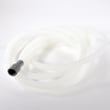
- Dishwasher drain hose 8269144A (kinked, restricted, or leaking hose)
- Inlet valve WPW10158389 (filling problems that can also affect wash performance)
Why it matters
Drainage problems do more than leave water in the tub; they also reduce wash pressure and can redeposit food soil on dishes. Fixing the drain path early helps protect the pump motor and improves cleaning results.
Last updated: January 2026
How to force reset a KitchenAid dishwasher?
To force reset a KitchenAid dishwasher like model KUDI02CRBS1, we cancel the current cycle and let the dishwasher run its short drain and self-check; once that finishes, the control is reset and you can start a new wash cycle.
Quick reset steps (most KitchenAid dishwashers)
- Press Cancel/Drain once.
- Close the door and wait while it drains (often 1 to 2 minutes).
- When the draining stops, wait about 30 seconds.
- Select a new cycle and press Start/Resume.
- If the keypad is unresponsive, turn power OFF at the breaker for 1 minute, then restore power.
If you need a “hard reset” (power reset)
A power reset clears a stuck control state after a power surge or a frozen cycle.
- Switch the dishwasher breaker OFF.
- Wait 60 seconds.
- Switch the breaker ON.
- Start a cycle and listen for the fill and wash motor to run.
What to check if it still will not run
If the reset works but the dishwasher still will not start or complete a cycle, we focus on the most common causes below.
| Symptom after reset | Most likely area | Common next step |
|---|---|---|
| No lights, dead panel | Power supply, control protection | Check house breaker; inspect fuse W10258275 |
| Lights on, won’t start | Door latch/door switch, control logic | Try Cancel/Drain again; verify door closes firmly |
| Stops mid-cycle, odd behavior | Control board, wiring | Inspect connections; consider dishwasher electronic control WPW10084141 |
| Drains poorly after cancel | Drain path | Check hose routing; consider dishwasher drain pump WPW10348269 |
Why it matters
Resetting clears a stuck cycle and forces the control to reinitialize, which often restores normal operation without replacing parts. If the dishwasher repeatedly needs resets, it usually points to a drain issue, a control problem, or a power interruption.
For model-specific fault patterns, we use the KitchenAid he dishwasher error codes reference to match symptoms to the most likely circuit or component.
Last updated: January 2026
Why would a dishwasher suddenly stop working?
A KitchenAid dishwasher like model KUDI02CRBS1 can suddenly stop working when power is interrupted (tripped breaker, loose wiring), a safety device opens (thermal fuse), or a key component fails (electronic control, door latch circuit, pump motor). Start with power checks, then move to the fuse and controls.
Quick checks we recommend first
- Reset the kitchen breaker fully OFF then ON (dishwashers can look “on” but not run with a weak trip).
- Confirm the dishwasher door closes firmly and the cycle actually starts (a door switch issue can stop operation instantly).
- Cancel the cycle and drain; listen for the drain motor running.
- Check for standing water in the tub (points toward a drain problem).
- If the unit is completely dead (no lights), focus on power supply and the thermal fuse.
Most common causes and what they look like
| Symptom | Most likely cause | What to check next |
|---|---|---|
| No lights, no response | Blown thermal fuse | Test/replace fuse W10258275 |
| Lights on, won’t start | Control not sending power, door circuit issue | Inspect dishwasher electronic control WPW10084141 connections |
| Stops mid-cycle, water left | Drain restriction or drain pump issue | Inspect hose and dishwasher drain pump WPW10348269 |
| Stops mid-cycle, then resumes later | Overheating motor or control reset | Check for binding spray arm, heavy soil, motor noise |
Parts that commonly fix sudden shutdowns on KUDI02CRBS1
- Fuse W10258275 (protects the control from overheating or electrical spikes)
- Dishwasher electronic control WPW10084141 (runs timing, fills, heating, and motor outputs)
- Pump motor WPW10780877 (if the motor overheats or fails, cycles can stop)
- Inlet valve WPW10158389 (if it fails to open, the dishwasher may stop early or never begin washing)
Why it matters
A sudden stop is usually a protection event (fuse opening, control resetting) or a load problem (pump motor struggling, drain restriction). Catching it early helps prevent repeat shutdowns and poor cleaning or draining.
Helpful troubleshooting resources
If you’re seeing flashing lights or a fault pattern, use KitchenAid he dishwasher error codes to match the symptom to a likely circuit or component.
Last updated: January 2026








