 Installation guide
 Owner’s manual




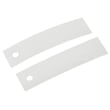

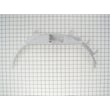





Where is the GE dryer thermal fuse located?
On the GE GTDP400EM1WS electric dryer, the thermal fuse is typically mounted on the blower housing inside the cabinet (near where the exhaust duct connects). You usually access it by unplugging the dryer and removing the rear panel or front panel, depending on the cabinet design.
Before opening panels, follow the safety and access guidance in the GTDP400EM1WS installation guide.
- Unplug the dryer (or switch off the 30-amp breaker) before removing any covers.
- Pull the dryer away from the wall and disconnect the vent hose.
- Remove the rear panel screws and lift the panel off.
- Locate the blower housing (the metal duct assembly leading to the exhaust outlet).
- Look for a small, flat fuse mounted to the housing with 2 wires on its terminals.
- Take a photo of wire positions before disconnecting anything.
The thermal fuse is a one-time safety device. If airflow is restricted (lint buildup, crushed vent, long duct run), the dryer can overheat and the fuse opens to shut the dryer down. Replacing the fuse without fixing the airflow problem often leads to repeat failures.
- Clean the lint screen and the lint screen housing.
- Inspect the blower wheel area for lint clumps.
- Check the vent duct for kinks, crushing, or heavy lint.
- Confirm the outside vent hood opens freely.
- Verify you are using 4-inch rigid metal ducting (best practice for electric dryers).
| Symptom | Often points to |
|---|---|
| Dryer will not run at all | Thermal fuse open, door switch, start switch |
| Runs but no heat | Heating element, thermostat, wiring, airflow restriction |
| Long dry times | Vent restriction, lint buildup, moisture sensor issues |
If the dryer will not start, also check the dryer door switch WE4M415 and the dryer push-to-start switch WE4M416, since they can mimic a blown fuse.
Last updated: February 2026
Where to find part number on GE dryer?
On a GE electric dryer like model GTDP400EM1WS, the part number you need is usually tied to the model and serial tag. We typically find that tag on the door opening area (inside the door, on the door frame, or just behind the door), then use the model number to look up the correct parts.
Check these common GE dryer tag locations first:
- Inside the dryer door opening on the front panel
- On the door frame (the cabinet lip the door closes against)
- Just behind the door on the front bulkhead area
- On the back panel of the dryer (less common, but possible)
- On the inside of the control panel area (rare)
For accurate parts matching, record:
- Model number (example: GTDP400EM1WS)
- Serial number (helps with production changes)
- Brand (GE)
- Any revision or manufacturing code shown near the serial
| What you see | What it’s used for | Example |
|---|---|---|
| Model number | Identifies the exact dryer design | GTDP400EM1WS |
| Serial number | Narrows parts by production run | (varies) |
| Part number / part ID | Identifies the replacement part | WE03X29897 |
GE often uses multiple versions of the same style dryer over time. Using the model and serial from the tag helps us match the correct drum belt, thermostat, timer, door switch, or heating element for your exact GTDP400EM1WS configuration.
- Use the tag info to confirm diagrams and part lists in the GTDP400EM1WS owner’s manual
- If you’re replacing a common wear item, match by model first, then confirm the part ID (for example, the dryer drum belt WE03X29897)
- If the tag is worn, gently clean it with a damp cloth; avoid solvents that can erase printing
Last updated: February 2026
What is the average lifespan of GTDP400EM1WS?
A GE electric dryer like model GTDP400EM1WS typically lasts 13 years with normal household use. Proper airflow (correct 4-inch venting, reasonable duct length, and no lint restrictions) is the biggest factor in reaching that lifespan; see the installation guide for venting requirements.
A dryer’s motor, heater circuit, and drum support parts last longer when the dryer runs cooler and moves air freely.
- Keep the exhaust duct at 4 in (102 mm) diameter
- Avoid duct runs longer than the installation table allows; long runs increase drying time and reduce dryer life
- Use rigid metal duct when possible; avoid plastic or foil transition duct
- Clean the lint screen every load and keep the vent path clear
- Stop squeaks or thumps early; worn drum support parts can damage the drum and belt
| Item | Typical expectation | What shortens it |
|---|---|---|
| Electric dryer overall | 13 years | Poor venting, overheating, heavy use |
| Drum belt and idler system | Often replaced during ownership | Squealing, slipping, seized pulley |
| Thermostats and safety devices | Usually long-lasting | Overheating from restricted airflow |
These symptoms often point to common wear parts on GTDP400EM1WS:
- Squealing or chirping: inspect the idler pulley WE12X83 and drum glides
- Thumping or scraping: check drum glides and felt seals
- Drum not turning but motor runs: inspect the dryer drum belt WE03X29897
- Long dry times: verify vent length, bends, and hood style; restrictions overheat the heater circuit
The installation instructions for this model warn that exhaust runs longer than specified increase energy cost, build lint, and reduce the dryer life. Getting the venting right protects the heater, thermostats, and motor, and it keeps cycles consistent.
Last updated: March 2026





