
How to replace GE dryer sensor?
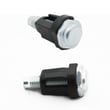
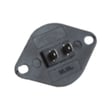
For the GE PTD70GBPT0DG dryer, “sensor” usually means the moisture sensor bars (auto-dry) or a temperature sensor (thermistor). We replace the correct part by matching the symptom and the part location; for moisture-sensing issues, the most common replacement is the dryer moisture sensor WE1M575.
Before you start (safety and quick checks)
- Unplug the dryer (and shut off gas if your model is gas).
- Let the dryer cool completely.
- Clean lint buildup first; a clogged lint path can mimic sensor problems.
- Confirm the symptom: “dries too long,” “shuts off too soon,” or “won’t heat.”
- If the issue is “door won’t start,” that is usually the dryer door switch WE04X28977, not a sensor.
Which “sensor” are you replacing?
Use the symptom to pick the right part type.
| Symptom | Most likely part type | Example part for PTD70GBPT0DG |
|---|---|---|
| Auto cycles end too soon or run too long | Moisture sensor | Dryer moisture sensor WE1M575 |
| Heat is erratic, overheating, or poor temperature control | Thermistor / thermostat | Dryer thermistor (example: WE4M448) or thermostat (example: WE04X31007) |
| Dryer will not start when door closes | Door switch / door catch | Dryer door switch WE04X28977 or door catch WE01X25316 |
Typical moisture sensor replacement steps
These steps fit most GE dryers, including PTD70GBPT0DG.
- Disconnect power.
- Remove the front access area where the sensor mounts (often near the lint duct or inside the front drum area).
- Take a photo of wire connections.
- Disconnect the wire harness from the sensor.
- Remove mounting screws, swap the sensor, and reattach wires.
- Reassemble panels, restore power, then test an Auto/Sensor Dry cycle.
Why it matters
A failing moisture sensor can cause overdrying (extra wear on fabrics and higher energy use) or underdrying (damp loads). Fixing the correct sensor first prevents unnecessary parts replacement.
Helpful DIY reference
For general dryer care that improves sensor performance, use how to clean and maintain your clothes dryer.
Last updated: February 2026
What is the most common problem with a GE dryer?
The most common GE dryer problem (including model PTD70GBPT0DG) is poor drying or no heat, and the most common root cause is restricted airflow from lint buildup in the lint screen or venting. “Won’t start” issues are also common and often trace to a failed door switch.
Quick checks we recommend first
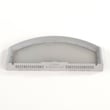
- Clean the lint screen every load; replace it if it is torn or warped (see GE dryer lint screen WE03X23881).
- Check airflow at the outside vent hood; weak airflow points to a clogged or crushed vent.
- Confirm the door closes firmly and the latch engages; a bad switch can prevent starting (see dryer door switch WE04X28977).
- If the dryer runs but clothes stay damp, shorten and straighten the vent run where possible.
- If the dryer is noisy (squeal, scrape, thump), inspect drum support parts such as glides and seals.
Common symptoms and the parts that often fix them
| Symptom | Most common cause | Parts that commonly apply on PTD70GBPT0DG |
|---|---|---|
| Long dry times | Vent restriction, lint buildup | Lint screen, vent cleaning (no part) |
| No heat or weak heat | Temperature sensing or cycling issue | Thermistor, thermostat |
| Won’t start | Door not “seen” as closed | Door switch, door catch |
| Loud squeal/scrape | Drum support wear | Drum glide bearing, drum felt seal |
Why it matters
Restricted airflow makes any dryer work harder; it increases dry time, can cause overheating, and can trigger heat-related component failures. Fixing airflow first often restores normal drying without replacing major components.
When to use error-code help
If your GE dryer is displaying a code, use a model-series code list to narrow the failure quickly before buying parts. Start with GE cleanspeak dryer error codes or GE gfd model series error codes.
Last updated: February 2026
Where to find part number on GE dryer?
On your GE dryer model PTD70GBPT0DG, the model and serial tag is typically located around the door opening, so you can read it when you open the dryer door. Once you have the model number, we use it to match the correct replacement parts for your exact dryer.
Where to look on the dryer
Check these common GE dryer tag locations first:
- On the inside of the dryer door
- On the door frame (the front panel opening)
- Along the front rim of the cabinet opening near the latch side
- Occasionally behind the lower front access panel (if your model has one)
What numbers you actually need (and what they mean)
Dryers usually have several identifiers; here is what to capture before ordering parts.
| What to find | What it’s used for | Example for this page |
|---|---|---|
| Model number | Ensures parts fit your exact dryer design | PTD70GBPT0DG |
| Serial number | Helps confirm production run details | Varies by unit |
| Part number (on a part) | Identifies a specific component | Example: WE03X33648 |
If you’re trying to find a part number on the part itself
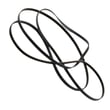
Many GE dryer parts have the number stamped, printed, or labeled directly on the component. For example, the belt may be marked, but the most reliable match is still by model number plus the part listing.
- Unplug the dryer before opening panels
- Take a clear photo of the tag and the failed part label
- Match by model first, then confirm the part ID in the listing
- If the label is worn off, match by the part’s location and function
A common example part for this model is the dryer drum belt WE03X33648.
Why it matters
GE can use similar-looking parts across different dryer series, but small design changes can affect fit and performance. Using model PTD70GBPT0DG to identify parts helps prevent ordering the wrong belt, thermistor, door switch, or drum support components.
Last updated: February 2026