 Installation guide
 Owner’s manual
 Error Codes




How to reset Kenmore oven model 79092409014?
To reset a Kenmore electric range model 79092409014, we recommend doing a full power reset: turn the range off, cut power at the breaker for 1 minute, then restore power and set the clock. This clears many control glitches and false error displays.
Quick reset steps (control reboot)
- Turn all surface element knobs to OFF.
- If the oven is running, press Cancel/Off.
- Switch the range circuit breaker OFF (or remove the range fuse).
- Wait 60 seconds.
- Switch the breaker ON.
- Set the clock and test Bake at 350°F.
If the display shows an error code after the reset
A reset clears temporary faults, but a repeating code usually points to a component or wiring issue.
Common causes on electric ranges include:
- Loose or overheated wiring connections at the terminal block
- A failing oven temperature sensor
- A stuck keypad or control issue
- A door lock circuit problem (on self-clean models)
For code meanings and model-family troubleshooting, use Kenmore 790 self-cleaning range error codes.
Safety checks that matter before deeper troubleshooting
Because this model uses high-voltage power connections, we follow the same safety approach used during installation.
- Turn power OFF at the breaker before removing any panels
- Do not loosen factory-secured terminal block nuts during inspection
- Confirm the range is properly grounded
- Reinstall the rear access cover before restoring power
Reference the wiring and grounding steps in the installation guide.
When a reset is not enough (parts that commonly fix the symptom)
If the oven heats incorrectly, won’t maintain temperature, or throws a temperature-related code, the oven sensor is a frequent fix.
| Symptom after reset | Most common check | Example part for this model |
|---|---|---|
| Oven temp is erratic | Oven sensor resistance and wiring | Frigidaire range oven temperature sensor 316490000 |
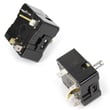
| Surface element won’t regulate | Infinite switch operation | Range surface element control switch |
| Door won’t unlock after clean | Door lock circuit | Door lock motor and switch assembly |
Why it matters
A proper reset restores normal control operation after a power glitch, but repeated faults help us pinpoint whether the issue is the control, a sensor, or a high-voltage connection so you replace the right part the first time.
Last updated: January 2026
What does F90 mean on a Kenmore stove?
On the Kenmore electric range model 79092409014, the F90 error code points to a problem with the oven door lock system, most often when the control cannot lock or unlock the door during or after a self-clean cycle. Use the steps in the 79092409014 owner's manual to clear the code and confirm proper door lock operation.
What to do first (safe, quick checks)
- Press Cancel/Off to stop the cycle and clear the display.
- Let the oven cool completely; the door can stay locked until the cavity temperature drops.
- Do not force the door open; forcing it can damage the latch and lock motor.
- Turn power off at the breaker for 5 minutes, then restore power and retry.
- If the code returns, run a short Bake test (not self-clean) to see if the oven heats normally.
Common causes of an F90 code
F90 typically shows up when the control does not see the expected lock feedback.
- Door lock motor not moving the latch fully
- Lock switch not changing state (stuck, misaligned, or failed)
- Wiring connection issue at the lock assembly or control
- Control not interpreting the lock signal correctly
If the door stays locked after cooling and a reset, the lock motor and switches are the first place we focus.
Parts that commonly fix door lock related errors
| Symptom | Most likely area | Example part for this model |
|---|---|---|
| Door will not unlock after self-clean | Door lock motor or switch | Range oven door lock motor and switch assembly 5304528973 |
| Error returns intermittently | Loose connection or failing switch | Door lock wiring and switch circuit |
| Oven heats but self-clean fails | Lock system not confirming locked | Door lock assembly and alignment |
Why it matters
The oven control uses the door lock signal as a safety interlock. If the range cannot confirm the door is locked or unlocked, it stops the cycle and posts F90 to prevent unsafe operation.
Helpful reference
For code definitions and model-family troubleshooting steps, use Kenmore 790 self-cleaning range error codes.
Last updated: January 2026
What is the width of a Kenmore range?
Most Kenmore freestanding electric ranges, including model 79092409014, are built to fit a 30-inch-wide range opening; the installation instructions for this model show a 30-inch dimension for the unit/cutout planning. For exact fit and clearances in your kitchen, use the installation guide.
What “30-inch range” means for fit
A “30-inch” Kenmore range is designed for standard cabinetry and countertop cutouts. The actual appliance body can be slightly under 30 inches so it can slide into the opening, but the planning width is 30 inches.
- Plan for a 30-inch opening between cabinets
- Confirm the countertop cutout matches the guide
- Verify the range sits level after sliding into place
- Keep required overhead cabinet clearances above the cooktop
Key clearances to check (from the install instructions)
The install instructions call out minimum clearances above the cooking surface to reduce fire and burn risk.
| Location | Minimum clearance |
|---|---|
| Cooktop to unprotected wood/metal cabinet bottom | 30 in. |
| Cooktop to protected cabinet bottom | 24 in. |
| Rear of range to wall | 0 in. minimum |
Quick measuring checklist before you buy parts or install
Use a tape measure and confirm these items before moving the range or ordering trim pieces.
- Measure the cabinet opening width at the front and back
- Check for molding/backsplash that could interfere with the rear fit
- Confirm the range can sit within 1-1/4 inch of the wall if using a wall-mount anti-tip method
- Verify the floor is solid and level
Why it matters
Getting the width right prevents countertop gaps, cabinet rubbing, and installation issues with the anti-tip bracket. It also helps ensure the cooktop and oven door operate smoothly once the range is in position.
Last updated: January 2026








