 Owner’s manual









How to reset an LG sensor dry dryer?
For the LG DLG7001W, a “Sensor Dry” reset is usually just a power reset: turn the dryer off, unplug it for 1 minute, plug it back in, then reselect your Sensor Dry cycle and press Start. If Sensor Dry still ends too soon or won’t heat, the issue is typically airflow or a sensor component, not a special reset button.
Quick reset steps (DLG7001W)
- Press Power to turn the dryer off.
- Unplug the dryer (or switch the breaker off) for 60 seconds.
- Restore power.
- Select a Sensor Dry cycle, confirm options, then press Start/Pause.
- If the control panel is unresponsive, repeat the reset and avoid pressing multiple keys at once.
For cycle behavior and control panel basics, follow the DLG7001W owner’s manual.
If Sensor Dry is acting “stuck” or clothes stay damp
Sensor cycles depend on moisture sensing and airflow. These checks fix most “won’t dry” complaints:
- Clean the lint screen before every load; replace a damaged screen with the dryer lint screen by LG 5231EL1001C.
- Clean the lint screen housing and check the exhaust duct for lint buildup or crushing.
- Avoid overloading; heavy loads can fool the sensor and extend dry time.
- Use the correct cycle; try Normal Sensor Dry first, then adjust dryness level.
- If you see an airflow warning (Flow Sense), correct venting before replacing parts.
When a “reset” won’t help (common part-related causes)
If the dryer tumbles but heat or sensing is inconsistent, these parts are often involved:
| Symptom | Likely area to check | Example compatible part for this model |
|---|---|---|
| Stops early, clothes still damp | Moisture sensing circuit | Dryer moisture sensor wire harness (6631EL3003B) |
| Overdries or underdries | Temperature sensing | Dryer thermistor (AGM30045804) |
| No heat or cycles take too long | Airflow restriction or safety thermostat | Dryer blower thermostat (6931EL3002M) |
Why it matters
Sensor Dry uses feedback from the moisture sensor and temperature sensing to end the cycle at the right time. If airflow is restricted or a sensor signal is off, the dryer can shut down early, run too long, or appear like it needs a “reset.”
Last updated: January 2026
What is the life of an LG dryer?
An LG dryer like model DLG7001W typically lasts 10 to 15 years with normal household use. Consistent airflow maintenance (lint screen and venting) and avoiding overheating are the biggest factors that help this dryer reach the upper end of that lifespan; see the DLG7001W owner's manual.
What affects lifespan the most
- Cleaning the lint screen before every load
- Keeping the exhaust duct clear and properly routed (short run, minimal elbows)
- Avoiding overloading the drum and consistently using the right cycle
- Preventing overheating by maintaining good airflow
- Fixing early symptoms (squealing, thumping, long dry times) before they stress the motor and drum support system
Quick maintenance schedule we recommend
| Task | How often | Why it helps |
|---|---|---|
| Clean lint screen | Every load | Maintains airflow and drying efficiency |
| Check vent hood flap outside | Monthly | Confirms exhaust air is leaving the home |
| Clean/inspect vent duct | Every 6 to 12 months | Reduces heat buildup and long dry times |
| Listen for new noises | Ongoing | Catches wear parts early |
Parts that commonly wear as a dryer ages
If your DLG7001W starts getting noisy or takes longer to dry, these are common wear items to inspect or replace:
- Dryer lint screen by LG 5231EL1001C (helps maintain proper airflow)
- Drum support rollers and idler pulley (often cause rumbling or squealing)
- Thermistor or thermostats (can contribute to heat or cycle issues)
Why it matters
A dryer that is restricted by lint or venting problems runs hotter and longer. That extra heat and run time accelerates wear on the drum support system, motor, and heating components, shortening overall service life.
Last updated: January 2026
What is the most common problem with LG dryers?
For LG dryers like model DLG7001W, the most common problem we see is long dry times or “not drying” caused by restricted airflow (lint buildup or a clogged/kinked vent). Noisy operation from normal wear parts is another frequent issue.
What to check first on DLG7001W
- Clean the lint screen before every load and make sure it seats fully.
- Inspect the vent hose behind the dryer for kinks, crushing, or excess length.
- Check the outside vent hood for a stuck damper or lint blockage.
- Run a timed dry cycle and confirm you have strong airflow at the outside vent.
- If you have a gas version, confirm the gas shutoff valve is fully open.
Common symptoms and likely causes
| Symptom | Most common cause | Next step |
|---|---|---|
| Clothes still damp, cycle ends | Vent restriction | Clean venting and retest |
| Dryer heats but takes too long | Partial restriction or overloaded drum | Improve airflow, reduce load size |
| Rumbling or thumping noise | Worn drum support rollers | Inspect rollers for flat spots |
| Squealing noise | Worn idler pulley | Inspect pulley and belt path |
Model-matched parts that often relate to these issues
If airflow checks out and the problem continues on your DLG7001W, these model-matched parts are commonly involved:
- Dryer lint screen by LG 5231EL1001C (airflow starts here; a torn screen can let lint into the duct path)
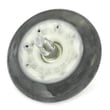
- Dryer drum support roller assembly 4581EL2002L (common source of rumbling or thumping)
- LG dryer idler pulley 4561EL3002A (common source of squealing)
- LG dryer burner igniter 5318EL3001A (gas heat problems when the burner will not ignite)
Why it matters
Restricted venting is the number one cause of poor drying. It also makes the dryer run hotter and longer, which can trip safety thermostats and shorten the life of sensors and other heating components.
Manual guidance for this model
For venting limits, duct materials, and routine maintenance steps, follow the DLG7001W manual.
Last updated: January 2026







