 Installation guide
 Owner’s manual
 Error Codes








Are all 30 inch wall ovens the same size?
No. “30-inch” wall ovens are grouped by a nominal width, but the exact cabinet cutout width, cutout height, and required clearances vary by brand and model. For Kenmore Pro model 79042003600, use the cutout dimensions and notes in the 79042003600 installation guide to confirm fit before ordering or installing.
What “30-inch” usually means (and what can differ)
Even within the 30-inch class, these details commonly vary:
- Cutout width (the cabinet opening)
- Cutout height (single vs. double oven cutouts differ)
- Cutout depth (critical for trim to sit flush)
- Overall oven dimensions (front trim can be wider than the cutout)
- Clearances (door-open clearance and spacing around the unit)
Model 79042003600 fit notes we follow
From the installation requirements for this model family:
- The cutout base must support 300 lb (136 kg).
- Allow at least 21 in (53.3 cm) clearance in front for the door when open.
- Cutout depth is critical; if trim does not sit against the cabinet or convection noise occurs, verify the cutout depth.
- Do not remove side/back spacers (if equipped); they help center the oven and reduce heat buildup risk.
Quick comparison: “30-inch class” vs. exact measurements
| Item | “30-inch wall oven” category | What you should verify for 79042003600 |
|---|---|---|
| Width | Approx. 30 in | Exact cutout width and minimum opening in the 79042003600 installation guide |
| Height | Varies by single/double | Single vs. double cutout height requirements |
| Depth | Often the biggest mismatch | Cutout depth so trim sits flush |
| Clearance | Not universal | Door-open clearance and electrical/junction box space |
Why it matters
A small difference (even fractions of an inch) can prevent the oven from sliding in, cause the trim not to sit flush, or create clearance issues for the door and wiring. Confirming the cutout dimensions first prevents cabinet rework and installation delays.
Last updated: January 2026
How do I reset a wall oven?
To reset your Kenmore Pro wall oven model 79042003600, turn the oven off, then fully remove power for a few minutes and restore it. This clears many control glitches and can restore normal operation after a power surge or error.
Quick reset steps (most common)
- Press OFF or CANCEL to stop any active bake, broil, or self-clean cycle.
- Turn OFF the oven circuit breaker (or remove the fuse) that supplies the wall oven.
- Wait 3 to 5 minutes.
- Turn the breaker ON.
- Set the clock, then test BAKE at 350°F.
If the display is blank or the oven is still unresponsive
A reset will not fix a loss of power, wiring issue, or failed electronic part. Check these items in order:
- Confirm the breaker is fully seated (flip OFF, then ON).
- Verify the oven has a dedicated, properly grounded circuit (wall ovens typically use 120/240V or 120/208V supply).
- If you recently installed the oven, confirm the junction box connections match the wiring method in the installation guide.
- If the oven heats incorrectly after reset, test the frigidaire range oven temperature sensor 316217002 because a bad sensor can cause temperature and control problems.
What a reset can and cannot fix
| Symptom | Reset helps? | What to check next |
|---|---|---|
| Frozen keypad or odd display | Often | Power supply stability, control board connections |
| Error returns immediately | Sometimes | Sensor, wiring, control board |
| No heat but display works | Rarely | Bake element, relay board, sensor |
| Completely dead (no display) | Rarely | Breaker, junction box, terminal block |
Why it matters
Wall ovens like the Kenmore Pro 79042003600 use electronic controls that can lock up after a power interruption. A full power reset is the fastest safe first step before testing parts such as the temperature sensor, control board, or wiring harness.
Last updated: January 2026
What power is required for electric wall oven?
For the Kenmore Pro wall oven model 79042003600, a dedicated single-phase 120/240V or 120/208V, 60 Hz AC electrical supply is required using a 3-wire or 4-wire connection, protected by a properly sized time-delay fuse or circuit breaker. See the nameplate wattage to choose the correct breaker size per the 79042003600 installation guide.
Electrical requirements to plan for
- Dedicated circuit (do not share with other appliances).
- 120/240V or 120/208V, single-phase, 60 Hz AC supply.
- 3-wire or 4-wire connection (follow local code requirements).
- Fuse or breaker on both hot legs (red and black); do not fuse the neutral (white).
- Use a time-delay fuse or circuit breaker.
- Do not use an extension cord.
Breaker or fuse size (based on oven wattage)
Use the oven’s serial plate/nameplate wattage, then match it to the recommended circuit protection.
| Nameplate watts | Recommended circuit @ 240V | Recommended circuit @ 208V |
|---|---|---|
| Less than 4800W | 20A | 20A (less than 4100W) |
| 4800W to 7200W | 30A | 30A (4100W to 6200W) |
| 7200W to 9600W | 40A | 40A (6200W to 8300W) |
| 9600W and up | 50A | 50A (8300W and up) |
Why it matters
Correct voltage and breaker sizing helps prevent nuisance tripping, slow preheat, and overheated wiring. It also ensures the oven control board, bake element, and convection components get stable power during high-load cooking modes.
Quick safety checklist before any wiring work
- Shut off power at the breaker before making line connections.
- Confirm proper grounding per local codes and the National Electrical Code.
- Use wire size and connections that match the circuit rating.
- If you see heat damage at the junction box, stop and have the wiring corrected before installing the oven.
Last updated: January 2026
Why is my wall oven not turning on?
If your Kenmore Pro wall oven model 79042003600 is completely dead (no display, no beeps, no heat), the most common causes are a tripped breaker, a loose or burned power connection at the junction box, or a failed electronic control. Start by confirming the correct power supply first.
Quick checks (most common fixes)
- Reset the oven’s double-pole circuit breaker fully OFF, then back ON.
- Confirm the oven is on a dedicated circuit with the correct voltage (typically 120/240 or 120/208 VAC).
- Turn power OFF and inspect the junction box connections for loose wire nuts, heat damage, or corrosion.
- Look for pinched, damaged, or disconnected wiring at the oven’s conduit and harness.
- If power is correct and wiring is solid, suspect the main control or a related relay board.
Parts that commonly cause “no power” symptoms
If your incoming power checks out, these parts are frequent culprits on wall ovens like this:
| Symptom | What it often points to | Example part for this model |
|---|---|---|
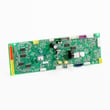
| No display and no response, power confirmed | Failed electronic control | Wall oven control board 316460201 |
| Intermittent power, random resets | Loose/burned connections, failing board | Terminal block 5304409888 |
| Powers on but heats erratically (not usually “dead”) | Sensor issue affecting operation | Frigidaire range oven temperature sensor 316217002 |
Why power supply checks matter first
This oven requires a properly grounded electrical supply on a separate circuit, protected by a circuit breaker or fuse, and the line connections must be made with power shut off. Verifying correct supply voltage and solid junction box connections prevents replacing a control board when the real issue is upstream. See the installation guide for the electrical requirements and junction box connection details.
When to stop and call for service
- Breaker trips repeatedly after reset
- You see melted insulation, scorched wires, or a burning smell
- You are not comfortable testing 240V circuits
Last updated: January 2026





