 Installation guide
 Owner’s manual
 Error Codes




How much does it cost to replace a GE oven control board?
For a GE ZET1SM1SS wall oven, replacing the oven control board typically runs $200 to $600+ total: about $150 to $450 for the control board plus $150 to $300 for professional labor. DIY replacement can cost less, but only if diagnosis is correct.
What drives the total price?
- Part cost: control boards vary widely by model and revision.
- Labor: wall ovens take longer because the unit may need to be partially pulled from the cabinet.
- Diagnosis time: a tech may charge a service call/diagnostic fee.
- Related failures: a shorted bake element, damaged wiring, or a bad sensor can take out a new board.
- Warranty status: coverage depends on purchase date and terms in the owner's manual.
Before you buy a control board: quick checks
- Confirm the oven has power (check breaker/fuse; many “dead display” issues are power-related).
- Look for an error code and match it using GE wall oven error codes.
- If temperatures are consistently off, check calibration settings first (thermostat adjustment is commonly covered in the manual).
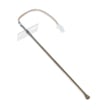
- If the oven overheats or underheats, test the wall oven temperature sensor WB23T10015 before replacing the board.
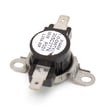
- If the oven will not heat after self-clean, inspect the safety thermostat and cooling airflow (overheat protection can stop heating).
Typical cost ranges (parts and labor)
| Scenario | Typical total cost | Notes |
|---|---|---|
| DIY board replacement | $150 to $450 | No labor cost; diagnosis risk is on you |
| Pro replaces board | $300 to $600+ | Includes labor; may include diagnostic fee |
| Board plus another part (sensor, thermostat, wiring repair) | $400 to $800+ | Common when the board is not the root cause |
Why it matters
Control boards are one of the most expensive electronic parts in a wall oven. Verifying basics (power, error codes, temperature sensor behavior) helps prevent paying for a board when the real issue is a sensor, thermostat, or heating circuit problem.
Last updated: February 2026
How to disable control lock on GE wall oven?
On the GE ZET1SM1SS wall oven, we disable Control Lockout by pressing and holding COOK TIME and DELAY START at the same time for 3 seconds until the control beeps and the “LOC” message disappears. See the steps in the ZET1SM1SS owner’s manual.
Quick steps (what to press)
- Press COOK TIME and DELAY START together.
- Keep holding for 3 seconds.
- Listen for the beep.
- Confirm “LOC” disappears from the display.
- Try turning the Oven Mode knob or setting Bake to confirm controls respond.
What you will see on the display
| Display message/light | What it means | What to do |
|---|---|---|
LOC shows when you try to use controls |
Control lockout is ON | Hold COOK TIME + DELAY START for 3 seconds |
LOC disappears |
Control lockout is OFF | Set your cooking mode normally |
LOCKED flashes after self-clean |
Oven is still too hot to unlock | Let the oven cool until it unlocks |
If Control Lock will not turn off
- If a self-clean cycle just ended, wait for the oven to cool down; the door and controls can stay locked until it drops below the locking temperature.
- If the display is flashing after a power outage, reset the clock, then try the lockout key combo again.
- Make sure you are pressing the two buttons at the same time (not one after the other).
- If you were using a timed function, re-enter your settings after unlocking; lockout can cancel active cooking or timing functions.
Why it matters
Control Lockout prevents accidental changes to temperature and cooking mode, which helps avoid undercooking, overheating, and unintended starts, especially during cleaning or when kids are nearby.
Last updated: February 2026
How to find wall oven model number?
For the GE ZET1SM1SS wall oven, the model and serial numbers are on a label on the front left trim, behind the oven door. Use that exact model number when ordering parts, checking error codes, or scheduling service.
Where to look on the oven
Check these spots in order (most common first):
- Front left trim behind the oven door (primary location for ZET1SM1SS)
- Front frame around the oven opening
- Door rim area (around the edge of the door)
- Inside the oven cavity on a side panel (less common)
What to write down (and why)
Record both numbers exactly as shown:
- Model number (identifies the exact design and compatible parts)
- Serial number (helps match production run details for service)
- Brand (GE)
| Item | What it’s used for | Example for this page |
|---|---|---|
| Model number | Parts lookup and diagrams | ZET1SM1SS |
| Serial number | Service and warranty identification | Unique to your oven |
Tips to make the label easier to read
- Open the door fully and use a flashlight to light the trim area.
- Wipe dust or grease lightly with a damp cloth; do not scrub the label.
- Take a clear photo so you can zoom in when ordering parts.
Why it matters
GE wall ovens can look similar across model families, but parts like a temperature sensor, control panel, or door gasket can vary by model. Using the exact model number prevents ordering the wrong replacement.
For diagrams and model-specific details, use the ZET1SM1SS owner’s manual.
Last updated: February 2026
How to order GE appliance parts?
For your GE ZET1SM1SS electric wall oven, order parts by using your complete model number and serial number, then purchasing the exact replacement part you need from the parts list for this model. For in-warranty or out-of-stock part questions, contact Sears PartsDirect support.
What we recommend before you order
- Confirm the full model number is ZET1SM1SS (match the rating label exactly).
- Write down the serial number; it is often required for compatibility checks.
- Use the parts diagram to identify the correct part name and part ID.
- Check your manual’s troubleshooting section first; some issues are settings-related.
- If you are replacing a heating or temperature-related part, shut off power at the breaker first.
A good starting point for model-specific details and service guidance is the ZET1SM1SS owner's manual.
Common ordering paths (pick the one that fits)
| Situation | Best way to order | What to have ready |
|---|---|---|
| Standard replacement part is available | Order by model number and part ID | Model number, part ID |
| Part is in-warranty or currently out of stock | Contact Sears PartsDirect support | Model number, serial number, part description |
| Oven temperature seems inaccurate | Verify calibration and sensor first | Manual steps, symptom notes |
Parts customers commonly replace on this model
These are frequently ordered items for heating and temperature complaints:
- Wall oven temperature sensor WB23T10015
- Wall oven safety thermostat WB24T10060
- Range bake element WB44T10056
- Wall oven broil element WB44T10057
Why it matters
Ordering by the exact model number and the exact part ID prevents fit issues and repeat repairs. On a built-in wall oven like the GE ZET1SM1SS, the correct sensor, thermostat, or element directly affects temperature accuracy, bake performance, and safe operation.
Last updated: March 2026
What are the parts of an electric oven?
An electric wall oven like the GE ZET1SM1SS is built around heating, temperature sensing, airflow, lighting, and door-sealing components. The key parts you will interact with most are the bake and broil elements, oven racks, temperature sensor, convection fan system, and the door gasket and glass.
Main parts you will find in most electric wall ovens
- Bake element: primary heat source for baking and roasting (typically at the bottom).
- Broil element: high-heat element for broiling (typically at the top).
- Oven temperature sensor: tells the control how hot the oven is so it can regulate heat.
- Convection system (on convection models): convection element plus fan to circulate hot air.
- Oven racks and rack supports: hold cookware and allow rack-position changes.
- Oven lights and lens/cover: illuminate the cavity; many models use halogen lighting.
- Door system: door gasket (seal), inner/middle glass, handle, and hinges/latch (on some models).
Common GE ZET1SM1SS parts (examples)
| Part type | What it does | Example part for this model |
|---|---|---|
| Temperature sensor | Helps prevent underheating/overheating | Wall oven temperature sensor WB23T10015 |
| Convection element | Provides heat for convection baking | Range convection element WB44T10058 |
| Bake element | Provides heat for standard baking | Range bake element WB44T10056 |
| Broil element | Provides top-down high heat | Wall oven broil element WB44T10057 |
| Door gasket | Seals heat inside the oven cavity | Range oven door gasket WB04T10050 |
Why it matters
Knowing the major oven parts helps you troubleshoot faster. For example, uneven baking often points to a convection fan or temperature sensor issue, while heat loss and longer preheat times often point to a worn door gasket.
Quick tips before you inspect or replace anything
- Disconnect power at the breaker before removing panels, lights, or elements.
- Let the oven cool completely; interior surfaces and vents stay hot after use.
- Keep the oven vent unobstructed to avoid overheating.
- Use the wiring and mounting details in the ZET1SM1SS installation guide before any hard-wired service.
- For part identification and safe handling guidance, follow the ZET1SM1SS owner’s manual.
Last updated: February 2026
What does F9 mean on a GE self-cleaning oven?
On the GE ZET1SM1SS electric wall oven, an F9 code means the oven is detecting a door-lock related problem during self-clean (most often the oven is too hot to unlock, or self-clean was selected with the door not fully closed). Check the steps in the ZET1SM1SS owner’s manual.
What to do first (safe reset)
- Turn the Oven Mode knob to OFF.
- Turn the Temperature knob to OFF.
- Let the oven cool for at least 1 hour.
- Restore operation and try BAKE (not CLEAN) to confirm normal heating.
- If the door is locked after cleaning, wait until the oven cools below the locking temperature.
Common causes of F9 on this model
- Oven is too hot (the lock system will not release until temperature drops).
- Self-clean selected but the door is not closed.
- A function error occurred; cycling OFF and allowing a full cool-down often clears it.
Quick symptom-to-action guide
| What you see | Most likely cause | What we recommend |
|---|---|---|
| F9 flashes during/after CLEAN | Lock system is protecting against high temp | Set both knobs to OFF; cool 1 hour; retry |
| Door will not open after CLEAN | Oven has not cooled below lock temp | Keep OFF; wait for lock indicator to go out |
| F9 returns quickly after reset | Door-lock circuit or related component issue | Inspect lock/latch wiring and related parts |
Parts that commonly relate to heat and lock behavior
If the oven is overheating or temperature feedback is unstable, the lock system can act up. A common check is the oven temperature sensor: wall oven temperature sensor WB23T10015.
Why it matters
During self-clean, the oven runs at very high temperatures and uses the door lock as a safety feature. When the control senses unsafe temperature or an incomplete door-close condition, it can trigger F9 to prevent damage and protect you.
Last updated: February 2026
What kind of outlet does a wall oven need?
For the GE ZET1SM1SS electric wall oven, you do not use a standard outlet at all. This model must be hard wired (direct wired) into an approved electrical junction box; a plug and receptacle connection is not permitted.
What to plan for (electrical connection)
- Use an approved junction box in the cabinet opening area.
- Use a properly sized strain relief clamp for the oven’s flexible conduit.
- Keep the oven’s flexible conduit full length; do not shorten it.
- Ensure the oven is properly grounded.
- Have a qualified electrician make the final connections to meet National Electrical Code and local code requirements.
Typical circuit expectations (helpful guidance)
Most 30-inch electric wall ovens are supplied by a dedicated 240V circuit (often 30A to 50A depending on the oven’s rating). The exact breaker size and wire gauge must match the rating information for your specific installation.
| Connection type | What it uses | What you will not use |
|---|---|---|
| Direct wire (required for ZET1SM1SS) | Junction box + strain relief clamp + house wiring | 240V receptacle/outlet and plug |
Quick checks before installation
- Confirm the junction box location allows the conduit to reach without strain.
- Verify the strain relief clamp fits the conduit; replace the clamp if it does not fit.
- Confirm grounding is present and continuous.
- Confirm the circuit is dedicated and sized to the oven’s electrical rating.
Why it matters
Hard wiring into a junction box prevents loose plug connections, supports proper grounding, and meets the installation requirements for this GE wall oven. It also helps avoid nuisance shutdowns caused by poor electrical connections.
For the exact wiring method and connection details for your setup, follow the installation guide.
Last updated: February 2026





