 Installation guide
 Owner’s manual



What is the average lifespan of a GE microwave?
A GE microwave typically lasts 8 to 10 years with normal household use. For your GE JNM3163RJ1SS microwave/hood combo, lifespan depends most on daily run time, keeping the cavity clean, and avoiding misuse such as running it empty or causing arcing; see the jnm3163 owner’s manual for care and operating guidance.
Most over-the-range microwaves wear out from heat stress, door-switch wear, and power-component fatigue. These factors have the biggest impact:
- Heavy daily use (multiple long cook cycles per day)
- Poor ventilation or blocked grease filters (extra heat buildup)
- Cavity arcing from metal/foil or damaged waveguide cover area
- Slamming the door (stresses interlock switches and latch parts)
- Power surges or repeated breaker trips
Use these habits to help your JNM3163RJ1SS reach the high end of the typical range:
- Wipe spills and splatters promptly so food residue does not carbonize
- Run the vent fan when cooking on the range to reduce heat and steam exposure
- Never run the microwave empty
- Use microwave-safe containers only (avoid foil and metal trim)
- Keep the door closing smoothly; do not slam it
If the unit stops heating, won’t start, or goes dead, these parts are common suspects:
| Symptom | Common area | Example part for this model |
|---|---|---|
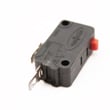
| Won’t start, door feels “off” | Door latch and interlocks | Microwave door interlock switch WB24X25397 |
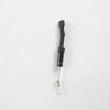
| Completely dead, no display | Line protection | Microwave fuse WB27X25389 |
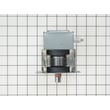
| Runs but does not heat | High-voltage system | Magnetron, capacitor, transformer |
Knowing the typical 8 to 10 year lifespan helps you decide whether to repair or replace. If your JNM3163RJ1SS is near that age and needs a major heating-system repair, comparing part cost and downtime to replacement value usually leads to the best decision.
Last updated: January 2026
Is the JNM3163RJ1SS easy to use?
Yes. The GE JNM3163RJ1SS microwave/hood combo is designed for straightforward daily use with simple keypad cooking, defrost, and timer functions. Once it’s installed correctly and the turntable parts are seated properly, most owners find the controls intuitive and consistent.
- Clear, dedicated buttons for common tasks (time cook, defrost, add time, start)
- Predictable results when you use the same container size and food placement
- Turntable cooking helps heat more evenly when the tray and support are installed correctly
- Over-the-range layout keeps the microwave at a convenient height and frees counter space
- Basic vent fan and cooktop light functions are quick to access
Use these steps right after installation to avoid “it runs but doesn’t cook right” complaints:
- Confirm the unit is properly grounded.
- Install the glass tray and the wheeled ring so the tray rotates smoothly.
- Run a 1-minute water test (1 cup of water should get noticeably hot).
- Wipe the cavity and door seals with a damp cloth before regular cooking.
| What you notice | Most common cause | What to do |
|---|---|---|
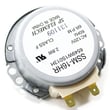
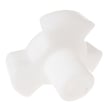
| Tray not turning | Tray support not seated or dirty | Clean and reseat the microwave turntable tray support WB06X45707 |
| Door feels hard to close | Latch alignment or wear | Inspect the latch area; replace the latch board if needed |
| Keypad seems unresponsive | Control panel wear or moisture | Dry the panel; if persistent, check the control panel assembly |
When the turntable system and door latches work correctly, the JNM3163RJ1SS is simpler to operate because cooking times are more repeatable and the microwave starts reliably every time.
For control descriptions and feature details, follow the JNM3163RJ1SS owner’s manual.
Last updated: January 2026
How many watts is a GE model JNM3163RJ1SS?
GE model JNM3163RJ1SS is a 1,000-watt over-the-range microwave (cooking power). For the most accurate confirmation for your exact unit and configuration, we recommend checking the specifications section in the JNM3163RJ1SS owner’s manual.
Microwave wattage is the cooking power delivered to heat food. Higher wattage typically means faster, more even heating.
- Expect shorter cook times than 700 to 900 watt countertop units
- Use the power level settings to reduce intensity for delicate foods
- Stir, rotate, or pause to rearrange food for more even results
- Use microwave-safe cookware to avoid overheating or arcing
- If heating seems weak, it can point to a high-voltage system issue (magnetron, capacitor, transformer)
| Microwave cooking power | Typical result | Common adjustment vs. 1,000 W |
|---|---|---|
| 700 to 900 W | Slower heating | Add time (often 10% to 30%) |
| 1,000 W | Standard over-the-range performance | Use recipe time as written |
| 1,100+ W | Faster heating | Reduce time slightly |
If the fan and turntable run but food stays cold, the issue is usually in the high-voltage heating circuit.
- Confirm the door closes firmly and latches correctly
- Try a different outlet or reset the breaker (if it tripped)
- If it still will not heat, review why is my microwave not heating
- For parts commonly involved in no-heat symptoms, see the microwave magnetron WB27X10927 and hi capacitor WB27X26368
Knowing the wattage helps you set cook times correctly, compare performance to your previous microwave, and troubleshoot heating complaints without guessing.
Last updated: January 2026
How do I do a hard reset on my GE microwave?
To hard reset your GE JNM3163RJ1SS microwave/hood combo, disconnect power to clear the control memory: unplug it (or switch the circuit breaker off) for about 1 to 2 minutes, then restore power and reset the clock. This is the most reliable reset for glitches after a power surge.
- Press Cancel/Off to stop any active cycle.
- Unplug the microwave from the outlet; if it’s hardwired, turn OFF the microwave circuit breaker.
- Wait 1 to 2 minutes.
- Restore power.
- Set the clock using the steps in the JNM3163RJ1SS owner’s manual.
If the display is on but buttons seem locked, the control lock-out may be enabled.
- Press and hold Cancel/Off for about 3 seconds.
- Watch for “Loc” to appear briefly when locked.
- Try a simple cook cycle (for example, Add 30 Sec).
A reset fixes control glitches; it won’t correct a door-safety or power-supply problem.
- Confirm the door closes firmly and latches.
- Make sure the 3-prong plug is fully seated.
- Check the home fuse or reset the circuit breaker.
- If the unit is dead or repeatedly loses power, inspect and test the microwave fuse WB27X25389.
| Symptom after reset | Most common cause | Best next step |
|---|---|---|
| Display works, won’t run | Door not fully closed or selection not cleared | Close door firmly; press Cancel/Off; press Start/Pause |
| Completely dead | House fuse/breaker or internal fuse | Check breaker; then test microwave fuse |
| Random behavior after outage | Power surge glitch | Do the 1 to 2 minute hard reset |
Microwaves like the GE JNM3163RJ1SS use an electronic control board that can “hang” after a power surge. A hard reset clears the temporary fault so you can confirm whether you have a simple control issue or a part-related problem (like a fuse or door interlock).
Last updated: January 2026


