 Owner’s manual








What is the life expectancy of a LG dryer?
An LG dryer like model DLGX4201B typically lasts 10 to 15 years with normal household use. Keeping airflow strong (clean lint screen, clear venting) and fixing small issues early are the biggest factors in reaching the high end of that range; see the maintenance guidance in the DLGX4201B owner’s manual.
What affects dryer lifespan the most
- Vent restriction (long runs, crushed duct, lint buildup) that causes overheating and long dry times
- Lint screen care (clean every load; wash residue off periodically)
- Load habits (avoid chronic overloading, which strains the drum, belt, and motor)
- Heat system health (thermostats, sensors, and igniter on gas models)
- Installation quality (proper leveling and correct metal venting)
Quick maintenance plan (high impact)
- Clean the lint screen before every load; replace it if it is torn or warped (example: lint filter - dryer part by LG ADQ56656401).
- Check the outside vent hood for strong airflow.
- Inspect and clean the vent duct periodically; use 4-inch metal ducting and keep the run as short as practical.
- Keep the area around the dryer free of lint and dust.
- If drying times suddenly increase, address airflow first before replacing parts.
Typical lifespan by care level
| Care level | What we usually see | Expected lifespan |
|---|---|---|
| Minimal maintenance | Lint and venting neglected | 7 to 10 years |
| Average maintenance | Lint screen cleaned, vent checked occasionally | 10 to 15 years |
| Proactive maintenance | Regular vent cleaning, quick repairs | 12 to 15+ years |
Why it matters
A dryer that cannot move air efficiently runs hotter and longer. That extra heat and run time accelerates wear on key components (motor, belt, thermostats) and is the most common reason a dryer “ages” early.
Last updated: January 2026
What is the most common problem with LG dryers?
For the LG DLGX4201B, the most common dryer complaint we see is long dry times or “not heating enough,” and the root cause is often restricted airflow (lint buildup in the lint screen area or a clogged exhaust vent). The next most common issue is noise from wear parts in the drum support system.
Most common issues and what usually causes them
- Clothes take too long to dry: lint screen clogged, vent duct restricted, crushed or overly long duct run
- No heat or weak heat: airflow restriction causing overheating shutdown, thermostat or safety device opening, gas ignition issues on gas models
- Thumping, rumbling, squealing: worn drum support roller, idler pulley, or belt wear
- Stops mid-cycle: overheating from poor venting, door switch or control issue
- Error codes: often tied to airflow, temperature sensing, or control feedback (see LG dryer error codes)
Quick checks we recommend first (fast, no tools)
- Clean the lint screen before every load and confirm it seats correctly.
- Check the outside vent hood for strong airflow while the dryer runs.
- Inspect the vent path for kinks, crushed flex duct, or heavy lint.
- Run the built-in duct check described in the DLGX4201B owner’s manual.
Parts that commonly relate to these symptoms on this model
If airflow is good but performance or noise problems continue, these model-compatible parts are common suspects:
| Symptom | Likely area | Example compatible part for DLGX4201B |
|---|---|---|
| Long dry times, lint escaping | Lint filtration/air path | Lint filter - dryer part by LG ADQ56656401 |
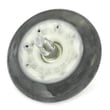
| Rumbling or thumping | Drum support | Dryer drum support roller 4581EL2002L |
| Squealing | Belt tension system | LG dryer idler pulley 4561EL3002A |
Why it matters
Restricted venting does more than slow drying; it can overheat the dryer, trip safety thermostats, and shorten the life of components like the blower wheel, thermostats, and drum support parts.
Last updated: January 2026
How to reset an LG sensor dry dryer?
To reset Sensor Dry on our LG DLGX4201B dryer, we start with a simple power reset (turn the dryer off, unplug for 1 minute, then plug back in). If Sensor Dry still acts “stuck,” the fix is usually cleaning the moisture sensor bars and restoring proper airflow per the DLGX4201B owner’s manual.
Quick reset steps (Sensor Dry)
- Press Power to turn the dryer off.
- Unplug the dryer (or switch off the breaker) for 60 seconds.
- Plug back in.
- Select a Sensor Dry cycle and press Start/Pause.
- If the cycle ends too soon or runs too long, clean the moisture sensor bars (next section).
Clean the moisture sensor (most common “Sensor Dry” fix)
On the DLGX4201B, the moisture sensor bars are inside the drum near the lint filter housing area. A waxy film from dryer sheets can insulate the bars and confuse Sensor Dry.
- Turn off power and let the drum cool.
- Wipe the sensor bars with rubbing alcohol on a soft cloth.
- Lightly scrub if needed; do not sand aggressively.
- Clean the lint screen and confirm it seats correctly.
- If the sensor is damaged or readings stay erratic, replace the dryer moisture sensor 6500EL3001A.
Airflow checks that affect Sensor Dry
Restricted venting can cause long dry times, overheating, and inaccurate sensor results.
- Clean the lint screen every load; replace it if torn (see lint filter ADQ56656401).
- Make sure the exhaust duct is not crushed or kinked.
- Check the outside vent hood for a stuck flap or lint blockage.
- If you suspect internal duct restriction, inspect the dryer exhaust duct 5209EL1006A.
What “reset” can and cannot do
| Situation | Reset helps? | What usually fixes it |
|---|---|---|
| Control panel glitch or cycle won’t start | Yes | Power reset, then reselect cycle |
| Sensor Dry ends too soon / clothes damp | Sometimes | Clean sensor bars, improve airflow |
| Dryer won’t heat | Rarely | Heating diagnosis (thermostats, igniter, gas valve, etc.) |
Why it matters
Sensor Dry relies on moisture sensing and airflow. When the sensor bars are coated or the vent is restricted, the dryer can shut off early, overdry loads, or run much longer than normal.
Last updated: January 2026









