 Owner’s manual
 Error Codes



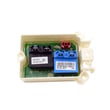
Can low water pressure cause a 1E error?
Yes. On the LG WT1801HWA washer, a 1E (also shown as 1E/IE or “inlet error”) happens when the washer fills too slowly or does not detect enough incoming water in time. Weak water pressure is a direct cause, and a clogged inlet filter can trigger the same error.
What to check first (fast fixes)
- Confirm both hot and cold faucets are fully open.
- Make sure the inlet hoses are not kinked, pinched, or crushed behind the washer.
- Check for low household water pressure at the laundry faucets (fill a bucket with the faucets wide open).
- Clean the inlet screens/filters at the washer water valves (the manual notes weak pressure or a dirty inlet filter can cause the error).
- Avoid leak-limiting hoses if they are restricting flow.
For the exact steps and safety notes (unplugging the washer and turning off faucets before cleaning), use the owner's manual.
How low water pressure creates the 1E/IE error
Your washer expects a certain flow rate during the fill portion of the cycle. If the flow is too low, the tub fills slowly and the control can stop the cycle and display 1E/IE.
Common real-world causes include:
- Partially closed shutoff valves
- Mineral buildup or debris in the inlet screens
- Kinked inlet hoses
- Low pressure to that part of the home (especially when other fixtures are running)
Parts that can be involved
If cleaning screens and correcting hose/valve issues does not restore normal filling, a failed inlet valve or a water level sensing issue can also affect filling.
| Symptom | Most likely cause | What to do next |
|---|---|---|
| Fills slowly on both hot and cold | Low supply pressure or clogged inlet screens | Verify pressure, clean screens |
| No fill on one temperature | One side of inlet valve not opening | Consider replacing the LG washer water inlet valve 5221EA1008F |
| Overfills or level seems wrong | Water level sensing problem | Inspect pressure hose and switch |
Why it matters
Running with restricted water flow can lead to repeated error codes, longer cycle times, and poor wash performance. Fixing the water supply issue first prevents unnecessary part replacement.
Last updated: February 2026
How do I force my LG washer to drain?
On the LG WT1801HWA washer, we force a drain by running Spin only (which turns on the drain pump) or by letting the washer’s built-in special drain feature empty the tub about 5 minutes after it’s paused or powered off. Steps and options are in the owner's manual.
Fast ways to drain the tub
Try these in order:
- Spin only: Press Power, select Spin only, then press Start/Pause. Let it run about 1 minute if you just need to activate the drain pump.
- Drain and spin without choosing a cycle: Turn the washer off, then press Power and press Spin speed (without selecting a cycle) to drain and spin the load.
- Rinse + spin: Press Power, press Special use until Rinse+Spin lights, then press Start/Pause.
- Automatic drain after stopping: If you pause or shut off with water in the tub, the washer drains automatically after about 5 minutes of inactivity.
If it still will not drain (most common causes)
A forced drain will not work well if the washer cannot move water out fast enough.
- Check the drain hose for kinks, pinches, or clogs.
- Confirm the standpipe or drain is not backing up.
- Make sure the drain hose is installed correctly and not pushed too far into the pipe.
- If the washer is showing a drain-related error, clear the restriction first.
Quick symptom guide
| What you see | Most likely cause | What to do next |
|---|---|---|
| Hums but no water leaves | Clogged/kinked drain path | Inspect hose and household drain |
| Drains very slowly | Partial restriction | Straighten hose; clear blockage |
| Stops and shows an error | Drain or balance issue | Drain/spin, then rebalance load |
Why it matters
Standing water can trigger error codes, cause odors, and prevent the lid from unlocking promptly. Draining correctly also protects the drain pump from overheating and helps you restart the cycle safely.
Last updated: February 2026
What does the 10 year warranty cover on an LG washer?
For the LG WT1801HWA washer, the 10-year warranty covers parts only for the direct drive motor components (stator, rotor, and hall sensor). After the first year, labor and in-home service costs to install those parts are the owner’s responsibility; see the owner's manual warranty section for details.
What’s covered (and what isn’t)
Here’s how the limited warranty breaks down for this washer in the U.S.
- 1 year from purchase date: internal/functional parts and labor
- 10 years from purchase date: direct drive motor components (stator, rotor, hall sensor), parts only
- Lifetime from purchase date: stainless steel drum, parts only
- Not covered: labor after year 1 for the extended component coverage, plus damage from improper installation or conditions outside normal household use
Quick coverage table
| Warranty period | Component | Coverage type |
|---|---|---|
| 1 year | Internal/functional parts | Parts and labor |
| 10 years | Motor (stator, rotor, hall sensor) | Parts only |
| Lifetime | Stainless steel drum | Parts only |
Why it matters
The phrase “10-year warranty” often sounds like full coverage, but on WT1801HWA it mainly reduces the cost of major motor parts. Planning for labor after year 1 helps you decide whether to DIY a repair or schedule service.
Related parts you might see referenced in motor or drive repairs
If you’re troubleshooting noise, poor agitation, or spin issues, these model-matched parts are commonly involved in the drive system (coverage depends on the warranty terms above):
- LG washer motor stator AJB73816004
- Washer rotor assembly AHL72914404
- Washer electronic control board EBR80321805
Last updated: February 2026


