 Installation guide
 Owner’s manual



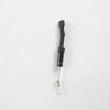
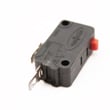
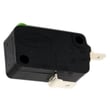
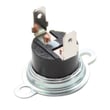
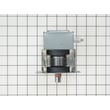
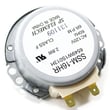
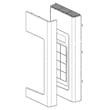
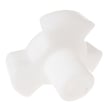
How to order GE appliance parts?
You can order replacement parts for your GE JVM3162RJ3SS microwave/hood combo by using the model-specific parts list for JVM3162RJ3SS and matching the part to your symptom or diagram callout. For part identification and safe access steps, use the owner's manual.
How we recommend ordering the right part
- Confirm the full model number: JVM3162RJ3SS (from the label inside the door area).
- Identify the failed function (no power, no heat, door won’t latch, turntable not turning, etc.).
- Use the parts diagrams to match the exact part name and part ID.
- Compare your old part to the listing (connectors, mounting tabs, and switch lever style).
- Order the exact replacement; avoid “close” matches because microwaves are model-specific.
Common parts customers order for this model
If your symptom matches, these are frequently replaced items for JVM3162RJ3SS:
| Symptom | Part to check/order | Notes |
|---|---|---|
| Microwave won’t start when door closes | Microwave door interlock switch WB24X25397 | Door switches must actuate correctly for safe operation. |
| Dead display or no power | Microwave fuse WB27X25389 | A blown fuse often points to an underlying issue that should be corrected. |
| Buttons not responding | Microwave control panel WB56X29973 | Keypad and control interface issues are common wear items. |
| Turntable not rotating | Microwave glass turntable tray WB49X10129 | Also inspect the coupler and support for damage. |
Why it matters
Ordering by the exact model number and exact part ID helps ensure proper fit and safe operation. On over-the-range microwaves like the JVM3162RJ3SS, door interlock parts and electrical components are especially sensitive to mismatches.
Quick safety note before you start
- Disconnect power at the breaker or unplug the microwave before any inspection.
- If you see burning, arcing, or melted wiring, stop and correct the root cause before replacing parts.
Last updated: February 2026
What's the average lifespan of a GE microwave?
A GE microwave typically lasts about 8 to 10 years with normal home use. For your GE JVM3162RJ3SS microwave/hood combo, keeping the cavity clean, using proper cookware, and maintaining good ventilation helps you reach that expected lifespan; see the owner's manual for care and operating guidance.
Typical lifespan and what affects it
Most countertop and over-the-range microwaves fall into a similar life range; the difference is usually how hard the unit works and how well it is maintained.
- Heavy daily use (multiple long cook cycles) shortens lifespan
- Grease buildup and restricted airflow can overheat internal components
- Door slamming can wear door switches and latch parts
- Power surges can damage the electronic control board
- Running the microwave empty can damage the magnetron
Quick checklist to help your microwave last longer
These habits reduce stress on key parts like the magnetron, control board, and door interlocks.
- Wipe the cavity and door seals regularly; avoid abrasive cleaners
- Keep the vent grille and filters clean so heat can escape
- Close the door gently and confirm it latches fully before starting
- Use microwave-safe containers; avoid metal or foil
- Stop cooking if you see arcing or burning and inspect the cavity
Common “end-of-life” symptoms and likely areas
If your JVM3162RJ3SS is nearing the end of its service life, these are the most common patterns we see.
| Symptom | What it often points to | Example part on this model page |
|---|---|---|
| Runs but does not heat | High-voltage system issue | Microwave magnetron WB27X10927 |
| Dead, no display | Power protection or internal fuse | Microwave fuse WB27X25389 |
| Starts only with door held a certain way | Door switch or latch alignment | Microwave door interlock switch WB24X25397 |
| Random resets or no response | Control issue | Microwave electronic control board WB27X29801 |
Why it matters
Knowing the typical lifespan helps you decide whether to maintain, repair, or replace. If your microwave is within the 8 to 10 year range, a targeted repair (like a fuse or door switch) is often practical; beyond that, multiple failing components can make repairs less cost-effective.
Last updated: February 2026
Why is the exhaust fan not working on my GE microwave?
On your GE JVM3162RJ3SS microwave/hood combo, the exhaust (vent) fan usually fails due to a grease-clogged vent filter, a control setting issue, or a failed fan circuit (motor, interlock, fuse, or control). Start with the vent fan settings and filter cleaning steps in the owner's manual.
Check the simple causes first
- Press Vent Fan once for high, twice for low, and a third time to turn it off.
- If the fan seems “stuck on”, the Automatic Fan feature can keep it running until internal parts cool (it can run 30 minutes or more after cooking).
- Clean the underside of the microwave and the reusable vent filters regularly; grease buildup can restrict airflow and make the fan seem weak.
- If your unit uses a charcoal filter (recirculating setup), replace it when dirty or discolored (often every 6 to 12 months, depending on use).
Cleaning the vent filters (what works best)
Follow the cleaning method in the owner's manual:
- Soak filters in hot water and detergent
- Swish and lightly brush embedded grease
- Do not use ammonia (it can darken the metal)
- Rinse, shake, and fully dry before reinstalling
When it is an electrical or part failure
If the fan does not run at all (no sound, no airflow), these are common culprits:
- Blown internal fuse: microwave fuse WB27X25389
- Failed fan motor (blower motor)
- Failed electronic control: microwave electronic control board WB27X29801
- Door switch or latch issue that prevents operation: microwave door interlock switch WB24X25397 or latch board WB10X25380
Quick symptom guide
| What you notice | Most likely cause | Best next step |
|---|---|---|
| Fan runs but airflow is weak | Greasy vent filters, blocked vent path | Clean filters; confirm damper moves freely |
| Fan will not turn off | Automatic Fan cooling cycle | Wait for cooldown; recheck settings |
| Fan never runs (no sound) | Fuse, motor, control, wiring | Unplug power; diagnose with a meter |
Why it matters
A working vent fan helps remove heat, steam, and grease from cooking below the microwave. Keeping filters clean also reduces grease buildup that can affect performance and odors.
Last updated: February 2026
How do I reset my GE microwave touchpad?
To reset the touchpad on your GE JVM3162RJ3SS microwave/hood combo, disconnect power for about 30 seconds, then restore power and try the keypad again. This clears minor control glitches and restores normal touchpad response.
Quick reset steps (recommended)
- Press Cancel/Off to stop any active cycle.
- Unplug the microwave, or switch OFF the circuit breaker that powers it.
- Wait 30 seconds.
- Restore power (plug back in or switch the breaker ON).
- Set the clock if needed, then test several keys.
If the keypad is locked
This model has a control lock-out that can make the touchpad seem unresponsive.
- Press and hold Cancel/Off for about 3 seconds.
- If the panel was locked, you may see “Loc” briefly when pressing keys.
What to check if the reset does not help
A reset fixes software-like glitches; repeated failures usually point to a door-safety or control issue.
- Make sure the door closes firmly and latches fully.
- Try a different outlet or confirm the breaker is not tripping.
- If the display is dead, a blown fuse is common; see microwave fuse WB27X25389.
- If it goes dead when you close the door or press Start, a door interlock switch can be involved; see microwave door interlock switch WB24X25397.
- If only some keys respond or the panel behaves erratically, the control interface may be the issue; see microwave control panel WB56X29973.
Common symptoms and likely causes
| Symptom | What it usually means | What to do next |
|---|---|---|
| Display works, keys do nothing | Control lock-out is on | Hold Cancel/Off 3 seconds |
| Completely dead (no display) | Power issue or blown fuse | Check power; inspect fuse |
| Dies when door moves/closes | Door interlock problem | Inspect latch and switches |
| Random beeps or wrong inputs | Touchpad/control problem | Reset; then evaluate control panel |
Why it matters
The touchpad also ties into the door interlock safety system. If the door switches or latch are not reading correctly, the microwave can disable the keypad or shut down to prevent unsafe operation.
For control and feature details (including lock-out), use the owner's manual.
Last updated: February 2026


