 Installation guide
 Owner’s manual




Do LG microwaves have charcoal filters?
Yes, many LG over-the-range microwave/hood combos use a charcoal filter when the unit is set up for recirculating (room-venting) instead of venting outside. For LG model LMHM2237ST, the LMHM2237ST owner’s manual specifically shows a charcoal filter located behind the vent grille.
When a charcoal filter is used (and when it is not)
Charcoal filters are for odor control in recirculating installations. If your microwave vents to the outside, the charcoal filter typically is not used.
- Room-venting (recirculating): charcoal filter is used to reduce cooking odors
- Wall-venting (outside): air exhausts outdoors; charcoal filter usually not used
- Roof-venting (outside): air exhausts outdoors; charcoal filter usually not used
For installation venting options and setup details, see the LMHM2237ST installation instructions.
Where the charcoal filter is on LMHM2237ST
On this model, the charcoal filter sits behind the vent grille at the top front of the microwave/hood combo.
Typical access steps:
- Turn off power to the microwave (unplug or switch off the breaker)
- Remove the vent grille mounting screws
- Pull the vent grille forward to remove it
- Slide the charcoal filter out of its holder and install the replacement
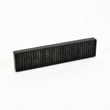
If you need the replacement part for this model, use the exact match: LG microwave charcoal filter 5230W1A003A.
Quick comparison: charcoal filter vs grease filter
| Filter type | What it does | Common location |
|---|---|---|
| Charcoal filter | Reduces odors in recirculating mode | Behind vent grille |
| Grease filter | Captures grease from cooktop cooking | Underside of microwave |
Why it matters
Using the correct filter setup helps your LG microwave/hood combo vent properly, reduces odors, and keeps grease from building up in the vent system and fan.
Last updated: January 2026
What are common problems with LG microwaves?
Common problems we see with LG microwaves like model LMHM2237ST include not heating, shutting off mid-cycle, a dead display, a turntable that will not rotate, and vent or fan issues. Many “no heat” symptoms trace back to the high-voltage system and should be handled by a qualified technician.
Most common symptoms and what they usually point to
- Runs but does not heat: high-voltage components (magnetron, diode, capacitor)
- Shuts off after a few seconds or during cooking: overheating protection, airflow restriction, or a thermostat opening
- No power or dead display: blown fuse, door interlock problem, or control board issue
- Turntable not turning: turntable motor, coupler, or tray alignment issue
- Poor ventilation or loud fan noise: fan motor/blade, vent damper, or clogged filters
Quick checks you can do safely first
Before assuming a part has failed, we recommend these basic checks for LMHM2237ST:
- Confirm the outlet has power (try a small appliance on the same outlet)
- Make sure the door closes firmly and latches cleanly
- Clean the grease filter and confirm airflow is not blocked
- Try a simple reset: unplug for 2 minutes, then plug back in
- Verify the turntable is enabled (some modes limit turntable control)
Parts that commonly relate to these problems (LMHM2237ST)
| Symptom | Common related part(s) for this model | Notes |
|---|---|---|
| No heat | Microwave magnetron 6324W1A001L, microwave diode 6851W1A002E | High-voltage repair is not a typical DIY job |
| Shuts off | Microwave cooling fan motor EAU42744409, microwave thermostat 6930W1A003J | Often tied to overheating or airflow |
| Dead/no power | Microwave fuse EAF36358316 | A fuse can blow from a door switch or electrical fault |
Why it matters
Microwave/hood combos like the LG LMHM2237ST rely on proper ventilation to protect internal components. Keeping filters clean and addressing overheating symptoms early can prevent repeat shutdowns and reduce stress on the control and high-voltage system.
For operating tips, cleaning guidance, and troubleshooting steps specific to this model, use the LMHM2237ST owner’s manual.
Last updated: January 2026
Can an LG microwave be repaired?
Yes, an LG microwave can often be repaired, including the LG LMHM2237ST microwave/hood combo, but we recommend using a qualified service technician because internal high-voltage components can remain dangerous even when the unit is unplugged. Use the LMHM2237ST owner’s manual for safe operating and basic troubleshooting guidance.
When repair is a good option
Many problems on LMHM2237ST are caused by a single failed component or a maintenance issue, so repair is usually practical when the cabinet and door are in good condition.
- The unit has power but does not heat (often a high-voltage component issue)
- The display works but the microwave will not start (door switch or latch system issue)
- It goes dead or trips the breaker (fuse, thermostat, or wiring issue)
- The vent fan or lights do not work (fan motor, bulb, or control issue)
- The turntable does not rotate (motor or coupler issue)
What we recommend you do first (safe checks)
Before scheduling service or ordering parts, we recommend these basic steps that do not require opening the cabinet:
- Confirm the outlet has power and the breaker is not tripped
- Try a hard reset: unplug for 2 minutes, then plug back in
- Check that the door closes fully and is not loose or misaligned
- Run a 30-second test with a cup of water (stop if you see arcing or burning)
- Clean and reinstall filters if airflow is poor (hood performance issues)
Common repair parts for this model
If symptoms point to a specific failure, these are examples of compatible parts listed for LMHM2237ST.
| Symptom | Likely area | Example compatible part |
|---|---|---|
| No heat, but runs | High-voltage system | Microwave magnetron 6324W1A001L |
| Dead/no power | Protection circuit | Microwave fuse EAF36358316 |
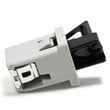
| Won’t start when door shuts | Door interlock system | Microwave door latch housing and interlock switch assembly 3501W1A019S |
Why it matters
Microwaves can store high voltage in internal components; improper testing or part replacement can create shock and fire risks. Using the correct LG parts and safe procedures helps restore heating, ventilation, and door safety interlocks reliably.
Last updated: January 2026
Is it worth repairing an LG microwave?
Yes, repairing an LG microwave can be worth it when your LG LMHM2237ST has a clear, limited failure (like a blown fuse, door latch issue, or light problem) and the total repair cost stays well below the price of replacement. For major high-voltage heating failures, replacement is often the better value.
Quick decision checklist (LMHM2237ST)
- Repair is usually worth it if the unit powers on but has a simple symptom (no display, door won’t start, light out).
- Repair is usually not worth it if the cabinet is damaged, the door won’t close correctly, or there are repeated electrical failures.
- If the microwave is not heating, treat it as a higher-cost repair category (high-voltage components).
- If you smell burning, see arcing, or the door is misaligned, stop using it and have it checked.
- If you are unsure which failure you have, start with the troubleshooting section in the LMHM2237ST owner’s manual.
Common repairs and what they typically mean
| Symptom | Likely area | Typical value call |
|---|---|---|
| Dead (no display) | Power supply, fuse, wiring | Often worth repairing |
| Runs but does not heat | High-voltage system | Often not worth it |
| Door won’t start cycle | Interlock/latch system | Often worth repairing |
| Loud humming or burning smell | High-voltage or fan issue | Usually stop and service |
Parts that often come up on this model
These are examples of parts we commonly see tied to the “worth repairing” decision on LG LMHM2237ST:
- Microwave fuse EAF36358316 (dead unit or intermittent power)
- Timer fuse 3B74133Q (no power or shuts off)
- Microwave door latch housing and interlock switch assembly 3501W1A019S (door closes but won’t run)
- Microwave magnetron 6324W1A001L (runs but does not heat, typically a bigger repair)
Why it matters
A microwave/hood combo like the LMHM2237ST is both a cooking appliance and a ventilation system. Choosing the right path (repair vs. replace) helps you avoid sinking money into a high-voltage repair when a simple fuse, latch, or light fix would have solved the problem.
Last updated: January 2026





