Owner’s manual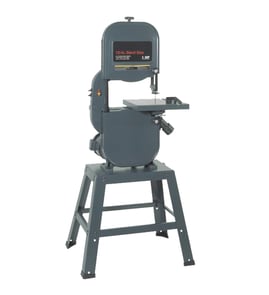

What is the 3-tooth rule for bandsaws?
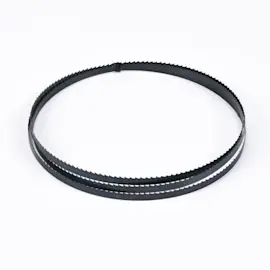
The 3-tooth rule means you should choose a band saw blade so at least three teeth are in the cut at all times. On a Rikon 10-325 band saw, this helps prevent tooth breakage and rough cutting by keeping the blade supported while still leaving enough gullet space to clear sawdust or chips.
How to use the rule to pick TPI
Match the blade’s teeth-per-inch (TPI) to your material thickness so 3 or more teeth contact the work.
- Measure the material thickness at the cut line
- Aim for 3 to 6 teeth engaged for most cuts
- Use higher TPI for thin stock, tubing, and sheet goods
- Use lower TPI for thick stock and fast ripping
- If the cut burns, wanders, or chatters, re-check TPI and blade tension
Quick TPI guide (rule-of-thumb)
Use this as a starting point; then fine-tune tracking, guides, and feed rate.
| Material thickness | Typical blade choice | What you’ll notice if it’s wrong |
|---|---|---|
| 1/8 to 1/4 in. | 14 to 24 TPI | Too low TPI strips teeth or snags |
| 1/4 to 1 in. | 6 to 10 TPI | Too high TPI packs gullets, cuts slow |
| 1 to 3 in. | 3 to 6 TPI | Too high TPI overheats and drifts |
Why it matters
When fewer than three teeth are engaged, each tooth takes too much load and can chip or grab the work. When too many teeth are engaged, the gullets cannot clear debris, so the blade runs hot, cuts slowly, and can start drifting.
Related setup checks that improve cut quality
If you are following the 3-tooth rule and the saw still struggles, these adjustments usually make the difference:
- Set blade tension to the range recommended in the owner's manual
- Adjust upper and lower blade guides close to the blade without pinching
- Confirm blade tracking is centered on the wheels
- Reduce feed pressure; let the teeth do the work
- Replace dull blades (dull blades mimic “wrong TPI” symptoms)
For step-by-step blade replacement and setup basics, use our guide: how to replace a band saw blade.
Last updated: February 2026
What size blade do I need for a 10 inch bandsaw?
For a 10-inch band saw, blade size is defined by length, width, and tooth count (TPI); the correct blade length depends on the exact saw model. For your Rikon 10-325, use the blade length listed in the 10-325 owner's manual so the blade tracks correctly on the wheels and the tension system works as designed.
How to choose the right blade size
Use these specs together (not just “10-inch band saw”):
- Blade length: must match your saw’s wheel spacing and tension range
- Blade width: narrower for tight curves, wider for straighter resaw cuts
- TPI (teeth per inch): fewer teeth for thick stock, more teeth for thin stock and smoother cuts
- Kerf and set: affects cut speed and finish
- Material type: wood, plastic, or non-ferrous metal (use the blade designed for it)
Typical blade width and TPI guidelines (woodworking)
These are common starting points for many 10-inch class band saws:
| What you’re doing | Typical blade width | Typical TPI range | What you’ll notice |
|---|---|---|---|
| Tight curves | 1/8 in to 1/4 in | 6 to 10 TPI | Easier turning, slower feed |
| General cutting | 1/4 in to 3/8 in | 6 to 10 TPI | Balanced speed and finish |
| Straight cuts, light resaw | 3/8 in to 1/2 in | 3 to 6 TPI | Straighter tracking, faster feed |
Quick checks before you buy
These steps prevent the two most common issues: wrong length and poor tracking.
- Confirm the exact blade length in the 10-325 owner's manual
- Match blade width to your cut type (curves vs. straight cuts)
- Pick TPI based on thickness (thicker stock needs fewer teeth)
- Inspect your tires and guides; worn parts can make a new blade wander
- After installing, set tracking and tension, then adjust blade guides
Why it matters
A blade that is even slightly off in length can be hard to tension properly, can slip off the wheel, or can cause drift and rough cuts. Correct length plus proper tracking and guide adjustment is what makes your Rikon 10-325 cut straight and smoothly.
If your saw is cutting slowly or drifting after you install the correct blade, use our troubleshooting steps in band saw not cutting straight or band saw cutting slowly.
Last updated: February 2026
How do I find the model number on my 10-325?
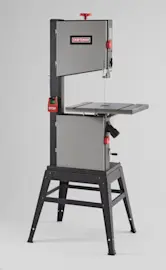
Your Rikon band saw’s model number is typically printed on the machine’s identification label (nameplate). On the Rikon 10-325, check the frame or cabinet area near the motor, lower wheel door, or the back side of the saw; match what you find to the format shown in the [10-325 owner's manual].
Where to look on the saw
Check these common nameplate locations (use a flashlight and wipe off dust):
- Inside the lower wheel door on the cabinet/frame
- On the rear of the saw frame or cabinet
- Near the motor mount area
- Along the base or stand (if your saw is mounted)
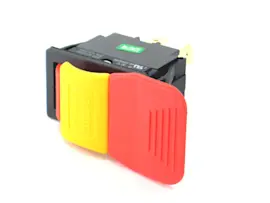
- Near the power switch box (less common)
What the label looks like
Most band saw ID labels include several fields. Use the model number field for parts lookup.
| Label field | What it means | What to use for parts |
|---|---|---|
| Model | The saw’s model identifier | Use this (example: 10-325) |
| Serial | Unique production number | Not required for most parts |
| Electrical | Voltage/amps/Hz | Helpful for wiring and motor checks |
Tips to avoid mix-ups
Model numbers can be confused with serial numbers or blade specs. Use these checks:
- The model number is usually shorter and may include dashes (like 10-325).
- A serial number is often longer and may include letters plus many digits.
- Blade length, width, and TPI are not the model number.
- If the label is damaged, compare your saw’s major features (frame style, wheel door layout, fence style) to the diagrams in the manual.
Why it matters
Using the exact model number (10-325) ensures you get the correct Rikon band saw parts and diagrams; small model variations can change items like the switch, tires, guides, and drive components.
Last updated: March 2026