 Error Codes




Is GE GFD55GSSN1WW stackable?
Yes. The GE GFD55GSSN1WW dryer is designed to be stacked with a compatible front-load washer using a manufacturer-approved stacking kit; stacking is not done by simply setting the dryer on top without the kit.
What you need to stack it safely
To stack a dryer, we always recommend using the correct kit and confirming the washer is a compatible GE front-load model.
- Use a GE stacking kit made for this dryer platform
- Confirm the washer is front-load (top-load washers are not stackable with this dryer)
- Keep the dryer level before stacking
- Make sure the venting path is not crushed or kinked after stacking
- Plan access for lint screen cleaning and service
Quick compatibility checklist
Use this as a practical guide before you buy a kit or start the install.
| Item to confirm | What “good” looks like | What to avoid |
|---|---|---|
| Washer type | GE front-load washer | Top-load washer |
| Stacking method | Approved stacking kit | “Free stacking” with no brackets |
| Space | Enough height and rear clearance | Tight bends, pinched vent |
| Floor | Solid, level surface | Soft/uneven floor |
Why it matters
Stacking the GFD55GSSN1WW correctly reduces vibration, protects the cabinet and door alignment, and helps prevent airflow restrictions that can cause long dry times and overheating.
Related maintenance tip while you are setting it up
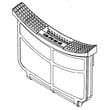
After stacking, keep drying performance strong by cleaning lint and checking airflow regularly. A damaged or clogged lint screen can also slow drying; replace it if it is torn or warped (see dryer lint screen WE16X32537).
Last updated: February 2026
How to remove front panel of GE front load dryer?
To remove the front panel on your GE GFD55GSSN1WW front-load dryer, we unplug power first, then lift the top, remove the front mounting screws, and disconnect any wiring (such as the door switch) while supporting the panel so it does not drop.
Safety first
- Unplug the dryer (or switch off the breaker) before opening any panels
- If it is a gas dryer, shut off the gas supply valve as well
- Wear cut-resistant gloves; cabinet edges can be sharp
- Support the front panel with one hand while removing the last fastener
- Take a quick photo of wire connectors before unplugging them
Step-by-step: removing the front panel
- Disconnect power and pull the dryer forward for access.
- Remove the top panel fasteners (typically at the back), then slide the top back slightly and lift it up.
- Locate and remove the front panel screws (commonly along the inside top edge of the front panel once the top is raised).
- Tilt the front panel forward a few inches.
- Unplug the wiring harness(es) attached to the front panel (most often the door switch connector).
- Lift the front panel up and off the lower retaining tabs or clips.
What you may need to disconnect (common on this GE style)
| Item you see | What it does | What to do during removal |
|---|---|---|
| Door switch | Confirms the door is closed so the dryer can run | Unplug connector; do not pull on wires |
| Lint duct/front ducting | Routes airflow from drum to blower | Remove screws if it blocks panel removal |
| Control panel harness (some builds) | Connects user interface to main harness | Label and unplug if attached to the front panel |
Why it matters
Removing the front panel is the access step for common repairs like replacing a worn belt/idler, servicing the blower housing, or checking thermostats. Supporting the panel and disconnecting wiring correctly prevents broken connectors and door alignment issues.
Parts that are commonly involved after the front panel is off
- Door switch WE04X34281 (if the dryer will not start when the door is closed)
- Dryer idler assembly WE03X30657 (if you hear squealing or the drum belt loses tension)
- Blower housing WE16X30583 (if airflow is restricted or you need blower access)
Last updated: February 2026
What is the most common problem with a GE dryer?
The most common problem we see with GE dryers like model GFD55GSSN1WW is poor drying or no heat, and the most common root cause is restricted airflow (lint buildup in the lint screen, housing, or vent). “Won’t start” and “noisy operation” are also frequent, often tied to a door switch or drum support parts.
Quick checks that fix the most calls
- Clean the lint screen every load; replace a damaged screen such as the dryer lint screen WE16X32537.
- Check airflow at the outside vent hood; weak airflow points to a crushed hose or clogged vent.
- Run a timed dry cycle; if heat is weak and drying is slow, address venting first.
- If the dryer will not start, test the door latch engagement and the door switch WE04X34281.
- If the dryer is loud (squeal, thump), inspect the belt path and the dryer idler assembly WE03X30657.
Most common symptoms and likely causes
| Symptom | Most common cause | What to do first |
|---|---|---|
| Takes too long to dry | Clogged venting or lint restriction | Clean lint screen, vent hose, and duct run |
| No heat (gas models) | Ignition or safety cutoff issue | Check airflow; then inspect igniter and thermostats |
| Won’t start | Door not registering closed | Check door strike and door switch |
| Squealing or grinding | Idler or drum support wear | Inspect idler, drum supports, and drum surface |
When a part is commonly involved
If airflow is good and the problem persists, these parts are commonly involved in GE dryer heating and safety control:
- Dryer blower thermostat WE04X29714 (helps regulate temperature)
- Dryer outlet backup thermostat WE04X10190 (backup temperature protection)
- Safety thermostat WE04X30582 (overheat protection)
- Dryer burner igniter WE04X10183 (common no-heat cause on gas dryers)
Why it matters
Restricted airflow makes a dryer run hotter and longer, which increases wear on thermostats, the igniter (gas), and drum drive components. Fixing venting and lint restrictions first prevents repeat failures and improves drying performance.
Last updated: February 2026
What's the life expectancy of a GE dryer?
A GE dryer typically lasts about 10 years with normal household use and good airflow. For your GE GFD55GSSN1WW dryer, consistent vent cleaning and fixing wear items early (like the belt support system) are the biggest factors that keep drying times short and extend service life.
Typical lifespan and what changes it
Most full-size GE dryers land in this range:
| Usage and care level | Typical life expectancy |
|---|---|
| Light use, excellent venting and cleaning | 12 to 15 years |
| Average use, routine maintenance | About 10 years |
| Heavy use, restricted venting, infrequent cleaning | 6 to 9 years |
What to do to reach (or beat) 10 years
We recommend these habits because they reduce heat stress on thermostats, the motor, and the drum support parts:
- Clean the lint screen every load; replace a damaged screen such as the dryer lint screen WE16X32537.
- Keep the exhaust vent short, smooth, and clear; poor airflow is the top cause of long dry times and overheating.
- If the dryer starts squealing or thumping, address drum support issues early (idler, rollers, drum support).
- Avoid overloading; heavy loads strain the drive motor and drum support.
- If you see heat-related shutdowns or error codes, diagnose promptly using GE gfd model series error codes.
Common “end-of-life” symptoms (and parts that often fix them)
These symptoms do not always mean the dryer is done; they often point to a specific repair:
- Squealing or chirping: idler or belt path wear (see dryer idler assembly WE03X30657).
- Long dry times: airflow restriction, lint buildup, or thermostat issues.
- No heat (gas models): igniter or safety devices (see dryer burner igniter WE04X10183).
- Stops mid-cycle or overheats: outlet or safety thermostat problems.
Why it matters
A dryer can “feel old” years early when airflow is restricted; that forces higher internal temperatures, which shortens the life of thermostats, wiring, and the drive motor. Keeping venting clean is the simplest way to protect the whole GE GFD55GSSN1WW system.
Last updated: February 2026
What if I can't find my part on Sears PartsDirect?
If you can’t find a part for your GE dryer model GFD55GSSN1WW, we recommend confirming the model and serial number first, then searching by the exact part number or the part name. If it still doesn’t show up, our parts specialists can help you identify the correct replacement.
Quick checks that usually solve it
- Recheck the full model number on the dryer label (match GFD55GSSN1WW exactly).
- Search using the manufacturer part number (letters and numbers, no spaces).
- Try alternate wording (example: “idler” vs “idler pulley”, “lint screen” vs “filter”).
- Look for the part in the correct section (drum and blower parts vs door parts vs controls).
- If the dryer is noisy or not tumbling, compare common wear parts like the dryer idler assembly WE03X30657.
Best ways to search for the right GE dryer part
| Search method | When it works best | What to enter |
|---|---|---|
| Model-based browsing | You are not sure what the part is called | GFD55GSSN1WW |
| Part number search | You already have the old part number | Example: WE16X32537 |
| Symptom-based narrowing | You know what the dryer is doing | “won’t start”, “no heat”, “squealing” |
If you still can’t locate it
- Confirm whether your dryer is gas or electric before ordering heat-related parts.
- Check for common “assembly” listings (for example, a door switch may be sold separately from a door assembly).
- If your dryer is showing a code, use GE gfd model series error codes to match the code to the most likely failed component.
- Contact Sears PartsDirect support with your model and serial number; we can cross-reference diagrams and compatible substitutions.
Why it matters
Ordering by the exact model number and correct part ID prevents fit issues, repeat repairs, and return delays, especially on high-variation items like control boards, harnesses, and door components.
Last updated: February 2026
Where to find part number on GE dryer?
On a GE dryer like model GFD55GSSN1WW, the part number is printed on the part itself, while the dryer’s model and serial tag is usually located inside the door opening on the door frame or just inside the door. Use the model number first to ensure you order the correct replacement part.
Where to look (fast checklist)
- Open the dryer door and check the door frame around the opening.
- Look just inside the door area near the lint screen housing.
- Check the back panel for a rating label if you do not see one at the door.
- For the part number, inspect the failed part for a sticker or stamping.
- If the part is hard to access, match it by name and location (for example, idler, thermostat, door switch).
Common GE dryer parts and where their numbers show up
Part numbers are typically on a label, stamp, or molded marking on the component.
| Part type | Typical location in dryer | Example part you can match for GFD55GSSN1WW |
|---|---|---|
| Door safety switch | Behind the door latch area | Door switch WE04X34281 |
| Drum support/tension parts | Under the drum near the belt path | Dryer idler assembly WE03X30657 |
| Lint screen | At the lint filter opening | Dryer lint screen WE16X32537 |
Why it matters
Using the model number (GFD55GSSN1WW) to look up parts prevents ordering a similar-looking GE component that will not fit, connect, or operate correctly. The part number on the component confirms you have an exact match when multiple revisions exist.
Quick tip if you’re troubleshooting instead of replacing
If your dryer is showing a code or acting erratically, check our GE gfd model series error codes guide first; it can point you to the most likely failed part (such as a thermostat, door switch, or control).
Last updated: February 2026





