Installation guide




How to reset Bosch integrated microwave?
To reset the microwave portion of your Bosch HBL8750UC built-in oven with microwave combo, we recommend doing a basic power reset first (it clears many control glitches). If you need a deeper reset, use the control-panel reset option described in the installation guide.
Quick reset (power reset)
- Turn the unit off.
- Cut power at the circuit breaker (preferred for a built-in unit).
- Wait 2 to 5 minutes.
- Restore power, then set the clock and test a simple heat cycle.
What this fixes most often
- Touchpad not responding
- Display acting erratically
- Microwave not starting after a power flicker
Factory reset (control reset)
Many Bosch integrated microwaves include a factory reset in the Settings menu (wording varies by control style). Use this approach when the microwave runs but settings, Wi-Fi features (if equipped), or custom preferences are corrupted.
Typical menu path
- Settings or Menu
- Service or Factory settings
- Restore or Reset
After a factory reset, you usually need to re-enter preferences such as clock, tones, and any saved favorites.
If the microwave is completely dead (no display)
A reset will not restore operation if power is not reaching the control.
What to check first
- House breaker is on (double breaker fully seated)
- Any visible wiring damage or loose connections
- Internal protection devices (fuses or limit devices)
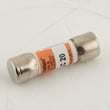
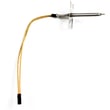
If you are troubleshooting a no-power condition, common related parts for this model include the fuse 00608377 (microwave fuse) and the temperature limit 00617877 (high-limit thermostat).
Why it matters
Resetting is the fastest way to rule out a control lockup before you spend time on deeper electrical troubleshooting or parts replacement.
| Symptom | Best first step | Next step if it returns |
|---|---|---|
| Touchpad frozen | Power reset | Factory reset in Settings |
| Random beeps or odd display | Power reset | Check wiring and fuses |
| No display | Check breaker | Test fuse/limit devices |
Last updated: February 2026
How to replace a Bosch microwave light bulb?
To replace the microwave light bulb in your Bosch HBL8750UC built-in oven with microwave combo, shut off power, access the lamp cover from inside the microwave cavity (or behind the unit, depending on the lamp location), swap in the same bulb type and wattage, then reassemble and restore power. Use the installation guide for safe access and removal steps.
Before you start (safety and prep)
- Turn off power at the breaker; do not rely on the control panel being “off”.
- Let the microwave cavity and surrounding trim cool completely.
- Wear cut-resistant gloves; sheet metal edges and glass can be sharp.
- Use a flashlight; avoid touching halogen bulb glass with bare fingers.
- Match the replacement bulb’s base style and wattage to the original.
Basic replacement steps (most common setup)
- Remove the glass tray and any racks from the microwave cavity.
- Locate the lamp cover or lens (often held by a screw or a small retaining tab).
- Remove the cover; set screws aside.
- Remove the old bulb:
- Screw-in bulb: turn counterclockwise.
- Pin-base/halogen: pull straight out (do not twist unless the socket design requires it).
- Install the new bulb (same type and wattage); avoid over-tightening.
- Reinstall the cover, tray, and any racks; restore power and test.
If the new bulb still does not light
A “no light” symptom is often a power or protection issue, not the bulb.
- Confirm the door fully closes and latches.
- Check for a blown internal fuse (common after a surge or door-slam event).
- Inspect wiring at the lamp socket for heat damage or a loose connector.
Quick symptom guide
| Symptom | Most likely cause | What to check next |
|---|---|---|
| Light out, microwave heats | Bulb or socket issue | Bulb type, socket contacts |
| Light out, microwave dead | Fuse or power issue | Breaker, internal fuse |
| Light flickers | Loose bulb/socket | Tighten bulb, inspect socket |
If you suspect a blown fuse, the microwave circuit may use a fuse such as the fuse 00608377 (verify by matching your exact parts diagram for HBL8750UC).
Why it matters
The cavity light helps you monitor food safely without opening the door. Using the correct bulb type and wattage prevents overheating the lens, damaging the socket, or tripping protection devices.
Last updated: February 2026
Why is my combination microwave oven not working?
If your Bosch HBL8750UC built-in oven with microwave won’t power on or won’t run, the most common causes are a blown fuse, a door switch or latch issue, or an overheat condition that opened a safety thermostat. Start with power and door checks, then test protection parts before replacing controls.
Quick checks first (no tools)
- Confirm the unit has power (breaker fully reset; outlet or junction box has power).
- Make sure the microwave door closes firmly and latches smoothly (no binding, sagging, or debris).
- Cancel the cycle and try a simple 30-second heat test with a cup of water.
- Check that vents are not blocked; restricted airflow can trigger overheat protection.
- If the display is dead after a recent power event, suspect a fuse.
Parts that commonly stop operation
On combo units, the microwave section and oven section can each have safety devices that interrupt power.
| Symptom | Most likely cause | What to check next |
|---|---|---|
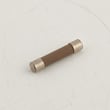
| No display, totally dead | Blown fuse | Test/replace a fuse such as fuse 00608377 or fuse 00413608 (match by section and wiring) |
| Runs briefly then stops | Overheat protection opened | Check temperature limit 00617877 and verify vents and cooling airflow |
| Light/display works but won’t start | Door interlock problem | Inspect door alignment and latch action; check door switches with a meter |
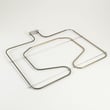
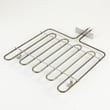
| Oven heats poorly (not microwave) | Failed heating element | Inspect and test element 00144648 or element 00144667 (depending on function) |
Safe troubleshooting steps we recommend
- Shut off power at the breaker before removing any panels.
- If the unit is dead: test continuity through the fuse(s) and replace only with the exact rated part.
- If it stops mid-cycle: check for blocked vents, then test the high-limit thermostat.
- If the door feels “off”: correct alignment issues first; door switch problems can prevent startup.
- If wiring looks overheated or damaged: repair the harness connections before installing new parts.
For installation clearances, electrical requirements, and venting guidance that helps prevent overheating, use the installation guide.
Why it matters
A combo wall oven/microwave has multiple safety interlocks (fuses, thermostats, door switches). When one opens, the unit may appear completely dead or refuse to start, even though the control board is fine. Testing the protection parts first prevents unnecessary part replacement.
Last updated: February 2026
What is error code E05 on Bosch electric oven?
On Bosch built-in ovens like model HBL8750UC, an E05-family message is commonly tied to a keypad or control-panel input problem (a key is stuck, being held too long, or the control is seeing continuous button input). Clearing the key input and doing a safe power reset usually restores normal operation.
What to do first (fast, no-parts steps)
- Wipe the control panel and around the buttons; grease or moisture can hold a key “on.”
- Press each button once, one at a time, to free a stuck key.
- Cancel the cycle, then wait 60 seconds without pressing any keys.
- Power reset: turn the unit off at the breaker for 2 minutes, then restore power (use the installation guide for safe access and shutoff guidance).
- If the code returns immediately, stop using the oven or microwave functions until the control responds normally.
When it is more than a stuck button
If E05 keeps coming back after cleaning and a reset, the issue is typically in the user interface (touch panel) or the wiring between the control and the panel.
Common checks a technician performs:
- Inspect the control panel for signs of liquid intrusion or heat damage
- Check harness connections for looseness or pinched wires
- Verify stable power supply at the junction box
Parts that can be involved (only after diagnosis)
These parts are not “E05 parts” by default, but they can contribute to control problems if they fail.
- Cable harness 00643068 (connects control circuits; a poor connection can cause false inputs)
- Temperature limit 00617877 (high-limit thermostat; overheating events can lead to repeated control interruptions)
Quick guide
| What happens | Most likely cause | Best next step |
|---|---|---|
| Code clears after cleaning/reset | Temporary stuck key or moisture | Keep panel dry; monitor |
| Code returns when you touch the panel | Failing keypad/touch panel | Plan control-panel diagnosis |
| Code appears after heavy heat use | Heat affecting controls/airflow | Let cool; check airflow and high-limit circuit |
Why it matters
A stuck-key condition can lock out cooking functions and can also trigger unintended inputs. Addressing it quickly helps protect the electronic control and restores safe, predictable operation.
Last updated: February 2026