 Owner’s manual



Is the PEM31SF3SS easy to use?
Yes. The GE PEM31SF3SS is designed for straightforward everyday cooking with simple time-entry controls, one-touch Express Cook (1 to 6 minutes), and an Add 30 Sec button for quick starts. The control panel also includes power levels (1 to 10) and convenience features for common foods; see the PEM31SF3SS owner's manual for the full keypad map and feature list.
What “easy to use” looks like on this model
These features make the PEM31SF3SS feel simple and predictable in daily use:
- Express Cook pads (1 to 6) start immediately for 1 to 6 minutes at power level 10.
- Add 30 Sec starts immediately and adds 30 seconds each press.
- Power Level (1 to 10) lets you adjust heat intensity for simmering, softening, or reheating.
- Cook Time gives you direct control when you want exact timing.
- Timer On/Off helps with non-cooking timing tasks.
Quick-start cheat sheet
| Task | Buttons to use | What happens |
|---|---|---|
| Heat something fast | Express Cook 1 to 6 | Starts immediately at high power |
| Add time while cooking | Add 30 Sec | Adds 30 seconds per press |
| Lower the heat | Power Level, then 1 to 10 | Changes power level during cooking |
| Set a specific time | Cook Time, enter time, Start | Runs for the time you set |
Tips to make it even easier day to day
- Keep the turntable installed and seated correctly for even heating.
- Use lower power levels for delicate foods (butter, chocolate, sauces) to reduce splatter.
- If you use an extension cord, use a grounded 3-wire cord rated at least as high as the microwave; expect possible longer cook times.
- Wipe the interior regularly so food residue does not affect performance.
Why it matters
Simple, direct controls reduce mis-keys and overcooking, especially for quick reheats. On the PEM31SF3SS, the immediate-start buttons (Express Cook and Add 30 Sec) are the main reason most owners find it easy to operate.
Last updated: January 2026
What is a PEM31SF3SS?
The GE PEM31SF3SS is a GE countertop microwave model in the PEM31 series. It’s designed for standard countertop use and also supports optional mounting options (such as built-in kits or an under-cabinet hanging kit) described in the PEM31SF3SS owner’s manual.
What this model number tells you
Model numbers like PEM31SF3SS identify the exact version of the microwave so you can match the right parts, features, and documentation.
Common things the model number helps us match:
- The correct owner’s manual and feature set
- Compatible optional accessories (built-in kits, hanging kit)
- Correct replacement parts (door components, fuses, sensors)
- The right control panel layout and keypad overlay
- The correct wiring and safety requirements for service
Key features you’ll see referenced for PEM31 models
The PEM31 manual outlines typical controls and convenience features used on this series.
| Feature area | What you’ll typically see on this model series |
|---|---|
| Quick start | Express Cook and Add 30 Sec buttons |
| Defrost | Weight/Time defrost options |
| Sensor cooking | Sensor Cooking and Reheat-style options |
| Turntable | Turntable on/off control |
Why it matters when ordering parts
Using the exact model number PEM31SF3SS prevents mismatches, especially for door and safety-interlock parts.
If you’re troubleshooting door or “won’t start” symptoms, these model-matched parts are commonly involved:
- Micro-switch WB02X21314 (door interlock switch)
- Microwave door interlock switch bracket WB14X10049 (mounting bracket for the interlock switch)
- Fuse WB24X21303 (line fuse that can open if there’s a surge or fault)
Safety and power notes (important)
The manual emphasizes proper grounding and outlet use for safe operation.
- Use a properly grounded 3-prong outlet
- Do not remove the grounding prong
- Avoid using an extension cord
- If you have a 2-prong outlet, have it replaced by a qualified electrician
Why it matters
Correct identification plus safe electrical setup helps the microwave run reliably and helps you avoid ordering the wrong GE parts for the PEM31SF3SS.
Last updated: January 2026
What is the average lifespan of a GE microwave?
Most GE microwaves last 8 to 10 years on average with normal household use. For your GE PEM31SF3SS countertop microwave, lifespan depends most on daily run time, keeping the cavity and door area clean, and avoiding misuse that can cause arcing or overheating (see the PEM31SF3SS owner's manual).
Typical lifespan and what affects it
A microwave’s life is usually limited by wear on door safety switches, the control system, and high-voltage heating components.
- Light to moderate use (1 to 5 short cycles/day): often reaches the 8 to 10 year range
- Heavy use (many cycles/day): commonly wears out sooner
- Poor ventilation or blocked vents: increases heat stress on internal parts
- Arcing events (metal/foil, damaged waveguide cover): can shorten life quickly
- Power issues (surges, repeated breaker trips): can damage the noise filter or control
Quick “extend the life” checklist
These habits reduce stress on the magnetron, door system, and electronics.
- Keep the interior wiped down so food splatter does not carbonize
- Never run the microwave empty
- Use microwave-safe containers only (no foil, no metal twist ties)
- Stop using it if you see arcing; inspect the waveguide area and cover
- Make sure the door closes smoothly and latches firmly
Parts that commonly wear first (and what they do)
| Symptom | Common area involved | Example part for PEM31SF3SS |
|---|---|---|
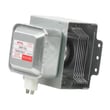
| Runs but does not heat | High-voltage heating circuit | Microwave magnetron WB26X21312 |
| Dead, no display | Line fuse or power input | Fuse WB24X21303 |
| Won’t start, door issues | Door interlock system | Micro-switch WB02X21314 |
Why it matters
Knowing the typical 8 to 10 year lifespan helps you decide whether to repair or replace. If your PEM31SF3SS is near that age and develops a no-heat problem, the repair may involve high-voltage components and is best evaluated by a qualified service professional.
Last updated: January 2026
What are common problems with GE profile microwaves?
Common problems we see on GE Profile microwaves like model PEM31SF3SS include no heat, sparking/arcing, a dead display or unresponsive keypad, and door-latch issues that prevent starting. Start with basic power and door checks, then use the troubleshooting section in the PEM31SF3SS owner’s manual.
Most common symptoms and what they usually point to
- Runs but does not heat: high-voltage components (magnetron, diode, transformer) or a control issue
- Sparks/arcing inside the cavity: food splatter, metal/foil use, damaged waveguide cover
- Won’t power on: house fuse/breaker, loose plug, internal fuse
- Control panel lights but won’t start: door not fully closed, Start/Pause not pressed, selection not cleared
- Door won’t close or feels loose: hinge, latch alignment, interlock switch bracket wear
Quick checks we recommend first (no tools)
- Verify the outlet works and the plug is fully seated.
- Check your home breaker or fuse if the microwave is completely dead.
- Open and close the door firmly; a door that is not securely closed can prevent starting.
- Clear the control by pressing Cancel/Off, then re-enter a simple cook time and press Start/Pause.
- If you notice arcing, stop using the microwave and inspect the cavity for splatter and damaged covers.
Parts that commonly fix these issues on PEM31SF3SS
| Symptom | Common part involved | Example part for this model |
|---|---|---|
| Won’t start, intermittent start | Door interlock system | Microwave door interlock switch bracket WB14X10049 |
| Sparking/arcing near side wall | Waveguide area protection | Microwave waveguide cover WB39X10034 |
| Dead unit or blows power | Fuse circuit | Fuse WB24X21303 |
| Runs but no heat | High-voltage heating circuit | Microwave magnetron WB26X21312 |
Why it matters
Microwave “no heat” and arcing symptoms can involve high-voltage components and safety interlocks. The manual also notes that servicing should be performed by qualified service personnel, so use the troubleshooting steps to narrow the issue before deciding on repair.
Last updated: January 2026


