 Owner’s manual



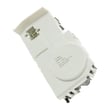

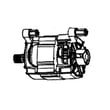
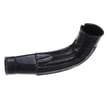
How to use GE Ultrafresh vent system?
On the GE GFW510SCN1WW washer, we use the ULTRAFRESH VENT System with OdorBlock after a wash cycle to help dry out the gasket and tub area and reduce odor. Close the door, press the ULTRAFRESH VENT pad, then press it again to start; the door stays locked while it runs.
How to start ULTRAFRESH VENT (after a cycle)
- Remove clean laundry when the cycle ends.
- Close the washer door.
- When the ULTRAFRESH VENT pad LED blinks, press the ULTRAFRESH VENT pad.
- Press the ULTRAFRESH VENT pad again to begin.
- The washer will intermittently spin at low speed for up to 8 hours; the door remains locked.
How to start ULTRAFRESH VENT later (no cycle running)
If you want to run it between loads:
- Power on the washer.
- Make sure a cycle is not actively running.
- Remove any garments from the basket.
- Press and release the ULTRAFRESH VENT pad (you should hear the notification tune and see the LED blink).
- Press the ULTRAFRESH VENT pad again to start.
What to expect while it runs
| What you notice | What it means | What to do |
|---|---|---|
| Door is locked | Normal operation during venting | Wait for the feature to finish before opening |
| Occasional low-speed spinning | Helps move air and reduce moisture | Normal; no action needed |
| Feature runs a long time | Can run up to 8 hours | Let it complete for best drying |
| Washer switches to a different option | Garments were detected in the basket | Remove items, then restart ULTRAFRESH VENT |
Why it matters
Front-load washers can hold moisture around the door boot and gasket area. Using ULTRAFRESH VENT between uses helps dry those areas, which helps prevent odors and reduces the need for repeated cleaning cycles.
For the exact button locations and indicator behavior on your control panel, follow the steps in the GFW510SCN1WW owner's manual.
Last updated: February 2026
Is GE GFW510SCN1WW high efficiency?
Yes. The GE GFW510SCN1WW is a high-efficiency (HE) front-load washer, which means it’s designed to use less water and energy than traditional top-load washers while still delivering strong cleaning performance. For cycle options, loading guidance, and detergent recommendations, use the GFW510SCN1WW owner's manual.
How to tell you’re using it as an HE washer
To get the best results from an HE washer like the GFW510SCN1WW, we recommend:
- Use HE detergent only; standard detergent can cause oversudsing.
- Measure detergent carefully; more soap usually means worse rinsing.
- Load loosely; don’t pack clothes tightly against the drum.
- Choose the right cycle and soil level for the load.
- Leave the door slightly open between loads to help reduce moisture and odors.
What “high efficiency” changes in day-to-day use
HE front-load washers clean by tumbling clothes through a smaller amount of water. That affects what you see and hear during a cycle.
| What you notice | Normal for HE front-load washers | What to do |
|---|---|---|
| Lower water level than expected | Yes | Trust the cycle; don’t add extra water |
| Longer cycle times | Often | Use a faster cycle when appropriate |
| Suds left in the drum | Not ideal | Reduce detergent; confirm it’s HE |
| Musty smell over time | Common if damp | Run cleaning cycles and keep door ajar |
Why it matters
Using HE detergent and proper loading helps the GFW510SCN1WW rinse correctly, spin out more water, and reduce residue that can contribute to odors. It also helps protect key components such as the drain system and door seal.
Last updated: February 2026
Why won't my GE washer complete the spin cycle?
If your GE GFW510SCN1WW washer will not complete the spin cycle, the most common cause is an out-of-balance load that the washer cannot correct. Redistribute the items evenly, then run a Rinse & Spin or Drain & Spin cycle; the Spin light may blink while the washer tries to rebalance. See the GFW510SCN1WW owner's manual for the exact display messages and cycle options.
Quick checks that fix most “won’t spin out” problems
- Pause the cycle and redistribute the load (mix large and small items; avoid one heavy item by itself).
- Run Rinse & Spin or Drain & Spin after redistributing if clothes are wetter than normal.
- Confirm the door is fully closed; a door-related message can prevent starting or continuing a cycle.
- If the controls seem unresponsive after a message appears, wait out the built-in lockout period, then restart.
- Check and clean the pump filter area if you suspect slow draining; restricted draining can leave clothes wet.
What the washer is telling you (common indicators)
The manual notes that when an out-of-balance condition is detected, the Spin status light can blink while the washer takes steps to correct the load. If it cannot balance, it may not reach full spin speed, leaving the load wetter than usual.
| What you notice | What it usually means | What to do next |
|---|---|---|
| Spin light blinking during the cycle | Out-of-balance detected | Redistribute load; run Rinse & Spin or Drain & Spin |
| Load ends “too wet” | Washer did not spin to full speed | Rebalance and re-run spin-only cycle |
| Display shows a door message | Door not fully closed or needs to be opened between cycles | Open and close door firmly; restart |
When it points to a part problem
If the washer consistently stops before spinning even with balanced loads, a door-locking issue is a common culprit on front-load washers. For this model, check the door lock and latch components for secure mounting and damage.
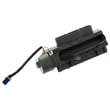
- Door won’t lock or unlock normally: consider the GE washer door lock WH01X29528
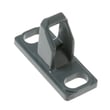
- Door won’t stay latched: consider the door latch WH01X32580
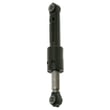
- Excessive shaking that triggers repeated imbalance: inspect suspension components such as the washer shock absorber WH03X29516
Why it matters
A washer that cannot balance or fully spin leaves clothing wetter, increases dry time, and can cause repeated cycle interruptions. Correcting loading and addressing door-lock or suspension issues helps the GFW510SCN1WW finish cycles normally and protects the tub and drive system.
Last updated: February 2026
How to get GE smart washer to drain?
On the GE GFW510SCN1WW washer, draining is often automatic: if water is present, the machine will auto-drain when the door is left open for more than 15 minutes, or if it sits paused with the door closed for more than 24 hours. For faster draining, use the pump filter access to manually drain and clear clogs.
Fast ways to make it drain
- Wait for the automatic drain sequence:
- Door open more than 15 minutes with water present
- Paused more than 24 hours with the door closed and water present
- Manually drain at the pump filter access (best when the tub is full)
- Check the drain hose setup so it is not siphoning or kinked
Manual drain and pump filter cleanout (most common fix)
Follow the pump filter steps in the GFW510SCN1WW owner's manual. In general, we recommend:
- Unplug the washer.
- Place towels and a shallow pan under the lower access door.
- Pull down the pour spout (if equipped) and control the water flow.
- Remove and clean the filter; reinstall and tighten securely.
If the filter seal is damaged or the filter will not tighten, replace the pump filter with seal WH23X38617.
Drain hose checks (prevents “won’t drain” and repeat clogs)
A bad drain hose position can cause slow draining or siphoning. For this model’s installation guidance:
- Keep the drain hose from being pushed too far into the standpipe (typically no more than 7 inches).
- Maintain an air gap around the hose; a snug fit can siphon water.
- Confirm the hose is not kinked, crushed, or frozen.
What the symptoms usually point to
| Symptom | Most likely cause | What to do first |
|---|---|---|
| Hums but won’t drain | Clogged pump filter or blocked hose | Clean filter; check tub-to-pump path |
| Drains slowly | Partial clog, hose routing issue | Verify standpipe depth and air gap |
| Won’t spin and won’t drain | Door not locking, control stopping cycle | Check door lock and error code |
Why it matters
A washer that cannot drain will usually stop before high-speed spin to prevent leaks and out-of-balance damage. Clearing the pump filter and confirming correct drain hose installation fixes the majority of “won’t drain” complaints on front-load washers.
For code-based troubleshooting, use GE gfw front load washer error codes.
Last updated: February 2026


