Owner’s manual



How to tell if a treadmill control board is bad?
On the Image IMTL39520 treadmill, a bad control board is most likely when the console powers up but the walking belt will not run (or changes speed unexpectedly) after you have confirmed proper power, a working surge suppressor, and a reset circuit breaker.
Quick checks first (rule out power and safety interlocks)
- Verify the power cord is plugged into a single-outlet surge suppressor and then into a properly grounded 120V outlet (the manual notes this treadmill is not compatible with GFCI outlets); see the IMTL39520 owner’s manual.
- Confirm the surge suppressor’s monitoring light is on (a failed suppressor can damage the treadmill control system).
- Check and reset the treadmill’s circuit breaker near the power cord; if it tripped, wait 5 minutes, then press to reset.
- Make sure the safety key is fully inserted; a missing key can mimic a “dead” control system.
- If the console speed display acts wrong, inspect the speed sensor gap and alignment; a misadjusted reed switch can look like a control problem.
Signs the control board (MCB) is the likely failure
What you see or smell
- Burn marks, melted spots, or a burnt electronics odor on the board
- Discolored connectors or heat-damaged wiring at the board
What the treadmill does
- Console lights up, but the drive motor never starts
- Belt starts then stops, surges, or changes speed without command
- Repeated shutdowns after you have reset the breaker and confirmed stable power
Simple symptom comparison
| Symptom | More likely cause | What to check next |
|---|---|---|
| No power at all | Power source, breaker, key | Outlet, surge suppressor, breaker reset, treadmill safety key 119038 |
| Speed display inaccurate | Speed sensor issue | Reed switch alignment and gap (about 1/8") |
| Console on, belt won’t move | Control board or motor circuit | Wiring connections, motor drive belt condition |
Why it matters
The manual warns that improper surge protection can damage the treadmill control system; once the control system is compromised, the walking belt can stop or change speed unexpectedly. Confirming correct power and safety-key operation helps you avoid replacing the wrong part.
Last updated: February 2026
What are the parts of a treadmill?
On the Image IMTL39520 treadmill, the main parts include the console and controls, the walking belt and cushioned walking platform (deck), the handrails and uprights, and the power and safety components that let the machine run and stop safely. See the labeled diagram in the IMTL39520 owner's manual.
Main treadmill parts (what you can see and touch)
- Console (display and buttons)
- Handrails and uprights
- Safety key and clip (emergency stop)
- Walking belt
- Foot rails (side rails)
- Front transport wheels
- Water bottle holder and book holder
Drive, incline, and electrical parts (what makes it move)
These parts are typically under the motor hood and inside the frame:
- Drive motor and motor control electronics
- Drive belt (connects motor to front roller)
- Front roller and rear roller
- Incline system (lift motor and linkage)
- Wire harness and connectors
- Power cord and on-board circuit breaker
Quick “part to function” guide
| Part | What it does | Common symptom if it fails |
|---|---|---|
| Safety key | Allows the treadmill to run; stops it when pulled | Treadmill will not start or stops immediately |
| Circuit breaker | Protects against overload | Treadmill loses power, needs reset |
| Walking belt | Surface you walk on | Slips, hesitates, drifts left or right |
| Rear roller adjustment bolts | Centers and tensions the belt | Belt tracking issues |
Parts we commonly replace on IMTL39520
- Treadmill safety key 119038 (missing or damaged key)
- Belt 224019 (drive belt issues such as squeal or no movement)
- Toyostove treadmill circuit breaker 186726 (power cuts out or won’t stay on)
Why it matters
Knowing the major assemblies helps you troubleshoot faster. For example, a “won’t start” issue often points to the safety key, power cord, or circuit breaker, while slipping or drifting usually points to belt tension and roller alignment.
Last updated: February 2026
What does E1 mean on a treadmill?
On the Image IMTL39520 treadmill, an E1 error means the console is not receiving a speed signal, so it cannot confirm how fast the walking belt is moving. This is usually tied to the speed sensor (reed switch area), wiring, or belt/deck condition.
What to check first (quick, safe steps)
- Remove the safety key, unplug the treadmill, and wait 60 seconds.
- Reseat the safety key and confirm it is fully inserted; replace it if it is worn or intermittent (see treadmill safety key 119038).
- Inspect the walking belt for slipping, hesitation, or a “surging” feel.
- Check for obvious loose or pinched wires near the front roller and motor area.
- If the belt runs for a while and then E1 appears, reduce friction: clean dust from the deck area and verify the belt is properly aligned and tensioned.
Likely causes and what they look like
| What’s happening | Most common cause | What you’ll notice |
|---|---|---|
| Belt does not move, E1 shows quickly | No speed feedback (sensor/wiring) | Motor may hum, belt stays still |
| Belt moves, then E1 after minutes | High friction or belt slip | Belt slows under load, smells hot |
| E1 appears when you step on belt | Belt tension too loose or worn belt/deck | Belt stops or jerks when walking |
Parts that commonly relate to E1 on IMTL39520
- Black & decker exercise equipment reed switch 157504 (speed sensor feedback)
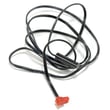
- Wire harness 190235 (signal path from sensor to console)
- Belt,walk,ar 173063 (walking belt condition and slip)
Why it matters
E1 is a safety-related shutdown; without a reliable speed signal, the console cannot control speed changes accurately. Fixing the root cause helps prevent belt slip, overheating, and repeated shutdowns.
Manual tip that helps
Use the troubleshooting and adjustment procedures in the IMTL39520 user manual for belt alignment/tension checks and console reset steps.
Last updated: February 2026