

Can you replace a microwave with a vent hood?
Yes. You can replace your KitchenAid KHMS2040BSS1 microwave/hood combo with a dedicated vent hood as long as the new hood fits the cabinet opening and you have a safe way to exhaust air (ducted outside or properly set up for recirculating). Plan for electrical, mounting, and ductwork changes.
What you need to confirm before you buy
- Width match: Most over-the-range setups are 30 inches wide, but measure your cabinet opening to be sure.
- Bottom height above the cooktop: Follow the hood’s required clearance (commonly 24 to 30 inches for electric ranges; many gas setups require more).
- Venting method: Ducted (top or rear discharge) or recirculating with charcoal filters.
- Duct location and size: Existing duct position may not line up with the new hood.
- Power supply: Many hoods use a standard 120V outlet, but cord length and outlet location still matter.
Microwave-to-hood swap: what usually changes
| Item | Microwave/hood combo (KHMS2040BSS1) | Dedicated vent hood |
|---|---|---|
| Mounting | Wall bracket plus top cabinet bolts | Hood-specific bracket/screws, sometimes different hole pattern |
| Venting | Often supports top/rear/recirc | Depends on hood model; may require duct changes |
| Cabinet space | Microwave body occupies space below cabinet | Hood body may take less space but can need duct cover/liner |
| Electrical | Outlet typically in upper cabinet | Outlet may need to move to match hood cord/plug |
Basic replacement plan (high level)
- Turn off power at the breaker.
- Remove the microwave and mounting bracket.
- Patch or cover old cabinet holes as needed.
- Install the hood mounting hardware.
- Connect ducting (or set up recirculation) and seal joints.
- Restore power and test fan speeds and lights.
Why it matters
A vent hood that does not match your opening, vent path, or clearance requirements can reduce airflow, increase noise, and make installation much harder than expected. Measuring first prevents rework and helps you choose the right venting style.
For safe microwave handling and to avoid damage while removing the unit, follow best practices in never do these things with a microwave.
Last updated: February 2026
How long do KitchenAid microwaves last?
Most KitchenAid microwaves, including the KitchenAid KHMS2040BSS1 microwave/hood combo, typically last 7 to 8 years with normal household use and basic care (keeping vents clear, using microwave-safe cookware, and avoiding overheating).
Typical lifespan and what affects it
A microwave’s life depends more on usage and heat stress than the brand name alone. These factors make the biggest difference:
- Daily run time (multiple long heat cycles per day shortens lifespan)
- Grease buildup restricting airflow in an over-the-range microwave/hood combo
- Door slamming or a door that does not close squarely
- Power surges or frequent breaker trips
- Running the microwave empty (can damage internal components)
Quick “is it worth repairing?” guide
If your KHMS2040BSS1 is not heating, not starting, or blowing a fuse, a repair can be practical when the unit is otherwise in good shape.
| Symptom | Common area involved | Example part on this model page |
|---|---|---|
| Runs but does not heat | High-voltage circuit | Microwave high-voltage diode W11256462 |
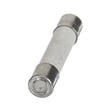
| Dead display or no power | Line fuse or power feed | Microwave fuse W11707984 |
| Won’t start, door feels “off” | Door interlock system | Microwave door interlock switch W10269458 |
Why it matters
Microwave/hood combos work in a hot, greasy environment above the range. Keeping airflow and the door interlock system in good condition helps prevent nuisance shutdowns, weak heating, and premature part wear.
Helpful next step for troubleshooting
If your microwave is running but not heating, follow a structured diagnosis before replacing parts; our guide why is my microwave not heating walks through the most common causes and what to check first.
Last updated: February 2026
Does KitchenAid sell replacement parts?
Yes. For your KitchenAid microwave/hood combo model KHMS2040BSS1, we sell replacement parts through the parts list for this model, so you can match components by model number and repair the exact unit you have.
How to get the right part for KHMS2040BSS1
Use the symptom and the part category to narrow it down, then confirm the part ID before ordering.
- Match the full model number: KHMS2040BSS1
- Identify the failure area (door, heating, power, lights, turntable)
- Compare the part name and part ID to your original part
- Replace only one suspected part at a time when troubleshooting
- If the microwave is not heating, stop using it until the cause is found
Common replacement parts customers order for this model
These are examples of parts available for KHMS2040BSS1 that often come up in repairs:
| Symptom | Part to check | Example part on this model |
|---|---|---|
| No heat or weak heat | High-voltage circuit components | Microwave high-voltage diode W11256462 |
| Dead display or no power | Fuse or power supply path | Microwave fuse W11707984 |
| Runs with door issues or won’t start | Door interlock system | Microwave door interlock switch W10269458 |
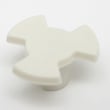
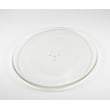
| Turntable problems | Tray and drive components | Microwave glass turntable tray W11367904 |
Why it matters
Microwave/hood combos use safety interlocks and high-voltage components. Ordering parts by the exact model number helps ensure proper fit and safe operation, especially for door switches, fuses, and heating components.
Helpful troubleshooting guidance
If you are diagnosing a heating problem, we recommend starting with a symptom-based guide before replacing parts.
- Check for simple issues first (power supply, door closing fully)
- Inspect door latches and interlock switch operation
- If it powers on but does not heat, focus on the high-voltage section
- If it is completely dead, check the fuse and power cord path
For step-by-step troubleshooting, use our guide: why is my microwave not heating.
Last updated: February 2026
Why is the exhaust fan not working on my KitchenAid microwave?
If the exhaust fan on your KitchenAid KHMS2040BSS1 microwave/hood combo is not working, the most common causes are a failed fan circuit (wiring or control), a stuck or blocked blower/vent path, or a door or interlock-related issue that prevents the unit from running certain functions. Start with power, settings, and airflow checks before replacing parts.
Quick checks that fix many “fan not working” complaints
- Confirm you are pressing the Vent Fan button (not just the cook fan that runs during heating).
- Try all fan speeds; a single-speed failure can point to a control or switch issue.
- Check for a blocked grease filter, heavy grease buildup, or a jammed damper.
- If the fan runs but airflow is weak, inspect the vent grille and duct path for restriction.
- Reset power: unplug for 2 minutes (or switch the breaker off and back on).
Likely causes and what to look for
| Symptom | Most likely cause | What we check first |
|---|---|---|
| No fan sound at any speed | Control not sending power, wiring issue | Power reset, harness connections, control output |
| Fan hums but won’t spin | Blower wheel obstruction, seized motor | Grease buildup, physical blockage |
| Fan runs but poor airflow | Damper stuck, duct restriction, grille blocked | Vent path, damper movement, filter condition |
| Fan issue after door problems | Interlock/switch alignment issue | Door latches, switch mounts, actuator |
Parts on this model that can relate to fan and airflow issues
These parts do not guarantee a fix, but they are commonly involved when symptoms match:
- Microwave vent grille (stainless) W10245216 (inspect for blockage or damage)
- Interlock WPW10156813 (if door alignment or latch engagement is inconsistent)
- Microwave door interlock switch W10269458 (if door switch operation is intermittent)
Why it matters
On an over-the-range microwave like the KHMS2040BSS1, the exhaust fan protects cabinets and electronics by moving heat and steam away from the cooktop. A non-working fan can lead to excess moisture, odors, and overheating during heavy stovetop use.
When to stop and use a technician
If you suspect an internal electrical failure (burning smell, repeated blown fuse, or the unit goes dead when you try the fan), have a technician diagnose it. Microwaves contain high-voltage components that require safe handling.
Last updated: February 2026