 Error Codes




How to replace GE dryer sensor?
For the GE GFD55ESPR1RS electric dryer, “sensor” usually means the moisture sensor bars inside the drum (used on Auto/Sensor Dry cycles). Replacing the sensor typically involves unplugging the dryer, opening the cabinet to access the sensor harness, and swapping the sensor connection parts.
Before you start (safety and quick checks)
- Unplug the dryer (or switch off the breaker) before removing any panels.
- Let the heater area cool completely.
- Confirm the symptom: Auto dry ends too soon, runs too long, or clothes stay damp.
- Clean the lint screen and check airflow first; poor venting can mimic a bad sensor.
- Inspect the sensor area inside the drum for waxy dryer sheet residue.
What to replace on this model
On GFD55ESPR1RS, the most common “sensor” related replacement is the wiring connection to the moisture sensor.
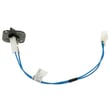
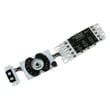
- If the sensor readings are erratic, check and replace the sensor rod harness WE08X29688.
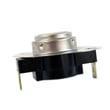
- If the dryer is overheating or cycling heat incorrectly, test the thermostats before blaming the moisture sensor; common suspects include the dryer blower thermostat WE04X29714 and the dryer outlet backup thermostat WE04X10190.
Basic replacement outline (moisture sensor circuit)
- Disconnect power.
- Remove the top or front panel (depending on access) to reach the sensor wiring.
- Locate the moisture sensor harness connection and inspect for loose terminals or corrosion.
- Swap the harness, routing it exactly like the original and securing any clips.
- Reassemble panels, restore power, then run a timed dry test and an auto dry test.
Quick diagnosis guide
| Symptom | Most likely cause | What we check first |
|---|---|---|
| Auto dry stops early | Sensor bars dirty, harness issue | Clean bars, then harness |
| Auto dry runs too long | Poor airflow, sensor not detecting | Venting, lint screen, sensor circuit |
| Heat seems wrong | Thermostat or heater issue | Thermostats, heater assembly |
Why it matters
The moisture sensor helps prevent overdrying and reduces cycle time. A dirty sensor surface, a damaged harness, or a heat control problem can all cause poor drying results and unnecessary wear on the drum and heater.
Last updated: February 2026
What is the most common problem with a GE dryer?
The most common problem we see with a GE electric dryer like model GFD55ESPR1RS is poor drying or no heat, and the most common root cause is restricted airflow (lint screen or venting). After airflow, the next frequent issues are a failed heater or thermostat, a door switch problem, or a worn belt/idler that causes noise.
Quick checks that fix the most calls
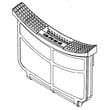
- Clean the lint screen before every load; replace it if torn or warped (see dryer lint screen WE16X32537).
- Check the vent path for kinks, crushed flex duct, or heavy lint buildup.
- Run a timed dry cycle and confirm strong airflow at the outside vent hood.
- If the dryer runs but clothes stay damp, reduce load size and avoid over-drying mixed fabrics.
- If the dryer will not start, confirm the door closes firmly and the latch engages.
Common symptoms and the parts that usually solve them
| Symptom | Most likely cause | Model-relevant part examples |
|---|---|---|
| Runs but no heat / weak heat | Heater or temperature safety device opened | Dryer heater assembly WE11X29790, dryer outlet backup thermostat WE04X10190, dryer blower thermostat WE04X29714 |
| Long dry times | Vent restriction, lint screen restriction, weak airflow | Dryer lint screen WE16X32537 |
| Will not start | Door not sensed as closed, control issue | Door switch WE04X34281 |
| Loud squeal or thump | Worn idler or drum support components | Dryer idler assembly WE03X30657 |
Why it matters
Restricted airflow makes an electric dryer work harder and run hotter, which increases dry time and can lead to repeated shutdowns and premature failure of heating and thermostat components. Fixing airflow first prevents repeat part failures and restores normal performance.
When to use error code help
If your display shows a code or beeps in a pattern, match it to the GE GFD platform guidance in GE gfd model series error codes. That helps you decide whether to focus on airflow, heating, door sensing, or controls.
Last updated: February 2026
Where to find part number on GE dryer?
On your GE electric dryer model GFD55ESPR1RS, the model and serial tag is typically located around the door opening, so you can read the model number and use it to match the correct replacement part number for your dryer.
Where to look on the dryer
Check these common GE locations first:
- Inside the dryer door opening on the cabinet frame
- On the door frame area near the latch side
- Just behind the door on the front panel lip
- Occasionally on the back panel (less common)
What you should write down
The tag usually includes multiple identifiers. Use this quick guide:
| What you see on the label | What it’s used for | Example format |
|---|---|---|
| Model number | Ensures parts fit your exact dryer | GFD55ESPR1RS |
| Serial number | Helps confirm production series | Letters and numbers |
| Part number (on a component) | Identifies the specific replacement part | WE11X29790 |
If you’re trying to identify a specific part
Many parts also have their own part number printed or stamped directly on the component. For example:
- If the drum won’t turn and you suspect a belt tension issue, the idler is commonly involved: dryer idler assembly WE03X30657
- If clothes are not drying and you’re checking airflow first, confirm the lint screen is correct and intact: dryer lint screen WE16X32537
- If the dryer runs but has no heat, the heater circuit is a common check point: dryer heater assembly WE11X29790
Why it matters
GE dryers can look similar across model series, but small design changes affect fit and wiring. Using the model number (GFD55ESPR1RS) plus the exact part number from the label or component helps you avoid ordering the wrong door switch, thermostat, control board, or heater assembly.
Last updated: February 2026
Why does my GE dryer make a squeaking sound?
A squeaking sound in our GE electric dryer model GFD55ESPR1RS almost always comes from a moving drum-support or belt-tension part that is dry, worn, or slightly misaligned. The most common culprits are the idler pulley assembly, drum supports, or something rubbing the drum as it turns.
Most common causes (and what to check first)
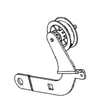
- Belt tension system: A worn idler pulley bearing or weak idler arm can squeak as the belt rides over it; inspect the dryer idler assembly WE03X30657.
- Drum support points: Worn glides, rollers, or support surfaces can squeak or chirp once per drum revolution.
- Drum baffle rubbing: A loose or cracked baffle can scrape and squeak; check the drum baffle WE13X29725 for looseness.
- Foreign object: Coins, bra wires, or small items can get between the drum and front/rear bulkhead.
- Airflow restriction heat stress: A clogged lint path can overheat components and accelerate wear; confirm the lint screen and venting are clear.
Quick diagnostic tips (match the noise to the failure)
| What you hear | When it happens | Most likely area |
|---|---|---|
| High-pitched squeak or chirp | Constant while tumbling | Idler pulley/belt path |
| Squeak once per revolution | Rhythmic, repeats evenly | Drum support/glides/roller surface |
| Scrape plus squeak | Gets worse with heavier loads | Drum baffle or foreign object |
| Squeak then thump | After startup | Flat-spotted support surface or loose baffle |
Fixes that usually solve it
- Unplug the dryer; remove lint buildup from the lint housing and blower inlet.
- Spin the idler pulley by hand; it should turn smoothly without wobble (replace if rough).
- Check the belt for glazing/cracks and verify it tracks straight on the idler.
- Tighten any loose drum baffle screws; replace the baffle if cracked.
- Inspect the drum for rub marks that indicate contact with the front drum support or rear support.
Why it matters
A squeak is often the first sign of a failing wear part. Addressing it early helps prevent belt damage, overheating, and a no-tumble breakdown.
For code-related symptoms (beeping, flashing, stopping mid-cycle), use our GE gfd model series error codes reference to narrow the failure.
Last updated: February 2026





