 Error Codes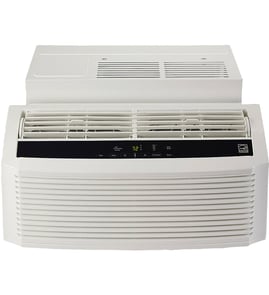




How big of a room will a 5000 BTU air conditioner cool?
A 5,000 BTU room air conditioner (like many compact units in the GE AKV05LZG1 size class) typically cools about 100 to 150 square feet in average conditions. Room layout, sun exposure, insulation, and ceiling height can push the real-world coverage higher or lower.
Quick sizing guide (what 5,000 BTU fits best)
- Best fit: small bedrooms, home offices, nurseries
- Typical room size: 10 ft x 10 ft to 10 ft x 15 ft
- Works best when: doors stay closed and airflow is not blocked
- May struggle when: the room is very sunny, poorly insulated, or has high ceilings
- If it short-cycles (turns on/off fast): the unit may be oversized for the space
Adjust for real-world conditions
Use this as a practical rule-of-thumb for a 5,000 BTU window air conditioner:
| Room condition | Practical coverage target |
|---|---|
| Shaded, well-insulated, standard 8 ft ceiling | 130 to 150 sq ft |
| Average insulation and sun | 100 to 130 sq ft |
| Hot/sunny room, poor insulation, or lots of heat sources | 80 to 110 sq ft |
Why it matters
Correct sizing helps your GE room air conditioner remove humidity and maintain steady comfort. Too small runs constantly and never catches up; too large cools fast but can leave the room feeling damp.
If your unit is not cooling like it should
Before assuming the BTU size is wrong, we recommend these checks:
- Clean or replace the air filter (restricted airflow reduces cooling)
- Confirm the temperature setting and mode (Cool vs Fan)
- Make sure the front grille and intake are not blocked by curtains or furniture
- Verify the unit is level and installed correctly in the window
- If the unit runs but does not cool, follow a symptom guide like window air conditioner running but not cooling
Parts that commonly affect airflow and comfort
If airflow is weak or the unit seems to run longer than it should, these model-specific parts are worth checking:
- Filter WJ85X25974 (dirty or damaged filter restricts airflow)
- Control panel asm WJ26X25973 (if buttons or settings are not responding)
Last updated: February 2026
How do I reset my GE window air conditioner?
To reset your GE room air conditioner model AKV05LZG1, we unplug the unit for 5 to 10 minutes, then plug it back in and restart it. This clears many control glitches and restores normal operation after a power interruption.
Quick reset steps (most common)
- Turn the unit OFF at the control panel.
- Unplug the power cord from the wall outlet.
- Wait 5 to 10 minutes.
- Plug the unit back in.
- Press Power, then reselect Mode and Temperature.
If it still will not run or cool
A reset helps only if the issue is a control lockup. If the AKV05LZG1 still acts up, check these common causes first:
- Tripped breaker or a loose wall outlet connection
- Dirty or restricted air filter (clean or replace the filter WJ85X25974)
- Incorrect settings (Fan Only vs Cool, temperature set too high)
- Iced evaporator coil (often caused by low airflow from a dirty filter)
- Error code displayed; use the GE error codes reference to identify the fault
What a “reset” does (and does not do)
| Reset method | What it fixes | What it will not fix |
|---|---|---|
| Unplug 5 to 10 minutes | Control board glitches, odd display behavior, post-outage issues | Bad compressor, refrigerant leak, failed fan motor |
| Power cycle and reprogram settings | Wrong mode, stuck timer/schedule behavior | Airflow restrictions from dirt or ice |
Why it matters
Resetting is the fastest safe first step because it restores the electronics to a clean start. If the problem is actually airflow related, addressing the filter and coil condition prevents icing, poor cooling, and higher energy use.
Last updated: February 2026
How long is the warranty on a GE window air conditioner?
GE window (room) air conditioners typically include a 1-year limited warranty from the original purchase date that covers defects in materials or workmanship. For your GE AKV05LZG1, keep your proof of purchase because warranty coverage is tied to the purchase date.
What the 1-year warranty usually covers
Most GE room air conditioner warranties for this class of product focus on the sealed unit and electrical components only when a defect is present (not normal wear).
Common covered situations include:
- Unit will not power on due to a manufacturing defect
- Control issues caused by a defective component
- Premature failure tied to materials or workmanship
Common non-covered situations include:
- Installation issues (tilt, poor sealing, incorrect window fit)
- Maintenance-related problems (dirty filter, blocked airflow)
- Damage from power surges or improper voltage
Quick warranty checklist (before you call)
Use this list to save time and avoid repeat troubleshooting:
- Find the purchase receipt (date and retailer matter)
- Confirm the model number is AKV05LZG1
- Write down symptoms and any display indicators
- Clean and reinstall the air filter (a clogged filter can mimic failures); the correct part is the filter WJ85X25974
- Check for error indicators and match them using GE error codes
Warranty at a glance
| Item | Typical detail |
|---|---|
| Warranty length | 1 year from purchase date |
| Proof needed | Receipt or other purchase record |
| What it addresses | Defects in materials or workmanship |
| What it is not | A maintenance plan or coverage for installation errors |
Why it matters
Warranty coverage is designed to address true defects, while many “not cooling” or “won’t run” complaints are caused by airflow restrictions, dirty filters, or setup issues. Starting with filter and error-code checks helps you separate a warranty issue from a fixable operating problem.
Last updated: February 2026
Which is better, split AC or window AC?
A split AC is better for quieter operation, higher efficiency options, and cooling larger spaces; a window AC (like GE model AKV05LZG1) is better for lower upfront cost, simpler installation, and easy replacement. The best choice depends on your room size, budget, and whether you can permanently install equipment.
Quick comparison: split vs window AC
| Feature | Split AC | Window AC |
|---|---|---|
| Installation | Professional install; indoor + outdoor units | Fits a window or wall sleeve; typically simpler |
| Noise indoors | Usually quieter | Usually louder (compressor is in the room unit) |
| Best for | Medium to large rooms; multi-room options | Small to medium rooms; single-room cooling |
| Efficiency | Often higher-efficiency models available | Efficient models exist, but fewer premium options |
| Serviceability | More components; more complex | More self-contained; often easier to swap |
When a split AC is the better pick
- You need quieter cooling in a bedroom or office.
- You are cooling a larger room or open layout.
- You want a cleaner look with no blocked window.
- You plan to stay in the home long-term.
- You want advanced features (inverter-style operation, zoning, etc.).
When a window AC is the better pick (including AKV05LZG1)
- You want the lowest upfront cost.
- You rent, move often, or cannot mount an outdoor unit.
- You only need to cool one room.
- You want simpler maintenance you can do yourself.
- You prefer a unit that can be replaced quickly if it fails.
What matters most for comfort and cost
Even the “better” type will disappoint if airflow and maintenance are neglected. For window units, a dirty air filter is one of the most common reasons for weak cooling and icing.
- Clean or replace the air filter regularly; for this model, see the filter WJ85X25974.
- Make sure the unit is level and draining correctly (standing water can cause odors and leaks).
- Keep the outdoor side clear of debris for proper condenser airflow.
- If the unit runs but does not cool, use symptom-based troubleshooting like window air conditioner running but not cooling.
Typical decision guide (rule of thumb)
- Small room, tight budget, rental: window AC
- Bigger room, noise-sensitive, long-term home: split AC
Last updated: February 2026
Why is my GE window air conditioner not getting cold?
If your GE AKV05LZG1 window air conditioner runs but is not getting cold, the most common causes are restricted airflow (dirty filter or blocked coils), incorrect settings, or a sealed-system problem such as low refrigerant. Start with the filter and airflow checks because they fix most “not cooling” complaints fast.
Quick checks we recommend first
- Set Mode to Cool and lower the set temperature at least 5 degrees.
- Make sure the front grille intake is not blocked by curtains or furniture.
- Remove and clean the air filter; replace it if it is damaged or won’t come clean (use the filter WJ85X25974).
- Confirm the unit is installed level to slightly tilted outward so heat and moisture can shed properly.
- Let the unit run 10 to 15 minutes after changes; some models delay compressor restart after power loss.
What to look for (symptom guide)
| What you notice | Most likely cause | What to do next |
|---|---|---|
| Weak airflow from vents | Clogged filter or dirty evaporator | Clean/replace filter; clean coils carefully |
| Fan runs, air is room temp | Compressor not starting, control issue | Check settings; look for error code; inspect controls |
| Coils ice up | Airflow restriction or low refrigerant | Fix airflow first; if icing returns, service may be needed |
| Outside is very hot, cooling is poor | Heat load too high for space | Close blinds, seal gaps, reduce heat sources |
When parts and service come into play
If airflow is strong and settings are correct but cooling is still poor, focus on controls and sealed-system clues:
- If buttons or display act erratically, the user interface/control area may be the issue (consider the control panel asm WJ26X25973).
- If you see an error code, use our GE error codes reference to match the code to the next step.
- If the compressor hums but does not run, or cooling never improves after airflow fixes, a technician should check the sealed system.
Why it matters
A dirty filter or blocked airflow can make the evaporator too cold (icing) or prevent heat transfer, so the unit “runs” but cannot remove heat effectively. Fixing airflow first protects the compressor and restores normal cooling performance.
Last updated: February 2026


