Installation guide
 Owner’s manual


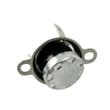

How to remove a Kenmore 72180802400 over the range microwave?
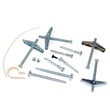
To remove the Kenmore Elite 72180802400 over-the-range microwave, we reverse the installation steps: support the unit with two people, remove the top mounting bolts from inside the upper cabinet, tilt the microwave forward, then lift it up and off the lower mounting plate tabs. Use the 72180802400 installation guide for the exact bolt locations and mounting-plate details.
Safety first (important)
- Turn off power at the breaker, then unplug the microwave (if the cord is accessible in the upper cabinet).
- Use two people to handle the microwave; it is heavy and awkward to control.
- Protect the cooktop or range with a thick, protective covering.
- Do not pull or stretch any wiring.
- If the unit is hardwired or you see damaged wiring, stop and use a qualified technician.
Removal steps (typical for model 72180802400)
- Clear the area: Remove the turntable and anything loose inside the oven.
- Access the top bolts: Open the upper cabinet above the microwave; locate the mounting bolts that go down through the cabinet bottom into the microwave.
- Support the microwave: One person supports the bottom front while the other removes the bolts.
- Remove the top bolts: Back them out fully and set aside.
- Tilt forward: Rotate the top of the microwave forward and down slightly.
- Lift off the mounting plate: Lift the microwave up to unhook it from the support tabs on the bottom of the mounting plate, then pull it away from the wall.
What you will usually see during removal
| What you’re removing | Where it is | What it does |
|---|---|---|
| Top mounting bolts | Inside upper cabinet | Holds microwave tight to cabinet |
| Power cord | Upper cabinet outlet area | Supplies power to microwave |
| Mounting plate tabs | On wall mounting plate | Supports microwave while bolting |
Why it matters
Removing the top bolts before unhooking the mounting plate tabs prevents the microwave from dropping or twisting, which helps avoid cabinet damage and door alignment problems.
Last updated: February 2026
How to unlock Kenmore microwave keypad?
To unlock the keypad (child lock) on your Kenmore Elite microwave model 72180802400, press and hold the START pad for 3 seconds until the control lock clears. This restores normal keypad operation (cook, reheat, fan, and light controls).
Quick unlock steps (model 72180802400)
- Make sure the microwave door is fully closed.
- Press and hold START for 3 seconds.
- Watch for the lock indicator to disappear (or a tone to sound).
- Try a simple command (for example, set 10 seconds and press START) to confirm it responds.
- If it relocks immediately, repeat the press-and-hold with a steady press.
If you need to turn the lock on (child lock)
On this model, child lock is set through the Options menu.
- Open the menu by selecting Options.
- Choose Child Lock.
- Select Yes to lock the controls.
- To unlock later, press and hold START for 3 seconds.
For the exact menu wording and display prompts, use the owner's manual.
Troubleshooting if START will not unlock
If holding START for 3 seconds does not clear the lock, these are the most common causes:
- Keypad is not registering: a stuck or failed key can prevent the unlock command.
- Door not sensed as closed: the door interlock system must read “closed” for normal operation.
- Power glitch: a brief reset can restore normal control behavior.
What to try (safe checks)
| Symptom | What to do | Why it matters |
|---|---|---|
| No response to any keys | Turn power off at the breaker for 1 minute, then restore power | Clears a control glitch |
| Some keys work, START does not | Press START firmly for a full 3 seconds | Confirms it is not a short press |
| Door feels loose or won’t latch cleanly | Inspect for obvious obstruction; do not force the door | A mislatched door can block keypad functions |
Why it matters
The control lock prevents accidental starts and helps keep children from operating the microwave. Unlocking it correctly avoids unnecessary part replacement and helps confirm the control panel and door interlocks are working normally.
Last updated: February 2026
How to reset a Kenmore 72180802400 microwave?
To reset your Kenmore Elite 72180802400 microwave, we recommend doing a simple power reset first: unplug the unit (or switch off the breaker) for about 1 minute, then restore power. This clears many control glitches and returns the microwave to normal operation.
Quick reset options (start here)
- Power reset (most common): unplug for 60 seconds, then plug back in.
- Stop/Clear reset: touch STOP/CLEAR to cancel an active cooking program or incorrect entry.
- Cancel Kitchen Timer: touch KITCHEN TIMER, turn the dial to Turn off, then press the dial (the manual notes the microwave may not run if it is set as a timer).
- Confirm the door is latched: close the door firmly until it latches.
- Restore the clock (if needed): touch CLOCK and set the time using the dial.
Step-by-step: power reset (recommended)
- Turn the microwave off.
- Unplug the power cord (or turn off the circuit breaker).
- Wait 1 minute.
- Restore power.
- Test heating with a cup of water for 1 minute on 100% power (a basic functional check described in the owner's manual).
If it still will not run after resetting
These checks match common “won’t start” causes for this model:
- Make sure you pressed the dial to start cooking after selecting a function.
- Touch STOP/CLEAR to cancel any earlier operation that is still running.
- Check your home breaker or fuse if nothing works.
- If the vent fan turns on by itself, it can be normal; the hood fan may run automatically to cool the unit.
What the symptoms usually mean
| Symptom | Most likely cause | What to do |
|---|---|---|
| Display works, won’t start | Door not latched, timer mode, or program still active | Latch door, cancel timer, press STOP/CLEAR |
| Nothing works | No power to outlet or tripped breaker | Restore power, try a different outlet circuit |
| Runs but does not heat | Heating circuit issue | Use our troubleshooting guide: why is my microwave not heating |
Why it matters
A reset clears temporary control-board logic issues and cancels stuck modes (like the Kitchen Timer), which are common reasons a microwave appears “dead” even though it has power.
Last updated: February 2026
Why is my Kenmore 72180802400 microwave not heating?
If your Kenmore 72180802400 microwave runs but doesn’t heat, the most common causes are a failed high-voltage component (magnetron, diode, or capacitor) or a door interlock problem that prevents the high-voltage circuit from turning on. Use the owner's manual troubleshooting checks first.
Quick checks we recommend first
- Confirm the door closes fully and latches; a loose latch can stop heating.
- Cancel any active cycle; press Stop/Clear, then try a simple 1-minute heat test with a cup of water.
- Verify cook power is set correctly (low power settings can look like “no heat”).
- Check for household power issues (tripped breaker or blown fuse) if performance is weak.
- Listen for normal operation: fan and turntable running with no heat often points to a high-voltage failure.
Parts that commonly cause “runs but no heat”
Microwave heating is created by the magnetron; the high-voltage diode and capacitor support that circuit. If any of these fail, the oven can run but not warm food.
| Symptom | Likely area | Example parts for this model |
|---|---|---|
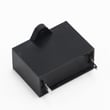
| Runs, light/fan on, no heat | High-voltage circuit | Microwave magnetron 6324W1A001L, microwave high-voltage diode 6021W3B001V, goldstar microwave high-voltage capacitor 0CZZW1H004C |
| Starts then stops, or won’t heat consistently | Door interlock/latch | Microwave micro-switch 6600W1K001Q, microwave door latch hook 4026W2A019A, microwave door latch spring 4970WRA001G |
Safety note before any internal testing
Microwaves contain a high-voltage capacitor that can hold a dangerous charge even when unplugged. For internal electrical diagnosis or replacement of high-voltage parts, we recommend using a qualified technician.
Why it matters
When the door interlock switches do not prove the door is safely latched, the microwave can disable the high-voltage system. When the interlocks are fine, a failed magnetron, diode, or capacitor is the most direct reason the unit “sounds normal” but does not heat.
For more step-by-step symptom guidance, use why is my microwave not heating.
Last updated: February 2026