Owner’s manual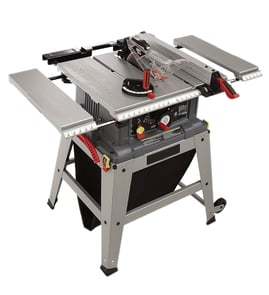
What not to do with a table saw?
For the Craftsman 113298762 table saw, do not wear gloves or loose clothing, do not feed material from the rear, and do not run the saw without the proper table insert; these mistakes increase the risk of kickback, binding, and serious injury. Use the 113298762 owner's manual as your baseline safety checklist.
Never do these high-risk actions
- Do not wear gloves, loose clothing, jewelry, or neckties; they can catch and pull you into moving parts.
- Do not do layout, assembly, or setup work on the table while the blade is spinning.
- Do not feed stock into the blade from the rear of the saw; always feed against blade rotation.
- Do not stand in line with the blade; keep your body to one side to reduce kickback exposure.
- Do not cut more than one workpiece at a time.
- Do not confine the cutoff piece (the piece not against the fence or miter gauge); never clamp or “trap” it.
Before you start: quick safety checks
- Confirm the switch is OFF before plugging the saw in (prevents accidental starting).
- Clear the tabletop of everything except the workpiece and needed supports.
- Verify clamps and locks are tight and nothing has excessive play.
- Set the blade as low as practical for the cut.
- Keep the floor and work area clean and not slippery (sawdust buildup matters).
Blade and insert mistakes to avoid (model-relevant)
The manual for this saw calls out several blade and insert rules that directly affect safety and cut quality.
| Item | Don’t do this | Do this instead |
|---|---|---|
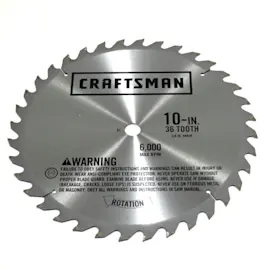
| Blade fit | Don’t use unbalanced or wrong-fit blades | Use an unbroken, balanced blade that fits the 5/8-inch arbor |
| Arbor nut | Don’t overtighten the arbor nut | Use arbor wrenches and snug it securely |
| Table insert | Don’t run without the proper insert | Keep the insert installed and adjusted flush with the tabletop |
Why it matters
Most table saw injuries start with binding and kickback. Trapping the cutoff, feeding from the wrong direction, using the wrong insert, or working in line with the blade all increase the chance the workpiece gets thrown back toward you.
If you need step-by-step help for common tasks and safe technique, we recommend reviewing how to use a table saw safely and ordering model-matched replacement parts through the parts list or Sears PartsDirect.
Last updated: February 2026
Does Craftsman make a good table saw?
Yes. Craftsman table saws like model 113298762 are solid, practical saws for DIY and hobby woodworking: they are typically durable, have plenty of cutting power for common shop tasks, and can deliver accurate results when the fence, blade, and alignment are set up correctly (see the 113298762 owner's manual).
What “good” means for a Craftsman 113298762 table saw
Most owners judge a table saw on cut quality, repeatability, and how well it stays adjusted.
- Good for DIY and home shops: ripping and crosscutting lumber, plywood, and trim
- Good value when tuned: accuracy improves a lot after basic alignment and maintenance
- Durability is a strength: many Craftsman saws in this class are long-lasting with routine care
- Not a pro cabinet saw: you may need more setup time and occasional adjustments for precision work
Quick checklist to get better cuts (and a better experience)
If you are seeing rough cuts, burning, or inconsistent angles, these steps usually make the biggest difference:
- Install a sharp, correct blade for the material (rip blade vs. crosscut/combination)
- Verify the fence is parallel to the blade and locks consistently
- Confirm the blade is square to the table at 90 degrees and accurate at common bevel angles
- Clean pitch and sawdust buildup from the tabletop and trunnion area
- Lubricate moving mechanisms as outlined in the 113298762 owner's manual
Common “good saw, bad results” symptoms and likely causes
| Symptom | Most common cause | What to do first |
|---|---|---|
| Bad angle cuts | Blade or fence out of alignment | Follow table saw bad angle cuts |
| Blade spins too slow | Dull blade, binding, electrical issue | Follow table saw blade spins too slow |
| Cannot adjust blade height | Packed sawdust, dry gears, worn mechanism | Follow table saw can't adjust the blade height |
Why it matters
A table saw can feel “bad” when it is simply out of alignment or overdue for cleaning and lubrication. When the fence tracks straight, the blade is sharp, and the height and bevel controls move smoothly, the 113298762 can cut cleanly and repeatably for most home projects.
Parts and documentation
We recommend using the parts list and diagrams for model 113298762 to match components correctly before ordering. If you need to search beyond the model parts list, we also offer model-based lookup on Sears PartsDirect.
Last updated: February 2026
Where is the reset button on a Craftsman table saw?
On many Craftsman table saws like model 113298762, the “reset” is part of the motor’s overload protector, not a separate button on the front of the saw. It’s typically located on or near the motor housing and is accessed by pressing the overload reset after the motor cools.
What to check on model 113298762
Use the 113298762 owner's manual to identify your saw’s motor and switch layout, then inspect the motor area for the overload protector.
- Unplug the saw before touching the motor, switch box, or wiring.
- Let the motor cool 10 to 20 minutes if it stopped during a cut.
- Look at the end of the motor and around the motor housing for a small reset mechanism.
- Some versions use plastic caps or covers over the overload reset; remove the caps and press the reset mechanism.
- If the saw restarts but trips again quickly, reduce load (slower feed rate, sharper blade) and check alignment.
If it still will not run after resetting
These are the most common causes when a table saw “has power” but the motor will not start.
- Tripped breaker or weak extension cord (use a heavy-gauge cord, as short as possible)
- Faulty switch or loose connection in the switch box
- Motor overload tripping due to a dull blade or binding wood
- Belt or arbor drag (hard to spin by hand with power disconnected)
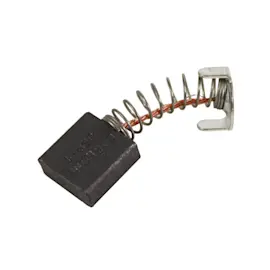
- Worn motor brushes (on brush-type motors)
Quick symptom guide
| What you see | Most likely issue | What to do next |
|---|---|---|
| Motor hums, blade does not turn | Binding, belt/arbor drag | Check blade spins freely by hand (unplugged) |
| Starts, then stops during cut | Overload trip from load | Slow feed rate, verify blade is sharp |
| Nothing happens at all | Switch/power path issue | Inspect switch box connections (unplugged) |
Why it matters
The overload protector prevents motor damage when the blade binds, the feed rate is too aggressive, or the motor is overheating. Resetting gets you running again, but repeated trips mean something is forcing the motor to work too hard.
For step-by-step operating and safety checks, we also recommend how to use a table saw safely. If you need to look up diagrams or replacement items by model number, search using Sears PartsDirect.
Last updated: February 2026
What are the parts of a table saw?
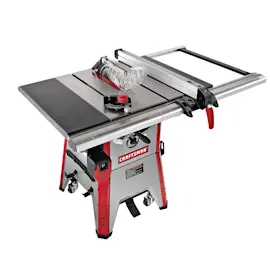
On the Craftsman 113298762 table saw, the main parts include the table top, blade and arbor area, rip fence and guide bars, blade insert, guard assembly, switch assembly, and the height and tilt adjustment mechanisms. For the exact component names and diagrams, use the 113298762 owner's manual.
Main table saw parts (what they do)
- Table and extensions: Support the workpiece; many saws use bolt-on extensions to increase surface area.
- Rip fence and guide bars: Keep the cut parallel to the blade; the fence locks to the front and rear guide bars.
- Blade insert (throat plate): Surrounds the blade opening and supports the work near the cut.
- Guard assembly: Helps shield the blade and manage kickback risk during through-cuts.
- Switch assembly and box: Controls power to the motor; includes the switch and wiring enclosure.
- Spreader support / splitter area: Helps keep the kerf open behind the blade to reduce binding.
Common names you will see in the 113298762 parts list
The manual’s parts list for model 113298762 uses names like these:
- Guard assembly
- Insert assembly (and insert)
- Fence assembly, rip
- Bar assembly, fence guide (guide bars)
- Switch assembly, box
- Table extension
Quick reference: part vs. purpose
| Part name (common) | What it affects | Typical symptom when out of adjustment/worn |
|---|---|---|
| Rip fence | Straight rip cuts | Burning, drift, or inconsistent width |
| Blade insert | Cut support at blade | Tear-out, workpiece snagging |
| Guard/splitter area | Safety and cut stability | Binding, increased kickback risk |
| Switch assembly | Power on/off | Won’t start, intermittent power |
Why it matters
Knowing the correct part names makes troubleshooting and ordering faster, especially for cut-quality issues like burning, binding, or out-of-square rips. For cut accuracy checks and alignment basics, we recommend table saw bad angle cuts.
You can look up replacement components by diagram for Craftsman 113298762 on the model parts list, or search by model number on Sears PartsDirect.
Last updated: February 2026