Installation guide
 Owner’s manual
 Error Codes

Does a Kenmore Elite have a reset button?
Kenmore Elite model 79079363406 (gas range) does not use a dedicated “reset button” like some appliances. For most control glitches, we reset it by turning power off at the breaker (or unplugging) for 1 minute, then restoring power and resetting the clock per the 79079363406 owner's manual.
How to reset the range control safely
- Turn the range off.
- Switch the range circuit breaker OFF (or unplug the power cord).
- Wait 60 seconds.
- Restore power.
- Set the clock and reprogram any cooking settings.
- Test Bake and Broil to confirm normal operation.
What “reset” fixes (and what it does not)
A power reset clears temporary electronic control issues, but it will not fix a failed igniter, gas valve, or burner problem.
| Symptom | Reset worth trying? | More likely cause if it returns |
|---|---|---|
| Display frozen or beeping | Yes | Touch panel or control issue |
| Oven will not heat at all | Sometimes | Igniter, gas valve, wiring |
| Door locked after self-clean | Sometimes | Door latch or lock circuit |
| Surface burner won’t light | No | Burner head clogged, igniter issue |
If the oven still will not heat after a reset
- Confirm the range has power (clock and lights work).
- Check that the oven is not in lockout mode.
- If you smell gas without ignition, stop and ventilate; have the range checked.
- Inspect for obvious damage to wiring/connectors.
- For lighting problems inside the oven, replace the bulb with the correct type for this model, such as the range oven light bulb 316538904.
Why it matters
A proper reset is the fastest way to rule out a temporary control problem before replacing parts like an igniter, pressure regulator, or oven gas valve.
Last updated: February 2026
Where can I find my Kenmore Elite oven model number?
On Kenmore Elite gas range model 79079363406, the model and serial number plate is typically on the right-hand front frame near the storage drawer or warmer drawer opening, or in the lower panel area. Confirm the exact spot and what to record in the 79079363406 installation guide.
Where to look on the range
Check these common locations in this order:
- Open the storage drawer or warmer drawer and look at the right-hand front frame
- Look along the front frame just inside the drawer opening
- Check the lower front panel area below the oven door
- If needed, pull the drawer out farther to see the label clearly
What to write down (and why)
Record everything shown on the identification plate:
- Model number
- Serial number
- Lot number or letter (if listed)
- Fuel type and pressure information (helpful for gas parts and setup)
Why it matters
We use the full model number (and often the serial or lot information) to match the correct Kenmore parts, diagrams, and installation details for your Elite gas range. That prevents ordering the wrong burner, igniter, or oven component.
Quick checklist
| Item | What it helps with |
|---|---|
| Model number | Correct parts list and diagrams |
| Serial number | Version changes within the same model |
| Lot number/letter | Factory configuration details |
Last updated: February 2026
Why is my Kenmore Elite oven not heating but runs?
If your Kenmore Elite gas range model 79079363406 powers on and seems to “run” but the oven will not heat, the most common cause is a weak or failed oven ignition system that cannot open the gas valve. Start with safe checks and then focus on the igniter, gas valve, and wiring.
Quick safety checks first
Before troubleshooting, follow the safety guidance in the 79079363406 owner's manual. If you smell gas, do not operate the range; shut off the gas supply and ventilate the area.
- Do not try to operate the oven during a power failure (electric ignition models).
- Do not block oven airflow by lining the oven bottom or covering racks with foil.
- Keep flammable items out of the oven, warmer drawer, and storage drawer.
What to check (in order)
These steps match the most common “runs but no heat” causes on gas ovens.
- Bake igniter performance: When you start Bake, the igniter should glow and get intensely hot. If it glows weakly or never glows, it will not draw enough current to open the safety valve.
- Gas supply: Confirm the gas shutoff valve is fully open and other gas appliances work normally.
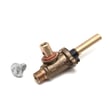
- Oven gas valve: If the igniter is working correctly but the burner never lights, the valve can fail. For this model, the replacement is the range oven gas valve 316404901.
- Wiring/connectors: Look for loose, burned, or damaged wires at the igniter, valve, and control.
- Burner condition: A clogged burner or blocked ports can prevent ignition even with a good igniter.
Symptoms and likely causes
| What you observe | Most likely cause | What we recommend |
|---|---|---|
| No glow from igniter | Failed igniter, wiring issue, control issue | Inspect wiring; test igniter circuit |
| Igniter glows but burner never lights | Weak igniter or failed gas valve | Replace igniter first; then consider valve |
| Burner lights sometimes, long preheat | Weak igniter | Replace igniter |
Why it matters
On gas ovens, the igniter is a safety device as well as an ignition source. If it cannot reach the required temperature/current draw, the gas valve stays closed, so the oven can appear to operate normally while producing no heat.
Last updated: February 2026
Why is my Kenmore Elite oven not working?
If your Kenmore Elite gas range model 79079363406 oven is not working, the most common causes are a power supply problem, incorrect control settings, or an ignition issue that prevents the bake or broil burner from lighting. Start with basic power and settings checks, then move to burner ignition and gas supply.
Quick checks first (fastest fixes)
- Confirm the range is plugged in firmly and the outlet has power.
- Check the home circuit breaker or fuse for the range.
- Make sure the oven controls are set correctly for the cooking mode you want (Bake, Broil, Convection).
- If there was a power interruption, reset the clock and reselect the oven function.
- If Sabbath mode is enabled, turn it off so normal oven operation is restored.
What to check next (oven lights, ignition, and gas)
On this model, the oven needs electrical power for ignition and controls. If the display is dead or the igniter never glows/heats, the oven will not light.
| Symptom | Most likely cause | What to do |
|---|---|---|
| Display dead, nothing works | No power to range | Verify outlet power and breaker |
| Surface burners work, oven will not heat | Oven not set correctly or ignition problem | Recheck settings; inspect igniter operation |
| Oven light out but oven works | Burned-out bulb or loose bulb | Replace the bulb and recheck |
If only the oven light is out, replacing the range oven light bulb 316538904 is a good first step.
Why it matters
An oven that will not operate is often a simple power or control-setting issue, but ignition-related problems can stop the bake burner or broil burner from lighting. Checking the basics first prevents unnecessary parts replacement and gets you back to safe, reliable cooking faster.
Helpful reference
For model-specific control settings, power interruption behavior, and “before you call” troubleshooting, use the 79079363406 owner's manual.
Last updated: February 2026