Installation guide
 Owner’s manual
 Error Codes



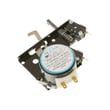
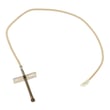
How do I find the right GE part number?
For your GE ZGP366LR5SS gas range, the right part number comes from matching the exact model number (ZGP366LR5SS) to the parts diagram and then confirming the part name and ID before ordering. This prevents fit issues caused by small design changes across similar GE ranges.
Step-by-step: get the correct part number
- Find the model tag and confirm it reads ZGP366LR5SS (not a similar ZGP366 model).
- Use the exploded parts diagrams for ZGP366LR5SS to locate the part by section (oven, burner, control panel, door).
- Match the diagram callout to the part name and part ID/part number.
- Compare your old part to the listing (shape, mounting points, wire connectors, finish).
- If your range has multiple versions, match by the diagram for your exact configuration.
Reference details and model-specific notes are in the ZGP366LR5SS owner’s manual.
Common examples (by symptom)
| What’s happening | Part area to check | Example part for this model |
|---|---|---|
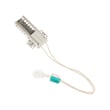
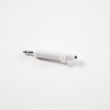
| Oven won’t heat or takes too long to ignite | Bake ignition system | GE range bake igniter WB13X25264 |
| Oven temperature seems off | Temperature sensing | Sensor assembly (verify by diagram) |
| Door won’t close right or feels loose | Door hinge system | Left or right hinge (verify side) |
Why the model number matters
GE ranges often share similar-looking components, but burner parts, igniters, valves, and control parts can vary by production run. Using ZGP366LR5SS ensures the diagram callouts and compatible replacements line up with your exact gas range.
Quick checks before you order
- Confirm whether you’re replacing an oven part or a surface burner part.
- For left vs right parts (like hinges), confirm the side from the front of the range.
- For gas-related parts (igniter, valve), shut off gas and power before inspection.
Last updated: February 2026
How to order GE appliance parts?
For your GE ZGP366LR5SS gas range, we recommend ordering parts using the complete model number and (when possible) the serial number so you get the correct fit and finish. Your ZGP366LR5SS owner’s manual also lists GE parts and service contact options.
What to have ready before you order
- Full model number: ZGP366LR5SS
- Serial number (helps confirm production version)
- The part name and part number (if known)
- A quick description of the symptom (for example: “oven won’t heat”)
- Photos of the part and how it mounts (helpful for knobs, grates, hinges)
Common ways to order GE range parts
- Order by model number: Use ZGP366LR5SS to look up diagrams and match the exact part.
- Order by part number: If you already have it, search the exact number (example: WB13X25264).
- Order by symptom: Match the failure to the most likely part (igniter, gas valve, sensor, control).
Examples of parts customers often replace on this model
| Symptom | Likely part type | Example part from our list |
|---|---|---|
| Oven will not bake or takes too long to heat | Bake igniter | GE range bake igniter WB13X25264 |
| Oven temperature seems inaccurate | Sensor | Sensor assembly WB21T10019 |
| Door won’t close evenly or drops | Door hinge | Oven door hinge, left WB10K10018 / oven door hinge, right WB10K10017 |
Why it matters
GE ranges can have small design changes by production run. Using the exact model and serial number helps prevent ordering a part that looks similar but does not mount correctly or connect to the harness.
Last updated: February 2026
Where is the thermostat on a GE gas oven?
On the GE ZGP366LR5SS gas range, the oven thermostat is not a separate, easy-to-spot part inside the oven cavity; it is managed through the oven’s control system and temperature sensor. For temperature issues, we focus on thermostat (temperature) adjustment and sensor-related checks.
How to adjust the oven thermostat (temperature offset)
If your oven bakes too hot or too cold, you can change the thermostat offset in Special Features:
- Press and hold TIMER and the Mini-Knob together for 4 seconds until the display shows “SF”.
- Turn the Mini-Knob counterclockwise until the display scrolls “OFFSEt”, then push the Mini-Knob to select.
- Turn the Mini-Knob to adjust up to +35°F hotter or -35°F cooler (in 1°F steps).
- Push the Mini-Knob to save and exit.
For the exact button/knob layout on your unit, use the ZGP366LR5SS owner’s manual.
What to check if temperatures still seem off
Before changing parts, we recommend these quick checks:
- Confirm you are using BAKE mode and letting the oven fully preheat.
- Use the correct rack position for the food you are cooking.
- Avoid relying on inexpensive grocery-store thermometers (they can read 20°F to 40°F off).
- Watch for long preheat times or wide temperature swings, which can point to a sensing or ignition issue.
- If the oven will not heat consistently, inspect ignition and gas delivery components.
Common “temperature problem” symptoms and likely causes
| Symptom | Most common cause | What we do next |
|---|---|---|
| Food underbakes or overbakes | Thermostat offset needs adjustment | Set offset, then retest with a normal bake cycle |
| Oven heats inconsistently | Temperature sensing issue | Test/replace the sensor assembly WB21T10019 |
| Oven does not heat at all | Ignition or gas valve problem | Check the GE range bake igniter WB13X25264 and gas valve operation |
Why it matters
A correct thermostat setting helps the GE oven maintain stable bake temperatures, improves cooking results, and prevents unnecessary part replacement when the fix is simply an offset adjustment.
Last updated: February 2026
Why does my GE gas cooktop igniter keep clicking?
On the GE ZGP366LR5SS gas range, it’s normal to hear clicking when any surface burner is turned on because all surface igniters spark together. If the clicking continues after the flame is steady, the most common causes are moisture, spillover residue, or a mis-seated burner cap keeping the igniter sensing system from “seeing” a proper flame.
What’s normal vs. what’s not
| What you notice | Most likely meaning | What to do |
|---|---|---|
| Clicking starts when you turn any burner on | Normal operation (all igniters spark) | No action needed |
| Clicking stops within a few seconds after ignition | Normal ignition | No action needed |
| Clicking continues after the burner is lit | Moisture, dirty burner parts, or cap/head alignment issue | Dry, clean, and re-seat burner parts |
| Clicking happens with knobs OFF | Knob bumped during cleaning or a wet/dirty switch area | Dry around knobs; avoid pushing knobs in while cleaning |
Quick fixes we recommend first
- Turn all burner knobs to OFF and let grates cool completely.
- Remove the burner grate and burner cap; dry everything thoroughly.
- Clean burner ports and the area around the electrode; keep the white ceramic igniter clean and dry.
- Reinstall the burner head and cap so they sit flat and aligned (a small gap at the base can be normal).
- If you recently cleaned the cooktop, make sure you did not push a knob in while wiping; that can trigger sparking.
For the exact burner-part placement and cleaning cautions for this model, follow the ZGP366LR5SS owner’s manual.
Deeper troubleshooting (when cleaning does not stop the clicking)
If the clicking persists on one burner after you’ve dried and re-seated parts, focus on these checks:
- Cap seating: a cap that is slightly off-center can cause poor flame sensing.
- Boilovers: residue can redirect the flame away from the sensor area.
- Drafts: strong airflow can momentarily pull the flame off the sensor and trigger re-ignition.
- Electrode condition: gently clean the metal tip; avoid snagging or bending it.
Why it matters
Continuous sparking can wear the igniter components faster and can indicate the burner is not burning cleanly. Getting the burner cap and head aligned and keeping the igniter area dry restores normal ignition and stable flame.
Last updated: February 2026