 Installation guide
 Owner’s manual
 Error Codes


How do I reset a Kenmore stove?
To reset your Kenmore 66595012102 electric range, we recommend doing a power reset (turn power off, then back on). If the display shows PF after power returns, press OFF/CANCEL to clear it and reset the clock per the owner's manual.
Quick reset steps (power reset)
- Turn the range OFF.
- Unplug the power cord, or switch the range circuit breaker OFF.
- Wait 60 seconds.
- Restore power.
- If PF appears, press OFF/CANCEL.
- Set the clock if needed.
What “PF” means on this model
On the Kenmore 66595012102, PF indicates a power failure. Clearing PF with OFF/CANCEL restores normal display operation and lets you re-enter cooking settings.
If the range still will not operate after a reset
Check these common causes first:
- The house breaker is tripped (reset it fully OFF, then ON).
- A fuse is blown (replace with the correct type).
- The cord is not fully seated in a grounded 3-prong outlet.
- A control lockout feature is enabled (some models have cooktop or oven lockout).
- The control is waiting for START/ENTER after a selection.
Fast symptom guide
| Symptom | Most likely next step |
|---|---|
| Display shows PF | Press OFF/CANCEL, then set clock |
| Display shows a letter + number | Clear with OFF/CANCEL; if it returns, service is needed |
| Cooktop will not heat | Confirm knob is pushed in and set correctly |
| Oven function cancels quickly | Re-enter settings and press START/ENTER promptly |
Why it matters
A reset clears temporary control glitches after a power interruption and is the first step before replacing parts like the oven sensor WPW10181986 or bake element WPW10308477 when heating problems appear.
Last updated: February 2026
What are the most common issues with 66595012102?
For the Kenmore electric range model 66595012102, the most common problems we see are uneven oven temperatures, a bake or broil function that stops heating, and surface elements that will not heat or will not regulate correctly. These issues usually trace back to a failed heating component, sensor, or control switch; use the owner's manual for model-specific operating checks.
Common symptoms and what they usually point to
- Oven not heating in Bake: failed bake element, wiring connection, or control issue (see bake element WPW10308477)
- Oven temperature inaccurate or swings widely: failed oven sensor (see oven sensor WPW10181986)
- Broil not working: failed broil element or connection (see range broil element WP8053874)
- Self-clean door will not lock or unlock: latch motor or door latch problem (see latch motor WPW10107820)
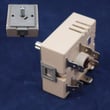
- One surface burner not heating or stuck on high: radiant element or infinite switch issue (see range surface element control switch WP3148952)
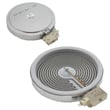
- Cooktop element not heating: failed radiant element (for example, range radiant surface element, 8-in W11047722)
Quick checks we recommend before replacing parts
- Confirm the range has the correct power supply; many heating complaints are caused by a partial power loss on a 240V circuit.
- Try a different cooking mode (Bake vs Broil) to narrow the problem to a specific element.
- Inspect the element for visible damage (blisters, cracks, burn spots) and check for a loose wire terminal.
- If the oven heats but is inaccurate, run a basic temperature check with an oven thermometer and compare results.
- If a surface element cycles oddly, test whether the issue follows the element or stays with the same control knob.
Symptom-to-part cheat sheet
| Symptom | Most likely area | Example part on this model |
|---|---|---|
| Bake not heating | Oven heating circuit | Bake element WPW10308477 |
| Oven temp off | Temperature sensing | Oven sensor WPW10181986 |
| Broil not heating | Broil heating circuit | Range broil element WP8053874 |
| Door won’t lock/unlock | Door lock system | Latch motor WPW10107820 |
| Burner won’t regulate | Surface control | Range surface element control switch WP3148952 |
Why it matters
Heating and temperature-control problems affect cooking results and can overwork electrical components. Catching a weak bake element, bad sensor, or failing switch early helps restore even baking and prevents repeated shutdowns.
Last updated: March 2026
How do I find the model number on my 66595012102?
Your Kenmore electric range model 66595012102 lists the model and serial information on the model/serial rating plate. On this range, that plate is on the oven frame behind the storage drawer panel; pull the bottom drawer out to view the label (see the installation guide).
Where to look on this Kenmore range
The installation instructions for model 66595012102 specify the rating plate location:
- Open the storage drawer at the bottom of the range.
- Pull the drawer straight out until it stops.
- Lift the front slightly (if needed) and continue pulling to remove the drawer.
- Look on the oven frame behind the drawer opening for the model/serial rating plate.
- Write down both the model number and serial number for parts matching.
What the label typically includes
Use the label details to match parts, wiring diagrams, and clearances.
| Label item | What it’s used for | When you’ll need it |
|---|---|---|
| Model number | Ensures correct part fit | Ordering a bake element, surface element, switch, etc. |
| Serial number | Identifies production run | Verifying compatible revisions |
| Electrical ratings | Confirms voltage/frequency requirements | Installation, power cord, troubleshooting |
Why it matters
Kenmore ranges often share similar designs across multiple model numbers. Using the exact model number from the rating plate prevents ordering the wrong component (for example, a bake element WPW10308477 that fits one version but not another).
Last updated: March 2026







