Error Codes




How to clean coils on GE top freezer refrigerator?
On your GE GTS18GTNFRBB top-mount (top freezer) refrigerator, we clean the condenser coils by unplugging the refrigerator, accessing the coil area (rear or bottom), and removing dust with a vacuum and soft brush. Clean coils help the compressor run cooler and maintain steady temperatures.
Before you start (safety and access)
- Unplug the refrigerator or switch off power at the breaker.
- If the unit is in a tight space, pull it straight out to avoid damaging the water line (if equipped).
- Protect flooring with cardboard or a towel.
- Use a flashlight so you can see the coil surface and nearby wiring.
Step-by-step: cleaning the condenser coils
- Locate the coils: Many top-mount refrigerators have coils underneath behind a front toe grille, or on the back.
- Remove the cover/grille if needed: If there is a lower front grille, pop it off or remove screws.
- Dry clean first:
- Vacuum loose dust using a brush attachment.
- Use a coil brush to loosen packed lint and pet hair.
- Finish clean-up:
- Vacuum again to capture debris you loosened.
- Reinstall any grille/cover.
- Restore power and confirm the refrigerator is running normally.
What to use (and what to avoid)
| Item | Recommended? | Why |
|---|---|---|
| Vacuum with brush attachment | Yes | Removes loose dust without bending fins |
| Coil cleaning brush | Yes | Reaches deep lint buildup |
| Compressed air | Sometimes | Can blow dust into the machine compartment |
| Water/cleaners on coils | No | Adds mess and can risk electrical components |
When coil cleaning is not enough
If the refrigerator still runs hot, is noisy, or struggles to cool after coil cleaning, check airflow components. A failed condenser fan or evaporator fan can mimic “dirty coil” symptoms.
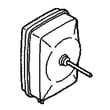
- If the freezer is warm and you do not hear the evaporator fan, the evaporator fan motor WR60X31522 is a common fix.
- If the machine compartment fan is noisy or not moving air, inspect the fan blade and housing; the refrigerator condenser fan blade WR60X10207 is one part we often replace.
Why it matters
Dirty condenser coils trap heat; that forces longer run times, can cause temperature swings in the fresh food section, and increases energy use.
Last updated: February 2026
How to remove back panel on GE refrigerator?
On a GE GTS18GTNFRBB top-mount refrigerator, we remove the back panel by unplugging the unit, emptying the section you’re working in, then taking out the mounting screws so the panel can lift up and out. Reinstall by sliding the panel back into place and tightening the screws evenly.
Before you start (safety and prep)
- Unplug the refrigerator to prevent shock and fan injury.
- Move food and shelves/bins out of the way so you do not crack liners or shelves.
- Wear cut-resistant gloves; sheet metal edges can be sharp.
- Use a towel to protect the floor and catch any melting frost.
- If you see heavy frost, let it thaw first to avoid breaking the panel.
Steps to remove the rear interior panel (typical GE top-mount process)
- Remove shelves, drawers, and any air tower/duct covers blocking the panel.
- Locate and remove the screws securing the rear panel.
- If a ground wire is attached to the panel, remove the screw holding the wire and keep it with the panel hardware.
- Pull the bottom edge slightly forward, then lift the panel up and out.
- Set the panel flat to prevent warping.
Reinstall tips (to prevent noise and air leaks)
- Make sure the panel sits fully in its top slots before tightening screws.
- Tighten screws snugly, not over-tight; over-tightening can crack plastic liners.
- Confirm vents are not blocked; airflow issues can cause warm temperatures and frost.
What you might find behind the panel
| What you see | What it usually means | Common next step |
|---|---|---|
| Solid frost blanket | Defrost system or door seal issue | Check door seal and defrost components |
| Fan not spinning | Evaporator fan problem | Inspect/replace evaporator fan motor WR60X31522 |
| Water/ice at bottom | Drain issue | Clear the drain and dry the area |
Why it matters
That rear panel directs airflow across the evaporator; if it is loose, iced over, or not seated correctly, your GE GTS18GTNFRBB can run warm, frost up, or get noisy.
For more GE-specific troubleshooting steps, use our DIY guide: how to fix your evaporator cooling fan. If you need model-matched parts beyond what’s listed here, search by model number on Sears PartsDirect.
Last updated: February 2026
How to read a GE refrigerator model number?
GE refrigerator model numbers are a structured code that identifies the exact configuration of your refrigerator. For your GE GTS18GTNFRBB, the letters and numbers indicate the product family and size class, and the ending characters identify the specific feature set and finish, which is what we use to match the correct parts.
How to break down a GE model number (what each section usually means)
While GE formats vary by product line, most refrigerator model numbers follow this pattern:
- Leading letters: product line/series identifier (helps narrow the platform)
- Numbers: size class or capacity family (often tied to cubic-foot class)
- Middle letters: design/feature package (controls, icemaker readiness, layout)
- Ending letters: color/finish code (for example, BB commonly indicates black)
Why the exact model number matters for parts
Small suffix changes can affect fit and wiring, even when the refrigerator looks the same. Using the full model number helps ensure compatibility for items like:
- Door parts (gaskets, hinges, shelves)
- Cooling system parts (fans, heaters)
- Icemaker and water system components
- Electronic controls and sensors
Example parts that depend on the correct model match (GTS18GTNFRBB)
Here are a few model-matched parts commonly tied to specific configurations:
- Refrigerator door gasket (black) WR14X27235
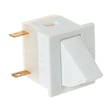
- Refrigerator door switch WR23X31507
- Evaporator fan motor WR60X31522
- Refrigerator defrost heater assembly WR55X31113
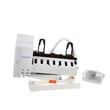
- Icemaker rep WR30X30972
Quick reference table: what you get from the model number
| Model number section | What it typically tells us | Why you care |
|---|---|---|
| Prefix letters | Platform/series | Narrows the correct parts diagrams |
| Number block | Size class | Helps match shelves, drawers, liners |
| Feature letters | Options package | Impacts icemaker, controls, airflow parts |
| Suffix (finish) | Color/finish | Ensures correct doors, handles, gaskets |
Helpful tip for ordering
When you shop, always enter the full model number exactly as shown on the rating label (including the suffix). You can order parts from the list for GTS18GTNFRBB or search by model on Sears PartsDirect.
Why it matters
Reading the model number correctly prevents wrong-part returns and helps you troubleshoot faster because the parts list and diagrams are tied to that exact code.
Last updated: February 2026
What is the most common problem with GE refrigerators?
The most common GE refrigerator problem is a cooling issue: the fresh food section gets warm, the freezer temperature swings, or both. On the GE GTS18GTNFRBB, the most frequent causes are restricted airflow (blocked vents, heavy frost) or a fan problem; start by checking the evaporator fan system and condenser airflow.
Quick checks we recommend first
- Confirm the temperature controls were not bumped warmer.
- Make sure air vents inside the refrigerator and freezer are not blocked by food packages.
- Listen for the evaporator fan running when the compressor is on (door switch may need to be pressed).
- Check for heavy frost on the freezer back wall (points to a defrost problem).
- Clean dust from the condenser area and verify the condenser fan is running.
Common causes and the parts that often fix them
Cooling complaints usually trace back to one of these areas:
| Symptom | Most likely area | Parts on this model page that relate |
|---|---|---|
| Freezer cold, fridge warm | Airflow from freezer to fridge is restricted | Evaporator fan motor WR60X31522 |
| No fan sound, poor cooling | Evaporator fan not running or vibrating loose | Evaporator fan motor WR60X31522, refrigerator evaporator fan motor grommet WR02X12008 |
| Heavy frost, weak airflow | Defrost system not clearing frost | Refrigerator defrost heater assembly WR55X31113 |
| Warm cabinet, compressor runs a lot | Condenser airflow issue | Refrigerator condenser fan blade WR60X10207 |
Why it matters
A refrigerator that cannot move air correctly will run longer, struggle to hold safe food temperatures, and can build frost that makes cooling even worse. Fixing airflow and defrost issues early helps protect the compressor and reduces energy use.
Helpful DIY guidance
- Use our troubleshooting steps in how to fix your evaporator cooling fan to confirm whether the fan motor is the root cause.
- If your GE displays a fault code, use GE refrigerator error codes to narrow the problem to a specific circuit or sensor.
Ordering the right replacement part
Match parts by the full model number GTS18GTNFRBB and compare the part ID before ordering. You can order parts from the list for this model, or search by model number on Sears PartsDirect.
Last updated: February 2026
Why is my upper part of my fridge not cooling?
When the fresh food (upper) section of your GE GTS18GTNFRBB top-mount refrigerator is warm, the problem is usually airflow from the freezer: a failed evaporator fan, blocked vents, or frost buildup from a defrost issue. Start with airflow checks first.
Quick checks (fast, no parts)
- Confirm the freezer is cold; the refrigerator section depends on freezer cooling.
- Clear packages away from the air vents and return ducts.
- Set temperature controls to mid-range; allow 24 hours after changes.
- Make sure doors close fully and nothing is holding them open.
- Clean dust from the condenser area (rear or bottom) so heat can leave the system.
Most common causes and what to look for
| What you notice | Likely cause | What to check |
|---|---|---|
| Freezer cold, fridge warm | Evaporator fan not moving air | No fan sound, weak airflow at vents |
| Frost on freezer back wall | Defrost problem blocking airflow | Heavy frost blanket behind rear panel |
| Both sections warm | Condenser airflow or sealed system issue | Compressor runs a lot, poor heat removal |
Parts that often fix “freezer cold, fridge warm”
If the fan is noisy, slow, or not running, replacing the fan components restores airflow to the upper section.
If you suspect the fan is the issue, follow: how to fix your evaporator cooling fan.
If you find heavy frost behind the freezer rear panel, the defrost heater is a common repair item:
Why it matters
The refrigerator section cools by circulating freezer air through ducts. Any restriction (fan failure, ice blockage, or dirty condenser) reduces airflow first, so the upper section warms up even when the freezer still seems fine.
To order parts for GE GTS18GTNFRBB, use the parts list for this model or search by model number on Sears PartsDirect.
Last updated: February 2026