Error Codes





How do I reset the error code on my Whirlpool oven?
On the Whirlpool WEE515SALS2 electric range, you can clear many error codes by pressing Cancel/Off once. If the code stays on or returns, reset power at the breaker for 1 minute to reboot the electronic control; repeated codes usually point to a part or wiring problem.
Quick reset steps (safe order)
- Press Cancel/Off and wait 30 seconds.
- If the display still shows the code, turn OFF the range circuit breaker.
- Wait 60 seconds (this fully resets the control).
- Turn the breaker ON.
- Set the clock, then try Bake for a few minutes to see if the code returns.
If the error code comes back
A returning code typically means the control is detecting a real fault (not a one-time glitch). These checks solve the most common causes:
- Power supply: confirm the range is on a proper 240V circuit and the breaker is not tripping.
- Loose connections: inspect for heat damage or loose wires at the power connection area.
- Burner-related codes/symptoms: a failed radiant element or infinite switch can trigger problems during cooktop use.
- Control or harness issue: intermittent connections can cause repeated faults.
Parts that commonly relate to power and cooktop faults
Use this table to match symptoms to likely parts for WEE515SALS2.
| Symptom you notice | What it often points to | Example part for this model |
|---|---|---|
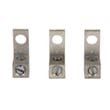
| Display resets, dead range, burning smell at cord area | Loose/burned power connection | Range terminal block WPW10245259 |
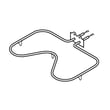
| One surface burner will not heat or heats erratically | Failed radiant element | Range radiant surface element W11171119 |
| Burner stuck on high or won’t regulate | Failed surface element control switch | Range surface element control switch W10911303 |
Why it matters
Resetting clears temporary control glitches, but a repeating error code helps prevent unsafe overheating and protects the electronic control from damage. Addressing the underlying wiring, terminal block, or surface heating circuit issue keeps the range operating reliably.
Last updated: January 2026
What are the most common issues with WEE515SALS2?
The most common issues we see on the Whirlpool WEE515SALS2 electric range involve surface burners not heating correctly, the oven not baking evenly or not heating, and power or control problems such as a dead display or intermittent operation. These symptoms usually trace to a failed heating element, switch, wiring connection, or control.
Common problems and what they usually point to
- Surface element will not heat or only heats on one setting: failed infinite switch or radiant element
- Oven will not bake or takes too long to preheat: failed bake element
- Range is completely dead: loose/burned power cord connection at the terminal block, or a house power issue
- Self-clean door will not unlock or won’t lock: door lock/latch problem
- Intermittent operation or burning smell: overheated wiring connection or damaged harness
Parts that commonly solve these symptoms (when diagnosed)
If your symptoms match, these model-compatible parts are common fixes:
- Surface heating issues: range surface element control switch W10911303, range radiant surface element W11171119
- Oven baking issues: range bake element W11447783
- Power connection issues: range terminal block WPW10245259 and range terminal block cover W10655441
- Door lock issues: range oven door lock assembly WPW10107820 or oven door latch WP9761013
Quick checks we recommend before replacing parts
- Confirm power: range should have a proper 240V supply; reset the breaker fully (OFF then ON).
- Look for heat damage: inspect the cord connection area for discoloration or melted plastic (unplug power first).
- Swap burner positions (if applicable): if the problem follows the element, suspect the element; if it stays, suspect the switch.
- Test with a meter: check continuity on elements and verify the switch is sending power.
Helpful test resources
| What you’re checking | Typical tool | What you’re looking for |
|---|---|---|
| Element continuity | Multimeter | Closed circuit (not open) |
| Burned connection | Visual inspection | Darkened terminals, melted insulation |
| Switch output | Multimeter | Power varies with knob setting |
For safe meter use, follow how to use a multimeter to test electrical parts video.
Why it matters
Electric ranges pull high current; a weak connection at the terminal block or a failing element can overheat wiring, trip breakers, and cause repeated no-heat problems. Fixing the root cause prevents repeat failures.
Last updated: March 2026
Why does my oven keep beeping and saying F2?
On the Whirlpool WEE515SALS2 electric range, an F2 error with beeping points to an oven temperature problem: the control is sensing an over-temperature condition or a bad temperature-sensor signal. The most common causes are a failing oven temperature sensor, a wiring/connection issue, or a control problem.
What to do first (quick checks)
- Press Cancel/Off to stop the beeping; let the oven cool completely.
- If the code appears during Self Clean, wait for the door to unlock and the range to cool; then try a normal Bake cycle.
- Turn off power at the breaker for 1 minute, then restore power and test Bake.
- If F2 returns quickly, stop using the oven until you troubleshoot the sensor circuit.
Likely causes and what they look like
| Likely cause | Common symptoms | Typical fix |
|---|---|---|
| Oven temperature sensor out of range | F2 during preheat, temps seem wrong | Test sensor resistance; replace sensor if out of spec |
| Loose/burned wiring or connector | Intermittent F2, especially when hot | Inspect and repair wiring/terminals |
| Electronic control (clock/board) issue | F2 persists with known-good sensor | Replace control if diagnostics confirm |
Safe troubleshooting steps (power off)
- Shut off power at the breaker before removing panels.
- Check for heat damage or loose connections at the rear power connection area; a failing connection can cause erratic operation. If you see melting, scorching, or a loose cord connection, inspect the range terminal block WPW10245259 and related wiring.
- If you have a multimeter, test the oven temperature sensor circuit from the control side (this helps rule out a broken wire).
Why it matters
F2 is the range protecting you from unsafe or uncontrolled heating. Fixing the sensor circuit or a damaged power connection helps prevent overheating, poor baking results, and repeated shutdowns.
Last updated: January 2026