 Owner’s manual
 Error Codes






How do I find the model number on my JB250DF4BB?
For a GE electric range like model JB250DF4BB, we find the model number on the appliance ID label, most often on the oven frame behind the storage drawer or on the door frame area. Match the full model number exactly to ensure correct parts and diagrams.
Where to look on the range
Check these common ID-label locations first:
- Behind the storage drawer; pull the drawer out and look on the frame
- On the oven front frame around the door opening
- On the lower front frame near the drawer opening
- On the back panel of the range (if accessible)
- In your paperwork; the model is often printed on the purchase/installation documents
What the label looks like
The label typically includes several identifiers. Use the model number for parts lookup.
| Label item | What it’s used for | Example format |
|---|---|---|
| Model number | Correct parts and diagrams | JB250DF4BB |
| Serial number | Manufacturing date tracking | Letters and numbers |
| Electrical rating | Circuit requirements | Volts/amps |
Why it matters
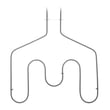
GE ranges can have similar-looking versions with different wiring, elements, or controls. Using the exact model number helps us match items like a range bake element WB44T10011 or a surface element switch to your specific JB250DF4BB.
Quick tips to avoid mix-ups
- Copy the model number exactly, including all letters
- Take a clear photo of the label before ordering
- If the label is worn, check multiple locations listed above
For more model-specific details and label location guidance, use the JB250DF4BB owner's manual.
Last updated: March 2026
How do I troubleshoot my JB250DF4BB?
To troubleshoot your GE JB250DF4BB electric range, we start by identifying whether the issue is with power supply, a surface burner, or the oven (bake, broil, or temperature control). Many common symptoms trace to a failed element, switch, sensor, or a loose power connection.
Safety first
- Turn off the range at the circuit breaker before removing panels
- Let elements cool completely before touching them
- If you smell burning insulation or see melted wiring, stop and inspect wiring and connections
Quick symptom checks (most common)
- Range dead, no lights or heat: check breaker (double-pole), then inspect the power cord connection and terminal block
- One surface burner won’t heat: swap the element with another burner (same size) to isolate element vs. switch
- Oven won’t bake but broil works: bake element is the first suspect
- Oven temperature inaccurate: sensor or control issue; verify with an oven thermometer
- Oven light out: bulb or socket issue
| Symptom | Likely cause | Example part for JB250DF4BB |
|---|---|---|
| No bake heat | Failed bake element | Range bake element WB44T10011 |
| No broil heat | Failed broil unit | Oven broil unit WB44X45498 |
| Oven runs hot/cold | Temperature sensor drifting | Kenmore range oven temperature sensor WB21X22134 |
| Burner stuck on or won’t regulate | Surface element switch | GE range surface element control switch WB24T10025 |
| Intermittent power, burnt connection | Terminal block issue | Terminal block assembly 330031 |
Basic electrical testing (if you use a meter)
- Confirm correct voltage at the terminal block (power on only if you are trained and it’s safe)
- With power off, check continuity of bake/broil elements
- Inspect wire terminals for discoloration, looseness, or heat damage
A good walkthrough for safe meter use is in how to use a multimeter to test electrical parts video.
Why it matters
Troubleshooting by symptom prevents unnecessary part returns and helps you fix the real failure point, especially on heating circuits where an element, switch, and wiring all work together.
For wiring diagrams, error indications, and model-specific procedures, use the JB250DF4BB owner's manual.
Last updated: March 2026
What is the average lifespan of JB250DF4BB?
The average lifespan of a GE electric range like model JB250DF4BB is 13 to 15 years with normal household use and basic maintenance. Heating components and wear items may need replacement during that time, but the range itself commonly lasts into that window.
Typical lifespan by component
Some parts wear out sooner than the cabinet and oven cavity:
- Bake and broil elements: often replaced once or more over the range’s life
- Surface element switches: can wear from heat and heavy knob use
- Oven temperature sensor: can drift and cause temperature issues
- Door gasket: can flatten or tear, affecting heat retention
- Terminal block and wiring: can fail if connections loosen or overheat
| Component | Common symptom when it’s wearing out | Example part on this model |
|---|---|---|
| Bake element | No bake heat, slow preheat | Range bake element WB44T10011 |
| Temperature sensor | Oven runs hot/cold | Kenmore range oven temperature sensor WB21X22134 |
| Door gasket | Heat leaks, uneven baking | Range oven door gasket WB04T10086 |
What extends range life
- Keep the oven cavity clean to prevent excessive smoke and heat stress
- Avoid slamming the oven door; it protects hinges and door alignment
- Tighten loose power-cord connections if you ever service the cord (power off)
- Replace failing elements promptly to reduce strain on controls
Why it matters
Knowing the expected 13 to 15 year lifespan helps you decide whether to repair (common for elements, sensors, switches) or plan for replacement if multiple major electrical issues stack up.
For care guidance and operating tips specific to JB250DF4BB, use the JB250DF4BB owner's manual.
Last updated: March 2026





