 Owner’s manual



What is the life expectancy of a GE washing machine?
A GE washing machine typically lasts 10 to 14 years. For your GE GTW485ASJ1WS top-load washer, consistent care (correct loading, proper detergent, and routine cleaning) is what most directly determines whether you land closer to 10 years or push beyond it.
Most modern washers fall into a similar range, but top-load designs like the GTW485ASJ1WS often hold up well when vibration and overloading are controlled.
| Usage pattern | Typical outcome | What usually ends the washer first |
|---|---|---|
| Light (few loads/week) | 12 to 14 years | Wear items, minor leaks |
| Average (most households) | 10 to 12 years | Drain, spin, or control issues |
| Heavy (daily, bulky loads) | 8 to 10 years | Suspension, drive, or tub wear |
We see the biggest lifespan gains from these habits:
- Keep loads balanced; avoid washing single heavy items (blankets, rugs) by themselves.
- Use the right amount of HE detergent; excess suds can stress draining and rinsing.
- Leave the lid open between loads to reduce odor and moisture buildup.
- Periodically run a cleaning cycle (or hot wash with washer cleaner) to reduce residue.
- Check fill hoses for bulges or leaks and replace aging hoses before they burst.
- Level the washer; constant shaking shortens the life of suspension and drive parts.
When a washer starts failing to drain, spin, or stay balanced, repairs often involve these types of components:
- Drain system: washer drain pump assembly WH23X28418
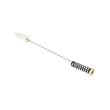
- Out-of-balance control: washer suspension rod and spring assembly WH16X26911
- Spin/agitate shifting: mode shifter WH03X30517
A washer that is overloaded or constantly out of level wears faster, costs more to run, and is more likely to develop leaks or repeated out-of-balance shutdowns. Following the care and loading guidance in the GTW485ASJ1WS manual helps you get the full expected service life.
Last updated: February 2026
What is the most common problem with GE washers?
The most common GE washer problem is a drain or spin failure. On the GE GTW485ASJ1WS top-load washer, that usually traces back to a drain restriction, a failing lid lock, or a drive system issue that prevents the basket from reaching full spin speed.
- Washer won’t drain at the end of the cycle
- Washer drains slowly or leaves water in the tub
- Washer won’t spin, or clothes come out soaking wet
- Loud banging or excessive shaking during spin
- Stops mid-cycle or won’t start a spin
- Confirm the lid is fully closing and locking; a top-load washer often will not spin if the lid lock is not engaging.
- Check the drain path: look for kinks in the drain hose and clogs at the standpipe or laundry sink.
- Reduce and rebalance the load: bulky items can trigger out-of-balance behavior and stop or limit spin.
- Run a rinse and spin cycle to see if the issue is repeatable.
- Review model-specific operation and diagnostics in the GTW485ASJ1WS owner's manual.
If the basic checks point to a component failure, these are frequent culprits on top-load GE washers:
| Symptom | Common cause | Example part for GTW485ASJ1WS |
|---|---|---|
| Won’t drain / drains slowly | Failed or jammed drain pump | Washer drain pump assembly WH23X28418 |
| Won’t spin / lid won’t lock | Lid lock not sensing closed lid | Washer lid lock WH08X37938 |
| Excessive vibration / banging | Worn suspension components | Washer suspension rod and spring assembly |
If your washer displays an error code, use it to narrow the problem to the lid lock, drain system, motor, or control.
Drain and spin problems are the most disruptive because they leave water in the tub or clothes too wet to dry efficiently. Catching a clog early can prevent pump damage; addressing a lid lock or suspension issue can prevent repeat out-of-balance shutdowns.
Last updated: February 2026
How to reset the motherboard on a GE washer?
On the GE GTW485ASJ1WS washer, you reset the electronic control (often called the “motherboard”) by removing power for about 2 minutes, then restoring power and restarting a cycle. This clears many temporary control glitches without replacing parts.
- Turn the washer OFF.
- Unplug the washer, or switch the washer circuit breaker OFF.
- Wait 2 full minutes (use a timer).
- Restore power (plug back in, or turn the breaker ON).
- Select a normal cycle and press Start.
These checks often solve the same symptoms a reset is meant to fix:
- Confirm the outlet has power (test with a lamp).
- Make sure the lid is fully closed; a failed lid lock can prevent operation.
- Cancel the cycle, then reselect the cycle and options.
- If the tub will not drain, check for a drain restriction or a weak pump.
- If the washer is wildly out of balance or banging, inspect the suspension.
| Symptom after reset | What to check first | Example model part |
|---|---|---|
| Won’t start, lid won’t lock | Lid lock and strike alignment | Washer lid lock WH08X37938 |
| Won’t drain or stops mid-cycle | Drain hose, pump, clogs | Washer drain pump assembly WH23X28418 |
| Shakes or bangs, won’t spin well | Suspension rods and springs | Washer suspension rod and spring assembly WH16X26911 |
| Erratic agitation/spin | Shifter and drive system | Mode shifter WH03X30517 |
A 2-minute power reset is the fastest way to clear a control-board “freeze” caused by a brief power glitch or an interrupted cycle. If the problem returns, the root cause is usually a lid lock, draining issue, or drive/sensing problem rather than the control board itself.
For model-specific operating steps and cycle behavior, use the GTW485ASJ1WS manual.
Last updated: February 2026
How do I tell what model my GE washer is?
Your GE washer’s model number is printed on a rating label attached to the washer cabinet. On the GE GTW485ASJ1WS top-load washer, you’ll typically find it under the lid opening on the top rim of the cabinet, or on/behind the control panel area; match that label exactly when ordering parts.
Check these common label locations first:
- Under the lid, along the top rim of the opening (front edge or side edge)
- On the back of the control panel (rear console area)
- On the left or right side of the main cabinet near the bottom
- On the rear panel of the washer cabinet
If you find multiple numbers, use the one labeled Model (not the serial number).
GE model numbers are a mix of letters and numbers. For this washer, the full model is GTW485ASJ1WS. Using the exact model number helps us match the correct version of parts like a lid lock, drain pump, or control board.
| Label item | What it’s used for | Example |
|---|---|---|
| Model number | Identifies the exact washer design and parts | GTW485ASJ1WS |
| Serial number | Manufacturing tracking and date coding | Varies |
- Copy the model number exactly, including the last letters
- Take a clear photo of the rating label before shopping
- If the label is worn, wipe it gently with a damp cloth and re-check
- Use the model number when selecting parts such as the washer lid lock WH08X37938
GE often makes small design changes within a product line; the correct model number ensures parts (like a water inlet valve assembly or mode shifter) fit and connect properly.
For additional model-specific identification and documentation, use the GTW485ASJ1WS manual.
Last updated: February 2026
Why is my GE front load washer leaking from the bottom?
A bottom leak on a GE washer like model GTW485ASJ1WS almost always comes from the drain path (pump, hose, or tub-to-pump connection) or an overfill/overflow issue. Start by identifying when it leaks (fill, wash/agitate, drain, or spin) because that points to the exact failure area.
- Unplug the washer; turn off both water supply valves.
- Pull the washer forward and look for a drip trail on the cabinet base.
- Run a short rinse and drain while watching with a flashlight (keep hands clear of moving parts).
- Check the standpipe and household drain for overflow during drain.
- Inspect for cracks, rub marks, or loose clamps on hoses.
| When it leaks | Most likely cause | What you’ll see |
|---|---|---|
| During fill | Inlet hose or inlet valve seep | Drips near rear connections, water tracks down cabinet |
| During wash/agitate | Tub-to-pump hose or tub ring splash-out | Water around front/base, especially with large loads |
| During drain/spin | Drain pump or drain hose | Steady stream or pulsing leak as pump runs |
- If it leaks mainly while draining, the washer drain pump assembly WH23X28418 is a top suspect (cracked housing, worn seal, or debris damage).
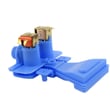
- If it overfills or slowly drips even when off, the washer water inlet valve assembly WH13X26535 is a common fix.
A bottom leak can damage flooring and can also lead to spin issues if water reaches wiring, the drive motor area, or the electronic control. Catching a small seep early often prevents a bigger repair.
- Use the GTW485ASJ1WS manual to confirm access steps and safety guidance before removing panels.
- If the leak only happens with heavy loads, reduce load size and rebalance; excessive vibration can stress hoses and the pump.
- If you see water coming from the center area under the tub, stop using the washer and inspect hoses and clamps before running another cycle.
Last updated: February 2026


