Error Codes




Does KitchenAid sell replacement parts?
Yes. For your KitchenAid KSEG950ESS6 slide-in electric range, we sell replacement parts through the parts list for this model, so you can match components by model number and install the correct OEM-style part for your range.
- Match the full model number: KSEG950ESS6 (letters and numbers matter)
- Identify the symptom first (no bake heat, burner not heating, display issues)
- Use the part category that fits the problem (oven, cooktop, controls, hardware)
- Compare your original part’s markings and mounting style before ordering
- Replace one failed component at a time to avoid misdiagnosis
These are examples of parts we commonly see customers replace on KSEG950ESS6:
| Problem you notice | Part that often fixes it | Example part on this page |
|---|---|---|
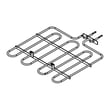
| Oven will not bake or bakes unevenly | Bake element | Bake element W10779716 |
| One surface burner will not heat | Radiant surface element | Range dual radiant surface element W11517959 |
| Burner heat is stuck high/low or won’t adjust | Infinite switch / control switch | Range infinite switch W10917724 |
| Touchpad buttons do not respond | Keypad | Keypad W11025616 |
KitchenAid ranges can use different versions of the same-looking part across close model numbers. Ordering by KSEG950ESS6 helps ensure the electrical ratings, mounting points, and wiring connections match your slide-in electric range.
Last updated: February 2026
How to reset KitchenAid electric range?
To reset your KitchenAid slide-in electric range model KSEG950ESS6, power-cycle the range: turn the breaker OFF for 1 minute, then turn it ON. The control display typically goes blank and then returns, which indicates the control has rebooted.
- Turn all surface burners OFF.
- Set the oven to OFF/CANCEL.
- At your home electrical panel, switch the range breaker OFF.
- Wait 60 seconds.
- Switch the breaker ON.
- Set the clock and test Bake or Broil.
These steps help when the keypad or control is not responding.
- Press and hold CANCEL/OFF for 3 to 5 seconds.
- If the keypad is unresponsive, repeat the breaker reset (leave power off 5 minutes).
- Check for stuck keys; wipe the control area with a barely damp cloth and dry it.
- If only certain buttons fail, the touch panel can be the issue; see keypad W11025616.
| Action | What to expect on KSEG950ESS6 |
|---|---|
| Breaker reset (power-cycle) | Reboots the electronic control; clears many temporary glitches |
| CANCEL/OFF | Stops a cooking cycle; may clear a minor keypad lockup |
| Resetting | Does not fix a failed heating part or damaged wiring |
A power-cycle reset is the fastest way to clear a control glitch after a power flicker, error tone, or non-responsive display. If heating problems continue after a reset, focus next on the heating circuit (bake element, wiring, and control).
- Bake element W10779716 (if the oven will not heat in Bake)
- Assembly, display (stainless models) W11105615 (if the display is blank or erratic)
- Range surface element control switch W10911303 (if a surface element will not regulate heat)
Last updated: February 2026
What are the parts of an electric oven?
An electric oven in your KitchenAid KSEG950ESS6 range is built around heating elements, temperature sensing and controls, and the cavity hardware that supports airflow and cooking. The most important parts are the bake and broil heat sources, the control system, and the racks and door components that manage heat retention.
- Bake element: Bottom heating element that provides most baking heat (common failure: no heat or slow preheat). See bake element W10779716.
- Broil element: Top heating element for high-heat browning and broiling.
- Oven temperature sensor: Monitors oven temperature so the control can regulate heat.
- Electronic control and user interface: The control board and keypad that run bake, broil, convection, and timing functions (common symptom: dead display or unresponsive buttons). See keypad W11025616 and assembly, display (stainless models) W11105615.
- Oven light and lens: Lets you see inside the cavity; the lens protects the bulb from heat and splatter. See light lens WP3196068.
- Oven racks and rack supports: Hold cookware and allow multi-rack cooking (some models also use an extension rack).
- Door and door liner: Seals in heat and supports the window and handle hardware.
- Vent and airflow path: Routes heat and moisture out of the cavity during cooking.
| Symptom | Most likely oven-related parts to check | What to do first |
|---|---|---|
| Oven will not heat in Bake | Bake element, control, wiring | Inspect element for blisters or breaks; then test continuity |
| Display works but buttons do not | Keypad, control interface | Try a power reset; if still dead, inspect keypad ribbon/connection |
| Oven light not working | Bulb, light lens, socket | Confirm bulb is good and seated; check lens for damage |
Knowing the major oven parts helps you troubleshoot faster and order the correct replacement for KSEG950ESS6. Many “no heat” or “won’t start” complaints trace back to a single failed component (like a heating element or keypad) rather than the entire range.
- Turn off power at the breaker (240V ranges can cause severe shock).
- Let the oven cool completely.
- Use a multimeter for electrical checks.
- Replace damaged wiring terminals, not just the failed part.
Last updated: February 2026