



Can you replace the microwave on a wall oven microwave combo?
For the KitchenAid KOCE507ESS04 wall oven/microwave combo, the microwave is built into the combo chassis, so it is not replaced as a separate “drop-in” appliance. In practice, you either repair the microwave section (common) or replace the entire combo unit.
What you can do instead (most common options)
- Repair the microwave section by replacing failed components (door interlock parts, heating components, drive parts).
- Diagnose the symptom first (no heat, runs but no heat, door won’t start, turntable not turning) so you replace the right part.
- Replace the full combo unit if the microwave cavity or major structural components are damaged.
- Use model-specific parts to avoid fit and wiring mismatches.
Parts that commonly fix “microwave not working” symptoms
Microwave repairs often come down to a few high-failure items. These are examples of parts available for KOCE507ESS04:
| Symptom | Common cause | Example part for this model |
|---|---|---|
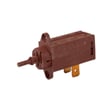
| Won’t start when door closes | Door interlock switch not closing | Microwave door switch W10211972 |
| Runs but does not heat | High-voltage heating system issue | Microwave magnetron W11346197 |
| Runs but does not heat (some cases) | Power conversion issue | Inverter W10217711 |
| Turntable not turning | Turntable drive motor or coupler | Microwave turntable motor W10911403 |
Safety and service notes (important)
Microwave circuits can store dangerous voltage even when unplugged. For anything involving the magnetron, inverter, or internal wiring, we treat this as a technician-level repair.
- Unplug the unit or shut off the breaker before any inspection
- Do not run the microwave with the cover removed
- If you smell burning, see arcing, or hear loud buzzing, stop using it
- Door switch issues can prevent starting and can also cause intermittent operation
- If the unit is dead, check the home breaker first, then move to component diagnosis
Why it matters
Combo units save cabinet space, but the microwave is integrated into the frame and trim system. That design makes “microwave-only replacement” impractical, while targeted repairs (like a door switch or turntable motor) often restore normal operation at a much lower cost.
Last updated: February 2026
Why is the display not working on my KitchenAid microwave oven combo?
If the display on your KitchenAid KOCE507ESS04 wall oven/microwave combo is blank or not responding, the most common causes are a power issue (tripped breaker, loose connection) or a failed electronic control/display circuit. If the microwave will not run and the door feels “off,” a door interlock problem such as a bad microwave door switch W10211972 can also prevent normal operation.
Quick checks we recommend first
- Confirm the unit has power; reset the household breaker (wall oven/microwave combos often use a dedicated circuit).
- If the display is dim or flickers, check for a loose plug or intermittent power at the junction box (turn power off first).
- Try a simple reset: turn the breaker off for 2 minutes, then back on.
- Check that the microwave door closes firmly and latches fully.
- If the display is partially missing segments, the display circuitry is typically the failure point.
What the symptoms usually mean
| Symptom | Most likely cause | What to do next |
|---|---|---|
| Display completely blank; nothing works | No power, blown internal fuse, or failed control | Verify breaker and wiring; if power is good, test internal components |
| Display blank but interior light/fan works | Control/display board issue | Inspect connections; replace the failed control/display component |
| Display works but microwave will not start | Door interlock switch or latch issue | Inspect latch alignment; test/replace door switch |
| Some digits/segments missing | Display board/circuit failure | Replace the display/control assembly as applicable |
Parts that commonly relate to “dead display” or “won’t start” symptoms
These parts are on our KOCE507ESS04 parts list and are often involved when the microwave side acts dead or won’t run:
- Microwave door switch W10211972 (door interlock; can stop operation if it fails)
- Inverter W10217711 (power conversion for microwave heating)
- Microwave magnetron W11346197 (microwave heating component; usually affects heating more than the display)
- Latch-door W10883049 (door latch mechanism; misalignment can affect interlocks)
Why it matters
A non-working display is often a simple power reset or connection issue, but it can also indicate an electrical failure. On a built-in combo like KOCE507ESS04, addressing the cause early helps prevent repeated shutdowns and protects high-voltage components.
Last updated: February 2026
How to fix error code F9E0 KitchenAid dual oven?
For a KitchenAid KOCE507ESS04 wall oven/microwave combo, error code F9E0 is commonly tied to a door lock or door switch circuit issue. We start by doing a hard reset, then check for a sticking latch or misaligned door; if the code returns, the latch or related wiring typically needs service.
Quick reset (fastest first step)
- Turn the unit off at the circuit breaker.
- Wait 5 minutes.
- Restore power.
- Try a simple bake cycle and watch for the code returning.
What to check next (no tools)
- Make sure the oven door closes fully and evenly.
- Look for anything blocking the door or latch area (crumbs, foil, warped gasket).
- If the code appears during or after self-clean, let the oven cool completely and try again.
- If the door seems to “hang up,” the latch mechanism may be sticking.
Parts that commonly relate to F9E0
On this model, a door lock or interlock problem can be caused by a failed latch assembly or a loose connection in the latch circuit.
| Symptom you notice | Most likely area | What we do next |
|---|---|---|
| Code appears when starting a cycle | Door lock circuit | Inspect latch movement and wiring connections |
| Door will not unlock after a cycle | Latch mechanism | Check latch operation; replace latch if binding |
| Code returns immediately after reset | Electrical fault | Test wiring and related switches with a meter |
If you need the replacement latch, match it to your exact model and use the correct part for KOCE507ESS04: latch-door W10883049.
Why it matters
The oven control needs to confirm the door lock status for safe operation. When the control reads an invalid lock signal, it stops the cycle and posts F9E0 to prevent overheating or running with an unsafe door condition.
Safety notes before servicing
- Shut off power at the breaker before accessing any panels.
- If you see damaged wiring or signs of overheating, stop and have the unit serviced.
- For electrical testing, use a proper meter and follow safe practices (see how to use a multimeter to test electrical parts video).
Last updated: February 2026
What is the error code F1E5 on a KitchenAid microwave oven combo?
On the KitchenAid KOCE507ESS04 wall oven/microwave combo, the F1E5 error code points to a microwave-side fault that commonly involves the door interlock/latch sensing, a temperature or sensor-related issue, or an electronic control problem. We start with safe reset and door checks, then move to targeted part inspection.
What to do first (safe, quick checks)
- Turn power off at the breaker for 2 to 5 minutes, then restore power and retest.
- Make sure the microwave door closes firmly and evenly; remove any debris on the latch area.
- Check for a warped door, loose hinges, or a misaligned strike that prevents full closure.
- If the code appears during or right after heating, let the unit cool for 30 minutes and try again.
- If the code returns immediately after reset, stop using the microwave function until the cause is found.
Parts that commonly relate to F1E5 on this combo
If the door is not being sensed correctly, the microwave can throw an error to prevent unsafe operation.
- Microwave door switch W10211972: door interlock switch that confirms door-closed status.
- Latch-door W10883049: latch mechanism that helps the unit detect and secure door closure.
- Inverter W10217711: power electronics that can trigger faults when heating circuits misbehave.
How to narrow it down (symptom-based)
| What you notice | Most likely area to check | Typical next step |
|---|---|---|
| Code happens when closing/opening door | Door switch or latch alignment | Inspect latch area; test/replace switch if inconsistent |
| Code appears shortly after pressing Start | Interlock circuit or control sensing | Check switch operation; look for loose wiring at switch |
| Code appears during heating, then stops | Overheat or power electronics | Let cool; verify fan/vents are clear; evaluate inverter |
Why it matters
F1E5 is a safety-related microwave fault. The microwave relies on the door interlock system and sensor feedback to prevent operation with an unsafe door condition or abnormal heating behavior.
DIY safety notes
- Shut off power at the breaker before accessing any internal components.
- Microwave high-voltage components can retain a dangerous charge; internal testing is best handled by a qualified technician.
- For basic electrical checks, use our guide: how to use a multimeter to test electrical parts video.
Last updated: February 2026

