Error Codes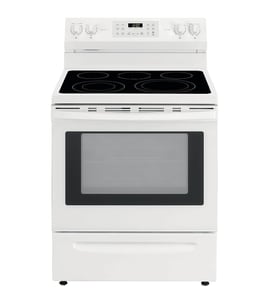

What are common problems with Jenn-Air stoves?
Common problems we see on Jenn-Air ranges like model JDS1750ML0 include the oven not heating or heating unevenly, burners that will not light or stay lit, a control panel that will not respond, and downdraft venting that is weak. Many issues trace back to a failed heating component, a dirty burner area, or a loose power connection.
Most common symptoms and what they usually mean
- Oven will not bake: failed bake element, wiring issue, or control problem
- Uneven baking: weak bake element, rack position, or airflow/insulation issues
- Broil works but bake does not: bake element is the first thing to check
- Controls beep, flicker, or do not respond: keypad or display/control fault
- Burner ignition problems (gas models): clogged ports, moisture, or ignition component issues
- Weak downdraft: vent transition/ducting restriction or vent component issue
Quick checks we recommend before replacing parts
- Power reset: turn the range breaker off for 1 minute, then back on.
- Visual inspection: look for burned wires, loose terminals, or heat damage at the power connection.
- Oven heat test: set Bake to 350°F and confirm the oven begins heating within 10 to 15 minutes.
- Surface area cleaning: remove debris and grease that can interfere with burner performance.
- Confirm cookware fit: warped pans and oversized griddles can cause uneven results.
Parts that commonly solve these problems
| Symptom | Likely part area | Example part for JDS1750ML0 |
|---|---|---|
| No bake heat | Oven heating | Bake element W10779716 |
| Buttons not responding | User interface | Keypad W11025616 |
| Display issues | Control/display | Display assembly W11108634 |
| Weak downdraft airflow | Venting/duct transition | Range vent transition kit W11129407 |
Why it matters
Ignoring heating or control problems can lead to undercooked food, longer cook times, and overheating around the control area. Fixing the root cause early also helps prevent repeat failures of related components like wiring harnesses and controls.
Last updated: February 2026
What model is my Jenn-Air oven?
Your Jenn-Air oven’s model number is printed on the appliance’s rating label; once you find it, match that number exactly (letters and digits) to identify your unit and order the correct parts. For this parts page, the model number is JDS1750ML0.
Where to find the model number label
On most Jenn-Air ranges like JDS1750ML0, the rating label is typically in one of these spots:
- Along the oven door frame (visible when you open the oven door)
- On the lower front frame near the storage or warming drawer opening
- Behind the storage drawer (remove the drawer and look on the frame)
- On the back panel of the range
- Inside the broiler area (if your range has a separate broiler compartment)
How to read the label correctly
Use the model number exactly as shown on the label. Small differences matter when selecting parts like a bake element, keypad, or terminal block.
| Label item | What it’s used for | Example for this page |
|---|---|---|
| Model number | Identifies the exact product design | JDS1750ML0 |
| Serial number | Identifies production run and date | Varies by unit |
| Electrical or gas info | Helps confirm correct installation and service | Varies by unit |
Why it matters for parts and troubleshooting
Using the exact model number prevents ordering the wrong component and helps narrow down diagrams and compatible replacements.
- Heating issues often point to the bake element W10779716
- Display or button problems often relate to the keypad W11025616
- Power connection concerns can involve the terminal block WP8203546
Last updated: February 2026
Why is the igniter not working on my Jenn-Air cooktop?
On the Jenn-Air range model JDS1750ML0, a cooktop igniter usually stops sparking because the burner head or electrode is dirty, the burner cap is mis-seated, moisture is present after cleaning, or the spark system is not getting power. Start with cleaning and burner alignment before replacing parts.
Quick checks we recommend first
- Turn the burner knob to LITE and listen for rapid clicking; no clicking often points to a power or spark module issue.
- Make sure the burner cap sits flat and the burner head ports are not blocked.
- Dry the burner area completely if the issue started after wiping the cooktop.
- Clean the electrode tip gently; avoid bending it.
- Confirm the range has power (a tripped breaker can stop ignition even if the clock is dim or off).
Cleaning and alignment steps (most common fix)
- Remove grates and burner caps.
- Clean burner ports with a soft brush; clear debris from gas openings.
- Wipe the electrode area and dry thoroughly.
- Reinstall the burner head and cap so they sit level; then test ignition.
Helpful cleaning tools
| Need | What to use | Why it helps |
|---|---|---|
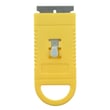
| Remove cooked-on residue | Cooktop scraper WA906B | Lifts debris that can interfere with burner cap seating |
| Routine cooktop cleanup | Whirlpool cooktop cleaning kit W10336909 | Helps prevent buildup around burners and electrodes |
If it still will not spark
These symptoms help narrow the cause:
- One burner fails, others spark: dirty/misaligned burner parts, wet electrode, or a damaged electrode/wire at that burner.
- All burners fail to spark: power supply issue, failed spark module, or a loose connection in the ignition circuit.
- Clicks but no flame: burner ports clogged, cap not seated, or gas supply issue (valve off).
Why it matters
A weak or missing spark can cause delayed ignition, uneven lighting, and repeated clicking. Keeping burner parts clean and properly seated helps the ignition system light quickly and reduces wear on the spark components.
Last updated: February 2026