Owner’s manual
 Error Codes

What is the most common problem with an LG refrigerator?
The most common LG refrigerator issue we see is a cooling complaint: the refrigerator or freezer runs too long, does not hold temperature, or seems warm. On the LG LSC22991ST, start with the basic checks in the LSC22991ST owner's manual before replacing parts.
Most common symptoms customers report
- Refrigerator not cold enough, freezer OK (or the reverse)
- Unit runs constantly or runs too long
- Warm cabinet right after installation or during hot weather
- Ice maker slow or not making ice (often tied to temperature)
- Water dispenser flow is weak (often tied to filter or supply)
Quick checks that fix many “not cooling” calls
- Confirm controls are set correctly; the manual notes the refrigerator may not run if the control is off.
- Allow for normal operation; automatic defrost cycles can make the compressor stop periodically.
- Check power; make sure the plug is fully seated and the outlet has power.
- Improve airflow; do not block vents inside the fresh food or freezer sections.
- Clean heat rejection areas; dust buildup around the condenser area can increase run time.
Parts that commonly affect cooling and related complaints
| Symptom | Common area to inspect | Example part for this model |
|---|---|---|
| Runs too long, warm temps | Dirty or restricted condenser area | Refrigerator condenser coil ACG73748502 |
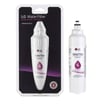
| Weak water flow, poor ice production | Restricted filter | LG refrigerator water filter ADQ73613401 |
| Odors that linger | Air filtration | LG refrigerator air filter ADQ73214408 |
Why it matters
Cooling problems can lead to food spoilage and heavy compressor run time. Starting with settings, power, and airflow helps you avoid unnecessary part replacement; if the issue persists, the manual’s troubleshooting and Smart Diagnosis steps help narrow the cause.
Last updated: February 2026
How to fix LG if e error code?
On LG model LSC22991ST refrigerators, an IF E error typically points to an ice maker or fan related issue. Start with a power reset, then check for ice buildup and airflow restrictions; use the Smart Diagnosis steps in the LSC22991ST owner's manual if LG support requests it.
Quick reset and basic checks
- Unplug the refrigerator (or turn off the breaker) for 5 minutes, then restore power.
- Make sure both doors close and seal fully; warm air can cause frost that triggers ice and fan problems.
- Check the ice room and vents for frost or ice blockage.
- Confirm freezer temperature is set to 0°F and refrigerator to 37°F.
- Listen for the evaporator fan; a loud rubbing noise often indicates ice contacting the fan.
What to inspect next (most common causes)
| What you notice | Likely cause | What to do |
|---|---|---|
| Ice maker stops, ice clumps, or chute area frosts | Ice room airflow restriction or ice buildup | Defrost the ice room area; clear vents and recheck in 24 hours |
| Fan noise, then error returns | Ice contacting fan blade | Fully defrost; verify door seals and avoid overpacking |
| No ice and weak water flow at dispenser | Water supply restriction | Replace the LG refrigerator water filter ADQ73613401 and flush several gallons |
| Ice maker will not cycle after defrost | Ice maker assembly issue | Test ice maker operation per manual; replace if it fails |
Using Smart Diagnosis (when LG asks for it)
Smart Diagnosis helps transmit data to LG support for faster troubleshooting.
- Lock the display (press and hold Lock for 3 seconds).
- Open the right refrigerator door.
- Hold your phone’s mouthpiece to the speaker at the right door hinge.
- Press and hold Freezer Temperature for 3 seconds until you hear beeps.
- Keep the phone in place until the tone transmission finishes.
(These steps are outlined in the LSC22991ST owner's manual.)
Why it matters
IF E errors often come back if the underlying cause is still present. Clearing ice buildup, restoring proper airflow, and keeping water filtration current prevents repeat icing that can affect ice production and freezer temperature stability.
Last updated: February 2026
Why is my LG refrigerator control board blinking 3 times?
On LG model LSC22991ST, a “3 times” blink or beep pattern is most often tied to a door-open warning (three warning sounds at 30-second intervals after the door has been open about a minute) or a diagnostic alert that needs service attention. Confirm whether you are hearing beeps, seeing display flashes, or both using the LSC22991ST owner's manual.
What “3 times” usually means on this model
The manual calls out a door open warning pattern:
- Three warning sounds
- At 30-second intervals
- After about 1 minute with the refrigerator door (or homebar door, if equipped) left open
- If the warning continues after closing the door, service is recommended
If you are seeing control/display blinking with poor or no normal operation, the manual also describes a failure detection (diagnosis) function where the refrigerator may not respond normally and should be checked by a technician.
Quick checks we recommend (before replacing parts)
- Make sure both doors are fully closed and sealing; check for food packages blocking the door.
- Press on the door gasket area around the perimeter to confirm it is seating evenly.
- Check the door switch operation; the interior lights should turn off when the door is closed.
- Power reset: unplug the refrigerator for 2 minutes, then plug back in and watch for repeat symptoms.
- If the unit is newly installed, allow normal run time; some functions (like ice production) can take time to stabilize.
Parts that commonly relate to “door open” symptoms
If the doors are closed but the unit still acts like a door is open, these parts are common suspects:
| Symptom | Most likely area | What to look for |
|---|---|---|
| Beeps continue with doors shut | Door sensing | Door switch not clicking, light stays on |
| Display acts erratic | Controls | Intermittent response, random indicators |
| Ice clumping or odd dispenser behavior (separate issue) | Dispenser/ice door | Chute door not closing fully |
Model-matched parts you can check:
- Refrigerator door switch EBF61314804 (tells the control the door is open or closed)
- Refrigerator main pcb assembly CSP30020780 (main control board, if diagnostics point to control issues)
Why it matters
A door-open condition can warm the refrigerator compartment, increase frost risk, and make the compressor run longer than normal. Catching a weak door switch or a door that is not sealing helps protect food temperatures and reduces wear on the cooling system.
Last updated: February 2026
What are the most commonly replaced parts in a refrigerator?
In an LG LSC22991ST side-by-side refrigerator, the most commonly replaced parts are the ones tied to cooling performance, ice and water dispensing, and airflow. In practice, that usually means filters, door switches, and ice maker or dispenser drive parts; your LSC22991ST owner's manual also highlights features like the fresh air filter and dispenser that commonly need maintenance.
Common refrigerator parts that get replaced most often
- Water filter (for slow water flow, bad taste, or overdue replacement)
- Air filter (for odor control and airflow through the filtration system)
- Door switch (for interior lights, fan operation, and door-ajar behavior)
- Ice maker and dispenser components (for no ice, clumping, or dispensing issues)
- Control board (for erratic temperatures, dead display, or intermittent operation)
- Seals and gaskets (for warm temps and long run times)
Model-relevant examples for LG LSC22991ST
These are examples of parts we commonly see customers replace on this model when symptoms match:
| Symptom | Part category | Example part for this model |
|---|---|---|
| Water tastes off or flow is weak | Filtration | LG refrigerator water filter ADQ73613401 |
| Odors linger in fresh food section | Air filtration | LG refrigerator air filter ADQ73214408 |
| Light does not respond to door | Door sensing | Refrigerator door switch EBF61314804 |
| Ice will not dispense or jams | Dispenser/auger drive | LG refrigerator auger motor EAU60784228 |
Why these parts fail first
These components cycle frequently or are consumables:
- Filters load up with contaminants and naturally restrict flow over time.
- Door switches get pressed thousands of times and can stick or fail electrically.
- Ice and dispenser parts deal with moisture, freezing, and mechanical wear.
- Airflow-related parts affect how long the refrigerator runs; the manual notes that frequent door openings and warm air intrusion can make the unit run longer.
Quick troubleshooting before you buy a part
- Confirm the controls are set correctly; the manual notes the refrigerator may run during normal defrost cycles.
- Check for doors not sealing fully (food blocking the door, cabinet not level).
- If you are working near electrical parts, unplug the refrigerator first (the manual calls this out for cleaning and replacing interior components).
Last updated: February 2026
What are the smart features of LG refrigerator?
For the LG LSC22991ST side-by-side refrigerator, the primary smart feature is Smart Diagnosis, which sends troubleshooting data through a phone call to help LG service specialists identify problems faster. This model does not use Wi-Fi app controls; it uses an on-appliance diagnostic transmission method (similar to a fax tone). See the LSC22991ST owner's manual for the exact steps.
Smart features you can use on LSC22991ST
Smart features on this LG refrigerator focus on diagnostics and service support:
- Smart Diagnosis: transmits error and performance data to LG service during a phone call
- Guided troubleshooting: LG specialists use the transmitted data to pinpoint likely failures
- No internet required: works through the refrigerator’s speaker and your phone’s microphone
- Power-dependent: Smart Diagnosis only works when the refrigerator has power
How Smart Diagnosis works (quick overview)
When LG instructs you to run Smart Diagnosis, the process typically looks like this:
- Lock the display (press and hold Lock for about 3 seconds).
- Open the right refrigerator door.
- Hold your phone’s mouthpiece near the speaker at the right door hinge.
- Press and hold Freezer Temperature for about 3 seconds.
- After the beeps, keep the phone in place until the tone transmission finishes.
What Smart Diagnosis is best for (and what it is not)
| Situation | Smart Diagnosis helps? | What to do next |
|---|---|---|
| Refrigerator running but acting abnormal | Yes | Run Smart Diagnosis when LG instructs you |
| Refrigerator has no power or will not turn on | No | Use standard electrical and component troubleshooting |
| Ice maker or dispenser issues | Sometimes | Check for clogs, door switch operation, and airflow issues |
Why it matters
Smart Diagnosis can shorten repair time by giving the service center usable data right away. That helps you avoid guesswork when symptoms point to common causes like control issues, airflow restrictions, or cooling system problems.
Last updated: February 2026
Can I replace fridge parts myself?
Yes, on an LG LSC22991ST refrigerator you can replace many non-sealed-system parts yourself (filters, switches, bins, some dispenser and fan components) if you unplug the unit first and follow the safety steps in the LSC22991ST owner's manual. For sealed-system or diagnosis-related failures, we recommend professional service.
What you can usually replace yourself
These repairs are typically straightforward with basic hand tools:
- Refrigerator water filter (routine maintenance), such as LG refrigerator water filter ADQ73613401
- Fresh air filter, such as LG refrigerator air filter ADQ73214408
- Door switch (light and door-ajar behavior), such as refrigerator door switch EBF61314804
- Dispenser ice chute door motor (ice door not opening or closing), such as refrigerator dispenser ice chute door motor EAU59551204
- Condenser fan blade or related hardware (noise or poor airflow), such as refrigerator condenser fan blade 5901JA1012B
Repairs to leave to a technician
Some jobs involve refrigerant handling, specialized tools, or advanced diagnostics:
- Sealed-system cooling problems (evaporator, refrigerant lines)
- Compressor replacement, such as refrigerator compressor TCA38091801
- Main control board troubleshooting when the refrigerator will not respond to buttons
Safety steps we recommend before any repair
The manual specifically calls out unplugging for cleaning and when handling or replacing the interior lamp. Use the same approach for most part replacements.
- Unplug the refrigerator by pulling the plug (not the cord)
- Keep hands dry when handling the power plug
- Protect the power cord from being pinched or bent
- If you replace the interior lamp, keep the socket rubber ring in place
- Turn off the water supply before working on dispenser water parts
Quick DIY decision guide
| What you are replacing | DIY-friendly? | Why |
|---|---|---|
| Filters, bins, shelves | Yes | No wiring or sealed-system work |
| Switches, simple motors | Often | Light wiring and basic access |
| Control board, compressor | No | Diagnosis and high-risk components |
Why it matters
DIY replacement can restore ice and water performance, reduce odors, and fix common door and dispenser issues quickly. Following the unplug-first guidance helps prevent electric shock and protects sensitive LG electronics.
Last updated: February 2026