 Error Codes

How to find GE part number?
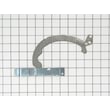
For your GE electric range model JBP66GW1AD, the fastest way to find the correct GE part number is to match your model number to the parts list, then confirm the part by name and location on the range. If you already know the part you need, you can also match it to a listed part ID such as range bake element WB44X5082.
Step-by-step: find the right part number
- Confirm the model number on the range’s ID tag (commonly on the oven frame behind the door, or on the back panel).
- Use the model number JBP66GW1AD to pull up the correct parts breakdown for your exact range.
- Identify the failed part by function (bake, broil, light, surface element control) and where it sits on the appliance.
- Match the part name to the listing, then verify the part number and part ID.
- If multiple similar parts appear, compare details like wattage, mounting style, and connector type before ordering.
Common examples for model JBP66GW1AD
These are frequently searched items for this GE range; use them as a reference point when you are identifying what you need:
| What you are fixing | Part name on the list | Part ID | Manufacturer part number |
|---|---|---|---|
| Oven not baking | Range bake element | WB44X5082 | WB44X5082 |
| Oven not broiling | Broil unit f | WB44X173 | WB44X0185 |
| Oven light out | Range oven light bulb | 40A15 | WX12X1510 |
| Oven temp inaccurate | GE wall oven temperature sensor | WB23X5340 | WB23X5340 |
Tips to avoid ordering the wrong part
- Do not rely only on a description like “GE oven element”; always match to JBP66GW1AD.
- If the part is electrical (element, sensor, switch), shut off power at the breaker before inspecting.
- For heating problems, check for visible damage (blisters, breaks) on the element before ordering.
- For control issues, confirm the symptom first (no heat vs. uneven heat vs. overheating).
Why it matters
GE ranges often use similar-looking components across different model families. Matching the model number JBP66GW1AD first, then confirming the exact part number and part ID, prevents fit issues and repeat repairs.
Last updated: February 2026
How to replace GE oven temp sensor?
On the GE JBP66GW1AD electric range, we replace the oven temperature sensor by shutting off power, removing the sensor’s mounting screws inside the oven, pulling the sensor forward, disconnecting the wire connector, then reconnecting and reinstalling the new sensor (such as GE wall oven temperature sensor WB23X5340).
Safety first
- Turn off power at the breaker (240V range circuits can cause serious shock).
- Let the oven cool completely.
- Wear work gloves; sheet metal edges can be sharp.
- Avoid pulling on wires; grip the connector body.
Steps to replace the oven temperature sensor
- Cut power to the range at the household breaker.
- Open the oven door and locate the sensor probe (typically on the upper rear wall inside the oven cavity).
- Remove the mounting screws holding the sensor to the oven liner.
- Gently pull the sensor forward a few inches until the connector comes through the opening.
- Disconnect the wire harness by pressing the locking tab and separating the connector.
- Connect the new sensor to the harness; make sure the connector fully seats and locks.
- Tuck the connector back through the opening so it will not touch hot surfaces.
- Reinstall the sensor with the mounting screws.
- Restore power and test bake temperature.
Quick checks before you buy a sensor
If the oven is not heating correctly, these checks help confirm the sensor is the likely cause:
- The oven temperature is consistently too hot or too cool.
- Temperature swings are larger than normal during baking.
- You see a temperature-related fault code on the display.
- The sensor wiring looks damaged or the connector is loose.
Common symptoms and likely causes
| Symptom | Most common cause | Next step |
|---|---|---|
| Oven too hot or too cool | Sensor out of range | Replace sensor |
| Error code related to temperature | Sensor or wiring issue | Inspect connector, then replace sensor |
| Long preheat or weak baking | Bake element or sensor issue | Check bake element first, then sensor |
Why it matters
A failing temperature sensor can make the control board “think” the oven is hotter or cooler than it really is, which leads to poor baking results, long preheat times, and temperature error codes.
For help interpreting display codes on GE ranges, use our GE freestanding range error codes guide.
Last updated: February 2026
How much does it cost to replace a GE oven control board?
For a GE JBP66GW1AD electric range, replacing the oven control board typically runs $100 to $300 for the part, and about $220 to $550 total if you pay for professional installation. The exact price depends on the specific board used in your range and whether you DIY or hire service.
What’s included in the total cost
- Control board price (varies by board type and availability)
- Service call and labor (often 1 to 2 hours)
- Diagnostic time (sometimes billed separately)
- Any related parts needed during the repair (connectors, wiring repairs)
Typical price ranges (parts vs. installed)
| Scenario | Typical cost range | Notes |
|---|---|---|
| DIY replacement (part only) | $100 to $300 | You handle diagnosis and installation. |
| Professional replacement (installed) | $220 to $550 | Includes labor plus the part. |
| Higher-end/complex boards | $300+ (part only) | Some boards cost more depending on design. |
Before you buy a control board
A control board is often replaced when the oven won’t heat, won’t bake or broil, has a dead display, or behaves erratically. We recommend ruling out common, less expensive causes first:
- Check for a tripped breaker (many electric ranges use a 240V supply; a half-tripped breaker can cause odd symptoms)
- Inspect the bake element for visible damage; a failed element can mimic control problems (see range bake element WB44X5082)
- If the oven temperature is inaccurate, test the sensor; a bad sensor can cause overheating or underheating (see GE wall oven temperature sensor WB23X5340)
- Look for burned or loose wiring at connections
- If you’re seeing an error code, use GE freestanding range error codes to narrow the failure
Why it matters
Control boards are one of the most expensive range repairs. Confirming whether the issue is the board, a heating element, or the temperature sensor helps you avoid replacing a high-cost part that does not fix the problem.
Last updated: February 2026
How to replace the control panel on a GE oven?
On your GE JBP66GW1AD electric range, control panel replacement is a control-console disassembly job: shut off power, open the console, move wiring one connector at a time, then reassemble and test. The exact fastener locations vary by console style, so work methodically and document every connection.
Safety and prep
- Turn off power at the breaker (range power is 240V).
- Confirm the cooktop and oven are off and fully cool.
- Pull the range forward enough to access the back of the console.
- Take photos of every connector before you unplug anything.
- Keep screws grouped by location so they go back correctly.
Control panel replacement steps (console-style overview)
- Disconnect power at the breaker.
- Remove the rear access screws for the control console (typically along the back edge).
- Tilt the console/control panel forward to access the wiring and mounting tabs.
- If your panel has an overlay, transfer it carefully to the replacement panel (avoid creasing).
- Move wiring one connector at a time from the old panel/control to the new one; match by position and wire colors.
- Reinstall the panel, secure all screws, restore power, then test Bake, Broil, and each surface element.
If the issue is not the control panel
A “dead” panel is often caused by a power connection problem or a temperature-sensing fault that triggers errors.
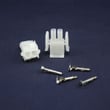
- Check for heat damage at the power connection area; see terminal block WB17X5095.
- If you get temperature-related errors or runaway heating symptoms, check the sensor circuit; see GE wall oven temperature sensor WB23X5340.
- If the oven will not heat after reassembly, inspect the heating circuit; see range bake element WB44X5082.
Quick symptom guide
| What you see | What it usually points to | What we check first |
|---|---|---|
| No display, no beeps | Power supply or burned connection | Breaker reset, terminal block, harness plugs |
| Error code after reassembly | Sensor or connector not seated | Sensor plug, pin fit, wire routing |
| Oven will not heat | Element circuit or control output | Element condition, connectors, wiring |
Why it matters
The control panel is the user interface and often shares wiring with the oven sensor and heating circuits. One loose connector or pinched harness can cause no-power symptoms, error codes, or no-heat problems.
For code definitions and next steps, use GE freestanding range error codes.
Last updated: February 2026




