Owner’s manual
 Error Codes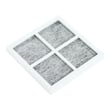




What is the life expectancy of an LG fridge?
Most LG refrigerators, including the LG LFXC22526D, have a typical life expectancy of 10 to 15 years with normal household use and basic maintenance. Keeping temperatures stable, doors sealing tightly, and airflow clear helps you reach the upper end of that range.
Typical lifespan and what affects it
Refrigerator lifespan is driven more by operating conditions and maintenance than by brand alone.
- Heat and airflow: Dirty condenser area and blocked vents make the compressor run longer.
- Door seal condition: Leaky gaskets cause temperature swings and excess run time.
- Ice and water usage: Heavy dispenser use increases wear on valves, switches, and ice maker components.
- Power quality: Frequent outages or surges can stress control boards and compressor start components.
- Maintenance habits: Regular cleaning and filter changes reduce strain and odors.
Maintenance that extends life (high impact)
Use these as a simple yearly checklist; details for your model are in the owner's manual.
- Keep the condenser area clean and ensure good airflow around the cabinet.
- Set temps to typical targets: 37°F fresh food, 0°F freezer.
- Confirm doors close easily and stay aligned; avoid overloading door bins.
- Replace water filters on schedule; purge air after filter changes.
- Clear the defrost drain if you see water under the refrigerator.
Quick “repair vs replace” guide
| If your LG LFXC22526D is... | Usually worth repairing | Usually time to consider replacing |
|---|---|---|
| Under 8 years old | Most issues | Rarely |
| 10 to 15 years old | Many common part failures | Major sealed-system issues |
| Over 15 years old | Small fixes (gasket, switch) | Repeated cooling failures |
Why it matters
A refrigerator that runs longer than it should (from a weak door seal, restricted airflow, or ice maker water issues) uses more energy and accelerates wear on key components like the compressor and fans.
Helpful DIY reading
Last updated: February 2026
How to tell if an LG compressor is bad?
On an LG LFXC22526D refrigerator, a bad compressor typically shows up as warming temperatures (fresh food and freezer), little to no steady compressor hum, and repeated clicking from the lower rear area as the compressor tries to start and shuts off.
Quick symptoms checklist
- Refrigerator and freezer temperatures keep rising even though the unit has power
- You hear repeated clicking every few minutes from the compressor area (start attempt, then stop)
- The compressor is extremely hot to the touch (do not touch bare metal; use caution)
- The condenser fan runs but cooling does not improve
- The compressor runs briefly, then trips off (often paired with clicking)
What to check first (before condemning the compressor)
Many “bad compressor” complaints are caused by airflow, control, or start-protection issues. We recommend these checks in order:
- Confirm airflow and heat rejection
- Make sure the condenser area is not packed with dust
- Verify the condenser fan is running when the compressor should be running
- Rule out a temperature-sensing/control issue
- If temperatures are erratic or the unit cycles strangely, a sensor can mislead the control board
- For thermistor-related diagnosis, use diagnosing refrigerator thermistor problems video
- Check the compressor start-protection components
- A failed overload can cause repeated clicking and no sustained compressor run
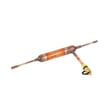
- For this model, the related part is the refrigerator compressor overload protector 6750CL0001D
What the clicking usually means
| What you notice | Most common cause | What it leads to |
|---|---|---|
| Click every 2 to 10 minutes, no cooling | Overload/start device opening | Compressor never stays on |
| Compressor hums briefly then stops | Overload tripping from high draw/heat | Warming temps |
| No click, no hum, no cooling | Control or power issue | Compressor not being energized |
Why it matters
A compressor that cannot start or cannot stay running will quickly cause food-safety temperature problems. Checking the overload protector and airflow first prevents replacing major sealed-system parts when a simpler fix restores cooling.
For model-specific component locations and safe access steps, use the owner's manual.
Last updated: February 2026
How to reset LG lower ice maker?
To reset the lower ice maker on your LG LFXC22526D, use the ice maker’s built-in reset/test button so it can run a short harvest and refill cycle. After the reset finishes, reinstall the ice bin fully seated and aligned so the auger and bin switch engage correctly (see the owner's manual).
Quick reset steps (lower ice maker)
- Empty the ice bin if it is overfilled or jammed; then slide the bin out.
- Look for a small RESET/TEST button on the ice maker module (often near the front or underside).
- Press and hold the button for about 3 to 10 seconds until you hear a chime or the mechanism starts moving.
- Wait for the reset cycle to complete (you may hear the tray move and the unit call for water).
- Reinstall the bin straight back until it stops; confirm it sits level and fully back.
- Allow time for ice production to resume; most units need several hours to refill the bin.
If the reset does not work
Check these common causes
- Ice clumps or a jam in the bin or chute
- Ice maker is turned off (switch or control setting)
- Door not closing fully or bin not seated (bin switch not made)
- Low water flow from the household supply
- Frozen fill tube (no water entering the mold)
Helpful part checks for this model
| Symptom | What to check | Related part on this model |
|---|---|---|
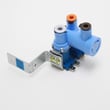
| No water to ice maker | Water supply, filter, valve operation | LG refrigerator water inlet valve AJU72992601 |
| Ice dispenses poorly or jams | Chute door operation | Refrigerator dispenser ice chute door motor EAU59551204 |
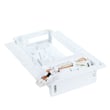
| Ice maker not cycling | Ice maker module/assembly | Ice maker assembly AEQ72909602 |
Why it matters
A proper reset clears a stalled harvest cycle and re-syncs the ice maker’s timing. If the bin is not aligned afterward, the refrigerator can act like the bin is missing and stop making or dispensing ice.
Last updated: February 2026
What is the most common problem with an LG refrigerator?
The most common LG refrigerator complaint is a cooling problem (refrigerator or freezer not staying cold). On the LG LFXC22526D, the most frequent non-cooling causes we see are airflow issues, a failed evaporator fan, or a temperature-sensing problem; water and ice issues are also very common.
What to check first (fast, no tools)
- Confirm the set temperatures; typical targets are 37°F fresh food and 0°F freezer.
- Make sure vents inside the compartments are not blocked by food packages.
- Listen for the evaporator fan; it should run when the unit is cooling.
- Check door sealing and alignment; warm air leaks cause temperature swings and frost.
- If the dispenser or ice maker is acting up, replace the water filter on schedule and purge air from the water line.
Common symptoms and likely causes
| Symptom | Most likely cause | Parts that often relate |
|---|---|---|
| Warm fridge, freezer OK | Airflow restriction or fan issue | Fan assy ADP73273402 |
| Warm freezer and fridge | Cooling system or control/sensing issue | Refrigerator temperature sensor 6500JB2002X |
| Ice maker not making ice | Ice maker assembly issue or water supply problem | Ice maker assembly AEQ72909602, LG refrigerator water inlet valve AJU72992601 |
| Water dispenser weak/no water | Filter restriction or inlet valve issue | LG refrigerator water inlet valve AJU72992601 |
Why it matters
Cooling problems can spoil food quickly and also create secondary issues like frost buildup, water puddles, and noisy operation. Catching airflow, fan, or sensor problems early helps prevent bigger repairs.
Helpful model-specific resources
- Use the troubleshooting and component locations in the owner's manual.
- For dispenser and ice maker upkeep, follow how to prevent water dispenser and ice maker problems.
- If you see an error code, match it using LG bottom freezer refrigerator error codes.
Last updated: February 2026