 Owner’s manual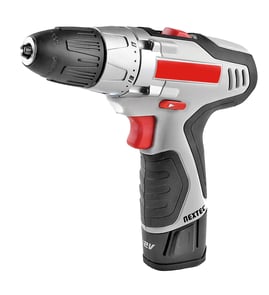


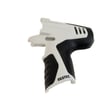
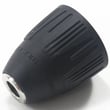
How to replace drill bit on Craftsman drill?
To replace the drill bit on your Craftsman 32010003 drill/driver, loosen the chuck by rotating it to the OPEN direction until the jaws release the bit, remove the old bit, then insert the new bit straight and tighten the chuck by hand. See the owner's manual for the exact chuck operation and safety notes.
Steps to change the bit (key points)
- Remove the battery pack before changing bits.
- Hold the drill firmly and rotate the chuck body toward OPEN to loosen the jaws.
- Pull the old drill bit straight out.
- Insert the new bit straight into the chuck jaws (not at an angle).
- Tighten the chuck by hand until the bit is secure.
- Reinstall the battery pack and test at low speed.
Safety and “do not” reminders
- Do not use a wrench to tighten or loosen the chuck jaws.
- Do not tighten the chuck with the bit inserted at an angle; the bit can be thrown from the drill.
- Wear safety glasses (and a dust mask if the work is dusty).
Quick troubleshooting if the bit slips
| Symptom | Most common cause | What to do |
|---|---|---|
| Bit spins in the chuck | Chuck not tightened enough | Retighten the chuck by hand and recheck grip |
| Bit wobbles | Bit inserted at an angle | Remove and reinsert the bit straight |
| Bit won’t release | Jaws not opened far enough | Rotate chuck further toward OPEN |
Why it matters
A straight, fully seated bit protects the chuck jaws, reduces wobble, and prevents the bit from coming loose during drilling, which helps avoid damage to the tool and improves hole accuracy.
Last updated: February 2026
How to remove the chuck on a Craftsman drill?
To remove the chuck on your Craftsman 32010003 drill/driver, lock the trigger, open the jaws, loosen and remove the left-hand chuck screw, then use a hex key and mallet to break the chuck loose from the spindle and unthread it by hand. See the owner's manual for the exact steps and diagrams.
Steps to remove the chuck (Craftsman 32010003)
- Set the direction-of-rotation selector to OFF (center) to lock the trigger.
- Open the chuck jaws fully.
- Tighten a 5/16-in. (or larger) hex key in the chuck.
- Tap the hex key clockwise with a mallet to loosen the internal screw.
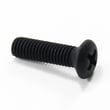
- Remove the internal chuck screw with a screwdriver by turning it clockwise (it uses left-hand threads).
- Reinstall the hex key, tighten it again, then tap the hex key counterclockwise to loosen the chuck from the spindle.
- Unthread the chuck by hand and remove it.
Thread directions (quick reference)
| What you are loosening | Tool | Turn this direction to loosen |
|---|---|---|
| Chuck screw (inside chuck) | Screwdriver | Clockwise (left-hand threads) |
| Chuck on spindle | Hex key + mallet | Counterclockwise |
Why it matters
The chuck screw is reverse-threaded (left-hand threads). Turning it the wrong way can strip the screw head or damage the chuck, which can cause wobble, bit slippage, or jaws that bind.
Safety and handling tips
- Remove the battery pack before starting any disassembly.
- Keep the hex key fully seated; use firm, controlled mallet taps.
- Do not use a wrench on the keyless chuck jaws; tighten and loosen by rotating the chuck body.
- If the chuck is stuck, apply penetrating oil to the spindle threads and try again after a few minutes.
Last updated: February 2026
Where can I buy Craftsman replacement parts?
You can buy replacement parts for your Craftsman drill/driver model 32010003 through Sears PartsDirect by using the model-based parts lookup and the exploded view/parts list in the owner's manual. This helps you match the correct part name and reference number before ordering.
Best way to get the right part for model 32010003
We recommend using the parts list and exploded view so you do not guess on small internal components (like the chuck, switch, or PCB assembly).
- Confirm the tool model is 32010003 (from the label on the drill)
- Use the exploded view to identify the exact component location
- Write down the part description and any listed part number
- Compare your original part to the diagram (shape, connectors, screw holes)
- Order the replacement part using the model number to avoid mismatches
Common replacement parts you may need
For a 12.0-volt lithium-ion cordless drill/driver like this Craftsman model, the most commonly replaced items include:
- Chuck (3/8 in. reversible chuck)
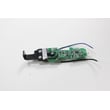
- Trigger switch or control board (PCB assembly)
- Screws, springs, pins, and washers in the housing
- Battery pack and charger (wear items)
- Forward/reverse selector components
Quick comparison: where to shop and why
| Option | Best for | Why it helps |
|---|---|---|
| Sears PartsDirect model lookup | Model-specific parts | Matches parts to 32010003 diagrams |
| Using the manual parts list | Identifying the exact part | Reduces wrong-part orders |
| Local tool repair/technician | Diagnosis and internal repairs | Helpful when electrical issues are suspected |
Why it matters
Power tool parts are often version-specific, even within the same brand. Using the model 32010003 parts diagram prevents ordering a similar-looking chuck, switch, or internal hardware that will not fit your drill.
Last updated: February 2026