 Installation guide
 Owner’s manual




Does a vented microwave have to be vented outside?
No. Your GE JVM1750SP1SS microwave/hood combo can be installed to vent to the outside (top or back exhaust) or set up as a recirculating (ductless) system that filters and returns air back into the kitchen; the right choice depends on your kitchen layout and ducting options in the installation guide.
Venting options for JVM1750SP1SS
The installation instructions list three supported ventilation types:
- Outside top exhaust (vertical duct)
- Outside back exhaust (horizontal duct)
- Recirculating (non-vented, ductless) (uses a charcoal filter kit)
If you choose outside ventilation, use the most direct duct route with as few elbows as possible, and make sure dampers swing freely and nothing blocks the duct.
What “recirculating” means (and what to maintain)
Recirculating setups do not send air outdoors. Instead, the hood fan pulls cooking vapors through filters and returns the air to the room.
- Replace the charcoal filter when it is noticeably dirty or discolored (often every 6 to 12 months, depending on hood use)
- Keep the grille and intake areas clear so airflow is not restricted
- Clean or replace any grease filters per the care instructions in the owner's manual
Quick comparison
| Setup type | Where air goes | What you need | Best for |
|---|---|---|---|
| Outside top exhaust | Up through duct | Vertical ductwork | Cabinets with duct path above |
| Outside back exhaust | Out through wall | Horizontal ductwork | Exterior wall behind unit |
| Recirculating (ductless) | Back into kitchen | Charcoal filter kit | No practical duct route |
Why it matters
Correct venting protects performance. Restricted airflow can reduce smoke and odor removal, increase heat buildup around the microwave, and make the hood fan less effective during cooking.
Last updated: February 2026
How do I do a hard reset on my GE microwave?
To hard reset your GE JVM1750SP1SS microwave/hood combo, disconnect power (unplug it or switch the circuit breaker off) for about 1 to 2 minutes, then restore power and set the clock. This full power cycle clears many control glitches and “frozen” keypads.
Hard reset steps (power cycle)
- Press CLEAR/OFF once to stop cooking.
- Unplug the microwave, or turn OFF the kitchen microwave breaker.
- Wait 1 to 2 minutes.
- Restore power.
- Re-set the clock and test a simple heat cycle (for example, 1 cup of water for 60 seconds).
Soft reset (control lock and stuck commands)
If the display shows an “L” or the keypad seems locked, use the control lock feature:
- Press and hold CLEAR/OFF for about 3 seconds to lock or unlock the controls (the manual notes an “L” displays when locked). See the owner's manual.
What a reset fixes (and what it does not)
A reset is most effective for control issues, not heating failures.
| Symptom | Reset helps? | What to check next |
|---|---|---|
| Keypad unresponsive or acting “stuck” | Yes | Soft reset, then hard reset |
| Display glitch after a power flicker | Yes | Hard reset |
| Microwave runs but does not heat | Sometimes | Heating circuit diagnosis (magnetron, capacitor, transformer) |
| Turntable not turning | Sometimes | Turntable motor and coupler |
Why it matters
Resetting safely clears the control board’s temporary memory and restores normal operation after a power interruption, control lock activation, or a stalled cooking program.
If it still will not heat after resetting
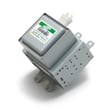
For a no-heat condition, we use a different troubleshooting path. Start with our why is my microwave not heating guide, and use the parts list for JVM1750SP1SS if testing points to a failed component such as the microwave magnetron WB27X11079 or microwave high-voltage capacitor WB27X10011.
Last updated: February 2026
What is the life expectancy of a GE microwave?
A GE microwave typically lasts about 9 years with normal household use. For an over-the-range model like GE JVM1750SP1SS, lifespan depends most on ventilation, keeping the cavity clean, and avoiding overheating events; your owner's manual covers safe-use habits that help extend service life.
Typical lifespan and what changes it
Most microwaves fall into a fairly consistent range; the biggest swing comes from heat stress and heavy daily use.
- Typical life expectancy: ~9 years
- Light use (reheat/defrost only): often longer
- Heavy use (multiple long cook cycles daily): often shorter
- Poor airflow or grease buildup: shortens life on over-the-range units
- Running empty: can overheat internal components and shorten life
Quick “repair vs. replace” guide
Use this as a practical way to decide what to do when performance drops.
| Symptom | Common cause area | What we recommend |
|---|---|---|
| Runs but does not heat | High-voltage system | Stop using and have it serviced by a qualified technician |
| Dead display/no power | Fuse, wiring, controls | Check power supply first; then diagnose with proper testing |
| Starts then stops | Door interlock system, overheating | Inspect door closing and latches; check for blocked airflow |
| Turntable not turning | Motor/coupler/support | Replace the failed turntable drive part(s) |
Model-specific parts that often affect “it won’t start” complaints
On JVM1750SP1SS, door interlock issues are common when the door does not close firmly or the latch parts wear.
- Door switch: micro-switch WB24X830
- Door switch: switch-micro WB24X829
- Door latch structure: microwave latch body WB06X10676
- Switch actuator: microwave door interlock switch lever WB06X10128
Why it matters
Microwaves can appear to “work” (lights, fan, turntable) even when a key system is failing. Following the safety and operating guidance in the manual helps prevent overheating, nuisance shutdowns, and premature wear.
Last updated: February 2026





