 Installation guide
 Owner’s manual
 Error Codes




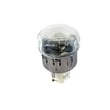
How to find LG part number?
For your LG LRE30955ST electric range, the fastest way to find the correct LG part number is to start with the model number from the rating label, then use the parts diagram and parts list in the LRE30955ST owner's manual to match the exact component name to the correct part number.
Where to look for the model and serial number
Use these common locations for an LG electric range:
- Open the oven door and check the frame around the oven opening
- Check the lower drawer area (storage or warming drawer) frame
- Look on the back panel of the range (if accessible)
- Write down both model and serial numbers for accurate part matching
How we recommend matching the right part number
Part numbers can vary by revision, color, and production run, so matching by model first prevents ordering the wrong item.
- Identify the failed symptom (no heat, door issue, surface element not working)
- Find the part by location (cooktop, oven cavity, door, rear panel)
- Match the part by name and description in the parts list
- Compare the old part’s label or stamping (when present) to the listing
- Confirm compatibility using the model number LRE30955ST
Quick examples (common range parts)
These examples show how part numbers are typically tied to a specific component on this model.
| What you are replacing | What to match | Example part on this model |
|---|---|---|
| Surface heating issue | Element size and position | Range radiant surface element, 6-in 5300W1R004A |
| Oven overheating or safety trip | Thermostat type and mounting | Range safety thermostat 6930W1A003X |
| Door glass damage | Inner glass shape and mounting holes | Range oven door inner glass 4890W1N005A |
Why it matters
Using the correct LG part number for LRE30955ST helps ensure proper fit, safe operation, and correct electrical ratings (especially for radiant surface elements, thermostats, and wiring connections).
Last updated: February 2026
How to reset LG electric stove?
To reset your LG electric range model LRE30955ST, turn the range off, then restore power to clear a control glitch or power-interruption message (such as PF). After power is restored, press CLEAR/OFF and reset the clock using the steps in the LRE30955ST owner's manual.
Quick reset options (most common)
- Clear a PF (power failure) message: press CLEAR/OFF, then set the time of day.
- Clear a function error code (F- plus a number): press CLEAR/OFF, let the oven cool for 1 hour, then try again.
- Hard reset (full power cycle): switch the range breaker OFF for 2 to 5 minutes, then switch it ON.
- If the display is blank: confirm the cord is fully plugged in and the breaker is not tripped.
- If the issue returns right away: stop using the oven function and schedule service.
What you should see after a reset
| Situation | What it means | What to do next |
|---|---|---|
| PF flashing | Power interruption occurred | Press CLEAR/OFF, then reset the clock |
| F- code with beeping | Control detected a fault | Press CLEAR/OFF, cool 1 hour, retry |
| HS message | Hot surface indicator state | Clear using the cooktop control steps in the manual |
Why it matters
A proper reset clears temporary control-board states after a power outage, overheated condition, or keypad glitch. If the range immediately shows an F- code again, the problem is usually a failed sensor, wiring issue, or a control-related fault that needs diagnosis.
When a reset is not enough
If the oven still will not heat after resetting, follow the diagnostic flow in oven wont heat troubleshooting electric range problems video. If you suspect a heat-related safety shutdown, checking the range safety thermostat 6930W1A003X is a common next step during professional troubleshooting.
Last updated: February 2026
What if I can't find my part on sears PartsDirect?
If you cannot find a part for your LG LRE30955ST electric range, start by confirming the full model number and then use the exploded-view diagrams in the LRE30955ST owner's manual to match the part name and location. If it still does not show up, contact Sears PartsDirect support with your model and serial number.
Quick checks that usually solve it
- Recheck the model tag for the exact model number (LRE30955ST) and any suffix on the serial label.
- Search by the part name (example: “safety thermostat” or “radiant surface element”) instead of a number.
- If you have a number, try both the part number and the part ID format.
- Use the manual diagrams to identify the correct section (cooktop, oven door, convection fan, wiring).
- Compare your part visually to common matches such as the range safety thermostat 6930W1A003X or a surface element.
When the part is listed but looks “wrong”
Sometimes multiple versions exist for the same repair location (for example, oven door glass or surface elements). Use these identifiers to confirm you are choosing the right listing:
| What to match | Where to look | Why it helps |
|---|---|---|
| Model number | Rating plate on the range | Prevents ordering a similar-looking part for a different series |
| Part location | Manual diagram callout | Confirms mounting style and wiring position |
| Part markings | Stamped/printed on the old part | Helps cross-check part number vs. part ID |
If you still cannot locate it
- Gather the model number and serial number from the range.
- Note the symptom (for example: “oven will not heat” or “burner not working”).
- Describe the part’s location and what it connects to (wires, screws, glass, hinge).
- Contact Sears PartsDirect support to have a specialist help identify the correct replacement.
Why it matters
Ordering by the exact LG model and diagram position reduces returns and helps ensure the replacement part fits, mounts correctly, and restores safe operation.
Last updated: March 2026




