 Owner’s manual
 Error Codes




How to force an LG dishwasher to drain?
To force-drain an LG dishwasher model LDF5678BD, we use the built-in Cancel/Drain function: press and hold Start for 3 seconds. The drain pump will run, the cycle cancels, and the dishwasher powers off after it finishes draining (see the LDF5678BD owner's manual).
Fast steps to drain it now
- Press Power to turn the dishwasher on.
- If Control Lock is on, turn it off first (see below).
- Press and hold Start for 3 seconds to activate Cancel/Drain.
- Listen for the drain pump and watch for water leaving the tub.
- Wait until draining finishes and the unit powers off.
- If water remains, check the drain path (filters, hose, disposal knockout).
If Cancel/Drain will not start
Control Lock can prevent most buttons from working.
- Press and hold Half Load + Energy Saver for 3 seconds to toggle Control Lock.
- Try Cancel/Drain again (press and hold Start for 3 seconds).
- Make sure the door is fully closed and latched.
Drain problem checks (common causes)
If the dishwasher tries to drain but does not empty, these are the most common fixes:
- Clean the filters in the bottom of the tub.
- Check the drain hose for kinks, clogs, or freezing.
- If draining into a garbage disposal, remove the knockout plug in the disposal inlet.
- If you have an air gap, clean it and clear the hose connections.
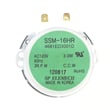
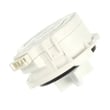
- If the dishwasher hums but will not pump out, the drain pump may be failing (example part: dishwasher drain pump ABQ75742501).
| Symptom | What it usually points to | What we do first |
|---|---|---|
| Runs Cancel/Drain but tub stays full | Clog in filters, hose, air gap, or disposal | Clean filters, inspect hose, clear air gap/knockout |
| Loud hum, little or no water movement | Drain pump jammed or failing | Check for debris; consider drain pump replacement |
| Stops and shows a drain-related error | Drainage restriction | Clear drain path, then retry Cancel/Drain |
Why it matters
Cancel/Drain is the safest way to empty the tub because it uses the dishwasher’s control to run the drain pump. Clearing the drain path also prevents repeat drain errors and helps protect the sump and motor from strain.
For code-specific guidance, use LG dishwasher error codes.
Last updated: January 2026
How to hard reset an LG dishwasher?
To hard reset an LG dishwasher like model LDF5678BD, we recommend a full power cycle: turn the dishwasher off, shut off power at the breaker (or unplug it) for 5 to 15 minutes, then restore power and start a new cycle. This clears many control glitches and stuck error states.
Hard reset (power cycle) steps
- Press Power to turn the dishwasher off.
- Turn OFF the dishwasher circuit breaker (or unplug the unit).
- Wait 5 to 15 minutes.
- Restore power.
- Close the door firmly, then select a cycle and press Start.
Soft reset options (when you do not want to cut power)
These steps help when the controls respond but the cycle is stuck.
- Cancel/Drain: press and hold Start for about 3 seconds (common LG behavior) to cancel the cycle and drain.
- Restart the cycle: after canceling, reselect the cycle and press Start.
- Check control lock: if buttons do not respond, look for CL (Control Lock/Child Lock) on the display and turn it off using the control panel instructions in the LDF5678BD owner's manual.
Quick checks that prevent “false reset” problems
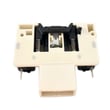
- Make sure the door is fully latched; a weak latch can stop the cycle from starting.
- Confirm the dishwasher has power (breaker on, outlet live if applicable).
- If the unit fills but will not wash, check for an error code and follow the LG dishwasher error codes guidance.
- If the dishwasher will not start at all, follow the steps in dishwasher wont start video.
What to expect after a reset
| What you did | What it clears | What it does not fix |
|---|---|---|
| Power cycle (5 to 15 minutes) | Many control board glitches, stuck cycle logic | Failed parts (pump, valve, latch), wiring issues |
| Cancel/Drain (hold Start) | A stuck or wrong cycle selection | Power supply problems |
Why it matters
A proper hard reset helps you separate a temporary control issue from a real failure (like a door lock problem or a drain issue). If problems return immediately after resetting, troubleshooting the symptom (no drain, no fill, no start) is the fastest path to the right repair.
Last updated: January 2026
What is the most common problem with the LG dishwasher?
The most common issues we see on LG dishwashers like model LDF5678BD are drainage problems and water inlet problems, often triggered by a clogged/kinked hose, a clogged filter, or a blockage at the air gap or garbage disposal. These problems commonly show up as LG error codes.
Most common problems (and what usually causes them)
- Drainage problem (often OE): clogged/kinked/frozen drain hose, clogged air gap or disposal, or clogged filters
- Water inlet problem (often IE): clogged/kinked/frozen inlet hose, or low/closed water supply
- Oversudsing: using the wrong detergent (hand dish soap) can cause suds, poor washing, and leaks
- Leaks: door seal wear, tub seal issues, or the dishwasher not being level
- Not cleaning well: clogged filters, blocked spray arms, or a circulation/diverter issue
Quick checks you can do first
- Turn off power at the breaker.
- Check the drain hose for kinks and make sure the air gap or disposal inlet is clear.
- Clean the filters and check for standing water in the sump area.
- Confirm the water supply valve under the sink is fully open and the inlet hose is not kinked.
- Use only automatic dishwasher detergent; never use hand dish soap.
Parts that commonly fix these symptoms
| Symptom | Common part to inspect | Example part for LDF5678BD |
|---|---|---|
| Won’t drain / water left in tub | Drain pump, drain path | LG dishwasher drain pump ABQ75742501 |
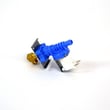
| Not filling / fills slowly | Water inlet valve | Dishwasher water inlet valve 5221DD1001E |
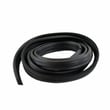
| Leaking at the door | Door seal | Dishwasher door seal 3920DD3002D |
Why it matters
Drain and inlet problems can stop a cycle mid-wash, leave dirty water in the tub, and increase the chance of leaks or odor. Catching a kinked hose or clogged filter early prevents bigger repairs.
For model-specific error code meanings and the exact troubleshooting steps, use the LDF5678BD owner's manual and our LG dishwasher error codes guide.
Last updated: January 2026





